
परिचय
This manual provides comprehensive instructions for the safe and effective use of your DEWALT 20V MAX Cordless Drill and Impact Driver Combo Kit, model DCK277D2. Please read all instructions carefully before operating the tools to ensure proper function and to prevent injury.
किट सामग्री
Your DEWALT DCK277D2 combo kit includes the following components:
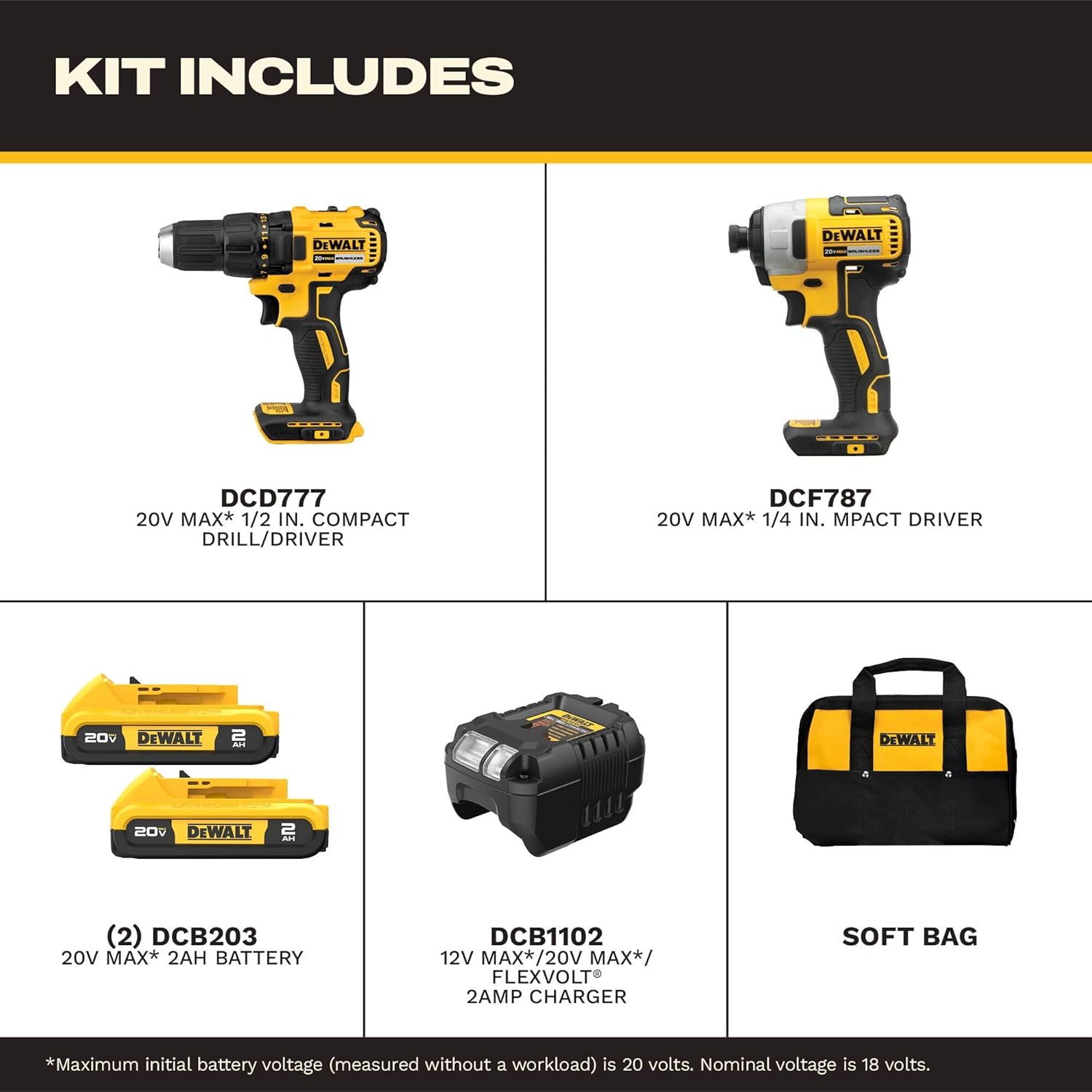
All components included in the DEWALT DCK277D2 combo kit.
- (1) DCD777 20V MAX* Brushless Drill/Driver: A versatile tool for drilling and driving fasteners.
- (1) DCF787 20V MAX* Brushless 1/4 in. Cordless Impact Driver: Designed for driving fasteners with high torque.
- (2) DCB203 20V MAX* Compact Lithium-Ion 2.0Ah Battery Packs: Provides power to both tools.
- (1) DCB1102 Charger: For recharging the 20V MAX* battery packs.
- (1) Contractor Bag: For convenient storage and transport of the kit.
DCD777 Drill/Driver Overview
The DCD777 drill/driver features a compact design and brushless motor for efficient performance. Key features include:

Key features of the DEWALT DCD777 Drill/Driver.
- 1/2 inch (13mm) Single Sleeve Ratcheting Chuck: For secure bit gripping.
- ब्रशलेस मोटर: Provides extended runtime and durability.
- अर्गोनॉमिक हँडल: Designed for comfortable grip and control.
- एलईडी लाइट: सुधारित दृश्यमानतेसाठी कार्यक्षेत्र प्रकाशित करते.

The compact design of the DCD777 allows access to tight areas.
DCF787 Impact Driver Overview
The DCF787 impact driver offers high torque for demanding fastening applications. Its features include:

Key features of the DEWALT DCF787 Impact Driver.
- 1/4 inch (6.35mm) Hex Chuck: For quick bit changes.
- ब्रशलेस मोटर: Ensures efficient power delivery and longer tool life.
- अर्गोनॉमिक हँडल: Provides comfort during prolonged use.
- एलईडी लाइट: Enhances visibility in dimly lit work environments.
- उच्च टॉर्क आउटपुट: Delivers up to 1500 in-lbs of torque for tough tasks.

The brushless motor of the DCF787 provides efficient performance.
बॅटरी आणि चार्जर माहिती
The kit includes two DCB203 20V MAX* Lithium-Ion battery packs and a DCB1102 charger.
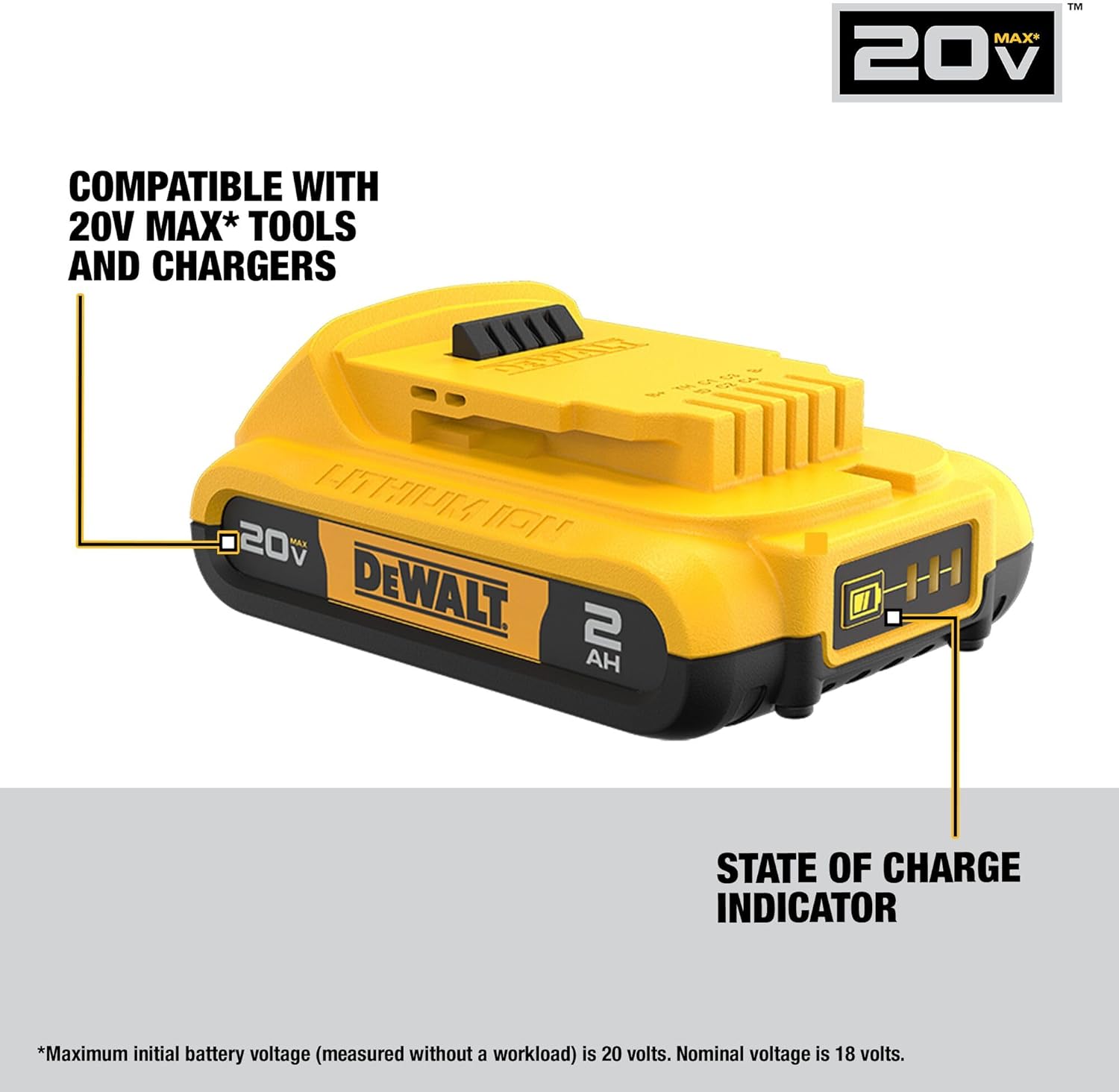
DEWALT DCB203 battery with state of charge indicator.
- बॅटरी सुसंगतता: The DCB203 batteries are compatible with all DEWALT 20V MAX* tools and chargers.
- शुल्काची स्थिती निर्देशक: Batteries feature an indicator to show remaining charge.
- DCB1102 Charger: Designed to charge 12V, 18V, and 20V MAX* Lithium-Ion battery packs.
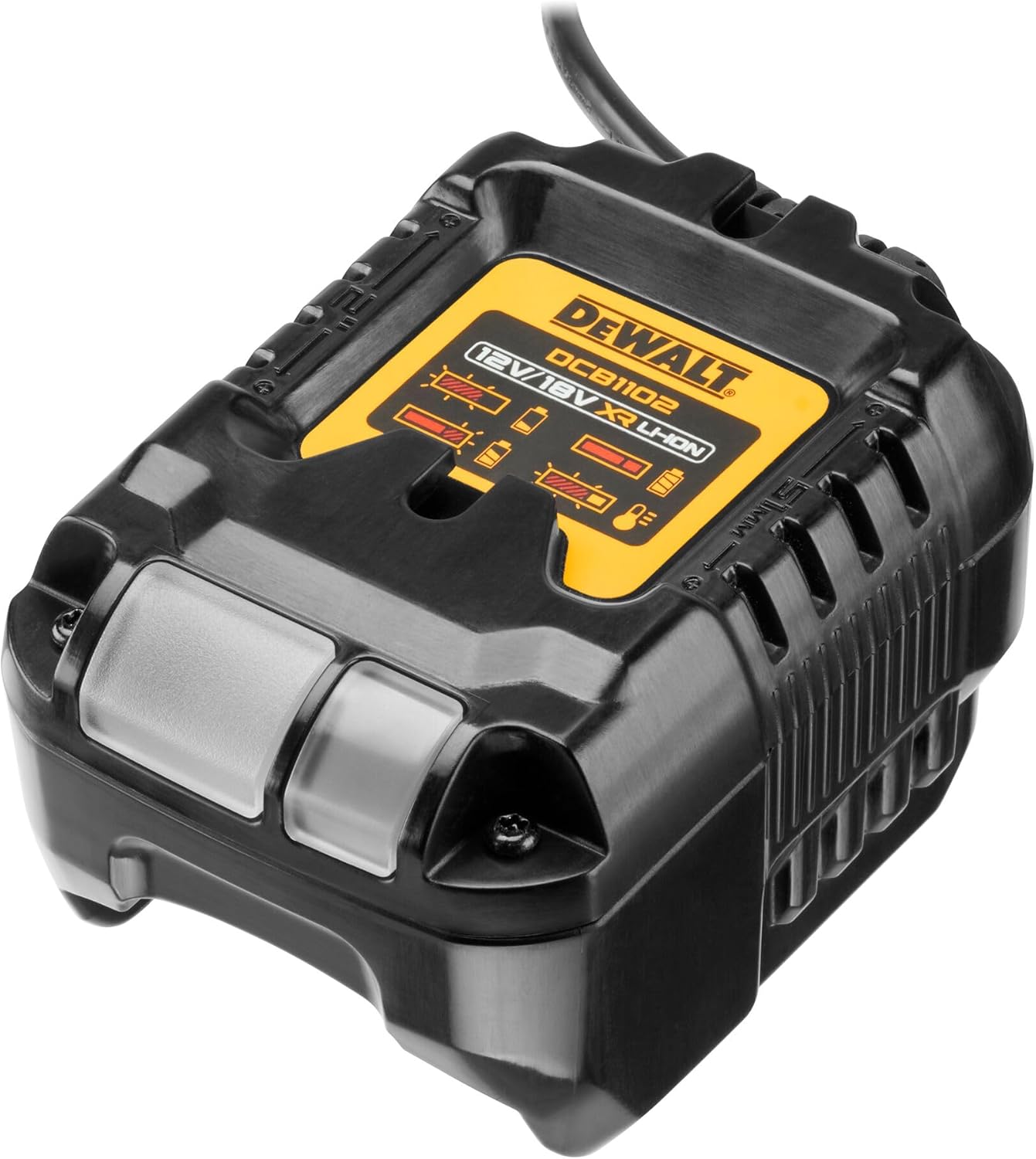
The DCB1102 charger for your DEWALT 20V MAX* batteries.
सेटअप
४.२. सुरुवातीची बॅटरी चार्जिंग
- Connect the DCB1102 charger to a standard electrical outlet.
- Slide a DCB203 battery pack onto the charger until it clicks into place.
- Allow the battery to charge fully. The indicator light on the charger will show the charging status. Refer to the charger manual for specific light patterns.
2. बॅटरीची स्थापना आणि काढणे
- स्थापित करण्यासाठी: बॅटरी पॅक टूलच्या बॅटरी पोर्टशी संरेखित करा आणि तो सुरक्षितपणे लॉक होईपर्यंत आत सरकवा.
- काढण्यासाठी: बॅटरी रिलीज बटण दाबा आणि बॅटरी पॅक टूलमधून बाहेर काढा.
3. Bit Installation (DCD777 Drill/Driver)
- जबडे उघडण्यासाठी चक घड्याळाच्या उलट दिशेने फिरवा.
- Insert the drill bit or driver bit into the chuck.
- Rotate the chuck clockwise to tighten the jaws securely around the bit. Ensure the bit is centered and firmly held.
4. Bit Installation (DCF787 Impact Driver)
- Pull the collar of the 1/4 inch hex chuck forward.
- Insert the 1/4 inch hex shank bit into the chuck.
- Release the collar. The bit will lock into place. Pull on the bit to ensure it is securely fastened.
ऑपरेटिंग सूचना
1. सामान्य ऑपरेशन
- ट्रिगर स्विच: Squeeze the trigger to turn the tool on. Release to turn off.
- अस्थिर वेग: The trigger switch allows for variable speed control. Pressing the trigger further increases the speed.
- फॉरवर्ड/रिव्हर्स बटण: Located above the trigger, this button controls the direction of rotation. Push left for forward, right for reverse. Center position locks the trigger.
- एलईडी वर्क लाइट: The integrated LED light activates when the trigger is pressed, illuminating the work surface. It remains on for approximately 20 seconds after the trigger is released.
2. DCD777 Drill/Driver Specifics
- क्लच सेटिंग्ज: The adjustable clutch ring allows you to select the desired torque setting for driving screws. Higher numbers provide more torque. Use the drill symbol setting for drilling applications.
- स्पीड सिलेक्टर: A switch on top of the tool allows selection between two speed ranges: Low (for high torque applications) and High (for faster drilling).
3. DCF787 Impact Driver Specifics
- The impact driver delivers high rotational force and rapid impacts to drive fasteners quickly and efficiently. No clutch adjustment is typically needed as the impact mechanism handles varying resistance.
देखभाल
७.२. साफसफाई
- Keep the tool's ventilation slots clean to prevent overheating.
- मऊ वापरा, डीamp cloth to clean the exterior of the tools and batteries. Do not use harsh chemicals or abrasive cleaners.
- Never immerse the tools or batteries in liquid.
2. स्टोरेज
- Store tools and batteries in a cool, dry place, away from direct sunlight and extreme temperatures.
- Ensure batteries are partially charged before storing for extended periods.
- Store tools in the provided contractor bag to protect them from dust and damage.
3. बॅटरी काळजी
- Do not store batteries in a discharged state. Recharge them promptly after use.
- बॅटरी पाण्याच्या संपर्कात किंवा अति उष्णतेच्या संपर्कात आणणे टाळा.
- If a battery pack is damaged, do not use it. Contact DEWALT service for replacement.
समस्यानिवारण
सामान्य समस्या आणि त्यांच्या उपायांसाठी खालील तक्ता पहा.
| समस्या | संभाव्य कारण | उपाय |
|---|---|---|
| साधन सुरू होत नाही. | बॅटरी चार्ज केलेली नाही किंवा चुकीच्या पद्धतीने स्थापित केलेली नाही. | बॅटरी पूर्णपणे चार्ज झाली आहे आणि योग्यरित्या घातली आहे याची खात्री करा. |
| Reduced power or runtime. | बॅटरी चार्ज कमी आहे किंवा बॅटरी जुनी आहे. | बॅटरी रिचार्ज करा. जुन्या बॅटरी बदलण्याचा विचार करा. |
| ड्रिल बिट चकमध्ये घसरतो. | चक पुरेसा घट्ट झाला नाही. | Retighten chuck firmly around the bit. Ensure bit shank is clean. |
| Impact driver bit falls out. | Hex chuck collar not fully engaged. | Ensure bit is fully inserted and collar snaps back into place. |
| साधन जास्त गरम होते. | अवरोधित वायुवीजन स्लॉट किंवा दीर्घकाळ जास्त वापर. | वेंटिलेशन स्लॉट साफ करा. टूल थंड होऊ द्या. भार कमी करा. |
तपशील
Detailed specifications for the DEWALT DCK277D2 combo kit components:
| वैशिष्ट्य | तपशील |
|---|---|
| ब्रँड | दिवाळ |
| मॉडेल क्रमांक | DCK277D2 |
| खंडtage | 20V MAX* |
| आयटम वजन | २.४६ पौंड (एकूण किट) |
| बॅटरी प्रकार | Lithium Ion (DCB203, 2.0Ah) |
| बॅटरीची संख्या | 2 |
| DCD777 Chuck Size | 1/2 इंच (13 मिमी) |
| DCF787 Chuck Size | १/४ इंच हेक्स |
| DCF787 Max Torque | 1500 इन-एलबी |
| कमाल फिरण्याचा वेग | 2800 rpm (DCF787) |
| उर्जा स्त्रोत | बॅटरी पॉवर्ड |
| चार्जर मॉडेल | DCB1102 |
हमी आणि समर्थन
Your DEWALT DCK277D2 combo kit is backed by a comprehensive warranty and support program:
- 3 वर्षांची मर्यादित वॉरंटी: Covers defects in material or workmanship for three years from the date of purchase.
- 1-Year Free Service Contract: DEWALT टूलची देखभाल करेल आणि खरेदी केल्यानंतर पहिल्या वर्षात कधीही, सामान्य वापरामुळे जीर्ण झालेले भाग बदलेल.
- ३० दिवसांची मनी बॅक गॅरंटी: जर तुम्ही कोणत्याही कारणास्तव तुमच्या DEWALT पॉवर टूल, लेसर किंवा नेलरच्या कामगिरीवर पूर्णपणे समाधानी नसाल, तर तुम्ही खरेदीच्या तारखेपासून ९० दिवसांच्या आत पूर्ण परतफेडीसाठी ते परत करू शकता.
For warranty claims, service, or technical support, please refer to the official DEWALT webसाइटवर जा किंवा त्यांच्या ग्राहक सेवा विभागाशी थेट संपर्क साधा. वॉरंटी पडताळणीसाठी तुमचा खरेदीचा पुरावा ठेवा.