
1. परिचय
Thank you for choosing the Retevis RB639P Mini Two-Way Radio. This manual provides essential information for the safe and efficient use of your device. Please read it thoroughly before operating the radio and keep it for future reference.
2. सुरक्षितता माहिती
आग, विजेचा धक्का आणि दुखापतीचा धोका कमी करण्यासाठी नेहमी खालील मूलभूत सुरक्षा खबरदारी पाळा:
- स्फोटक वातावरणात (उदा., ज्वलनशील वायू, धूळ कण, धातू पावडर) रेडिओ चालवू नका.
- Do not open the radio casing. Repairs should only be performed by qualified technicians.
- Use only approved batteries and chargers.
- Keep the radio away from water and moisture.
- थेट सूर्यप्रकाश किंवा उच्च तापमानात दीर्घकाळ राहणे टाळा.
- अँटेना खराब झाल्यास रेडिओ वापरू नका.
3. पॅकेज सामग्री
The Retevis RB639P package includes:
- 4 x Retevis RB639P Radio
- 4 x Wireless Headset
- 4 x बेल्ट क्लिप
- 2 x Type-C One-to-Two Charging Cable
- 1 x वापरकर्ता मॅन्युअल
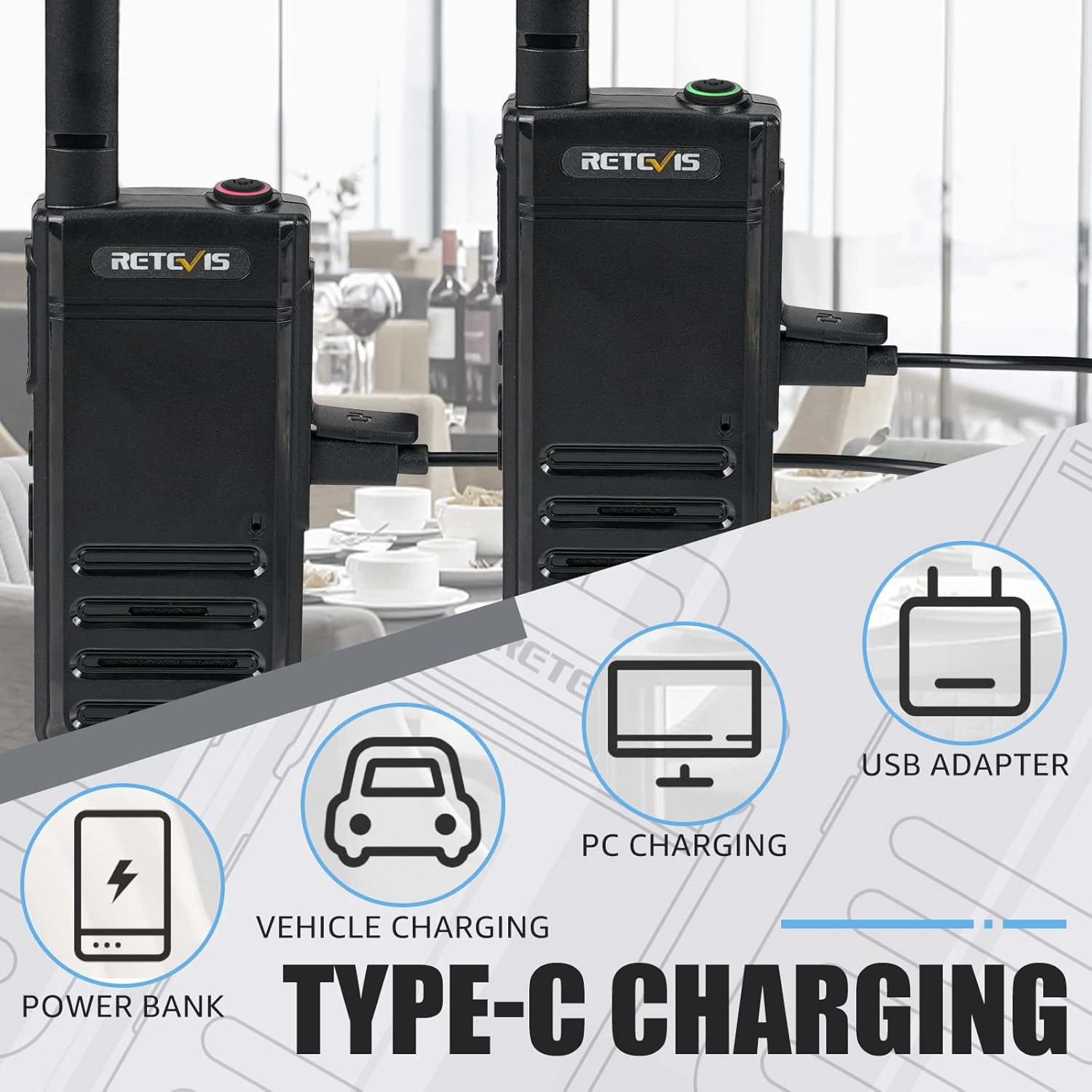
Figure 3.1: Included components of the Retevis RB639P package.
4. उत्पादन संपलेview
The Retevis RB639P is a compact and portable mini two-way radio designed for convenient communication. It features a slim design, VOX function, and USB-C charging.
३.२. रेडिओ घटक

Figure 4.1: The ultra-slim design of the RB639P, measuring 18mm in thickness.

Figure 4.2: Multi-functional menu button with VOX, Bluetooth, Call Tone, and Roger Beep indicators.
5. सेटअप
5.1. बॅटरी चार्ज करणे
The RB639P radio is equipped with a 1000 mAh rechargeable Li-ion battery. Before first use, fully charge the battery.
- टाइप-सी चार्जिंग केबल रेडिओच्या USB-सी पोर्टशी जोडा.
- Connect the other end of the cable to a USB power source (e.g., USB adapter, PC, power bank, vehicle charger).
- The charging indicator will show the charging status. A full charge typically takes about 3 hours.

Figure 5.1: Various Type-C charging methods for the RB639P.

Figure 5.2: Battery specifications and features.
5.2. बेल्ट क्लिप संलग्न करणे
Align the belt clip with the designated slots on the back of the radio and slide it down until it clicks into place.
5.3. Connecting the Wireless Headset
The RB639P supports wireless headset connection for hands-free operation.
- Ensure both the radio and the wireless headset are powered on.
- Follow the headset's instructions to enter pairing mode.
- On the radio, activate Bluetooth pairing via the multi-functional menu button (refer to Figure 4.2).
- Once paired, the headset will connect automatically when both devices are on and within range.

Figure 5.3: Wireless headset connection for hands-free use.
6. ऑपरेशन
6.1. पॉवर चालू/बंद
To power on the radio, rotate the power/volume knob clockwise. To power off, rotate it counter-clockwise until it clicks.
6.2. चॅनेल निवड
The RB639P has 16 channels. Rotate the channel selector knob to choose your desired channel. Ensure all radios in your group are on the same channel for communication.
6.3. आवाज समायोजित करणे
ऐकण्याचा आवाज समायोजित करण्यासाठी पॉवर/व्हॉल्यूम नॉब फिरवा.
५.३. प्रसारित करणे आणि प्राप्त करणे
To transmit, press and hold the PTT (Push-to-Talk) button on the side of the radio. Speak clearly into the microphone. Release the PTT button to receive.
७. व्हीओएक्स फंक्शन (व्हॉइस ऑपरेटेड एक्सचेंज)
The VOX function allows for hands-free transmission without pressing the PTT button. To activate/deactivate VOX:
- Press the multi-functional menu button (refer to Figure 4.2).
- Use the + button to navigate to the VOX setting.
- Press the menu button again to confirm activation or deactivation.

Figure 6.1: Hands-free operation using the VOX function and wireless headset.
6.6. Emergency Alarm Function
The RB639P includes an emergency alarm feature for critical situations.
- To activate the emergency alarm, press and hold the designated emergency button (often a side button, refer to your specific radio's button layout).
- The radio will emit a loud alarm sound.
- To deactivate, press the PTT button.

Figure 6.2: Emergency alarm feature for enhanced safety.
7. देखभाल
7.1. बॅटरी काळजी
- जास्त चार्जिंग किंवा बॅटरी पूर्णपणे काढून टाकणे टाळा.
- वापरात नसताना बॅटरी थंड, कोरड्या जागी साठवा.
- जर रेडिओ बराच काळ वापरला जाणार नसेल, तर बॅटरी काढून टाका.
५.१. रेडिओ साफ करणे
- मऊ सह रेडिओ पुसणे, डीamp कापड
- कठोर रसायने किंवा अपघर्षक क्लीनर वापरू नका.
- Ensure the USB-C port cover is securely closed to maintain water resistance.
8. समस्या निवारण
| समस्या | संभाव्य कारण | उपाय |
|---|---|---|
| रेडिओ चालू होत नाही. | बॅटरी कमी आहे; बॅटरी योग्यरित्या स्थापित केलेली नाही. | Charge the battery; Reinstall the battery |
| प्रसारित किंवा प्राप्त करू शकत नाही | Incorrect channel; Out of range; Low battery | Verify channel settings; Move closer to other radios; Charge the battery |
| खराब ऑडिओ गुणवत्ता | Low battery; Obstructions; Volume too low/high | Charge the battery; Move to an open area; Adjust volume |
| Wireless headset not connecting | Not paired; Out of range; Headset battery low | Re-pair headset; Move closer; Charge headset battery |
9. तपशील
| वैशिष्ट्य | तपशील |
|---|---|
| मॉडेल क्रमांक | RB639P |
| ब्रँड | Retevis |
| रंग | काळा |
| चॅनेलची संख्या | 16 |
| वारंवारता श्रेणी | 446.00625-446.19375 MHz (PMR446) |
| कमाल बोलण्याची श्रेणी | 3 किलोमीटर |
| बॅटरी प्रकार | लिथियम आयन (२६०० एमएएच) |
| बॅटरी आयुष्य | 11 तास |
| चार्जिंग वेळ | अंदाजे 3 तास |
| चार्जिंग पद्धत | यूएसबी-सी |
| खंडtage | 3.7 व्होल्ट |
| पाणी प्रतिकार पातळी | पाणी-प्रतिरोधक (IP67) |
| उत्पादनाचे परिमाण (D x W x H) | 1.8 x 5.5 x 16.8 सेमी |
| वजन | 200 ग्रॅम |
| विशेष वैशिष्ट्ये | Light and thin, VOX, Bluetooth |
| सुसंगत साधने | हेडफोन्स |
| तापमान श्रेणी | -20~+55°C |
10. हमी आणि समर्थन
Retevis offers a 2-year warranty on the radio body and a 1-year warranty on accessories. Additionally, there is a 30-day no-reason return policy. After the warranty period, maintenance services are still available, with buyers responsible for associated costs.
For any inquiries or support, please contact us via Amazon. We aim to respond within 12 hours.
८. उत्पादन व्हिडिओ
There are no official product videos specifically for the Retevis RB639P model available in the provided data.