
Victron Energy PSC242553095
Victron Energy Smart IP43 24V 25A 3-Output Battery Charger (Model PSC242553095) User Manual
1. परिचय
This manual provides comprehensive instructions for the installation, operation, and maintenance of the Victron Energy Smart IP43 24-Volt 25 AMP 120-240 VAC, 3 Output Battery Charger with Bluetooth. Please read this manual thoroughly before using the product to ensure safe and efficient operation.
1.1. उत्पादन संपलेview
The Victron Energy Smart IP43 Charger is designed for charging up to three independent battery banks. It features built-in Bluetooth Smart for monitoring, control, and firmware updates via the VictronConnect app. The charger also includes automatic voltage compensation to account for voltage drop in DC cabling.
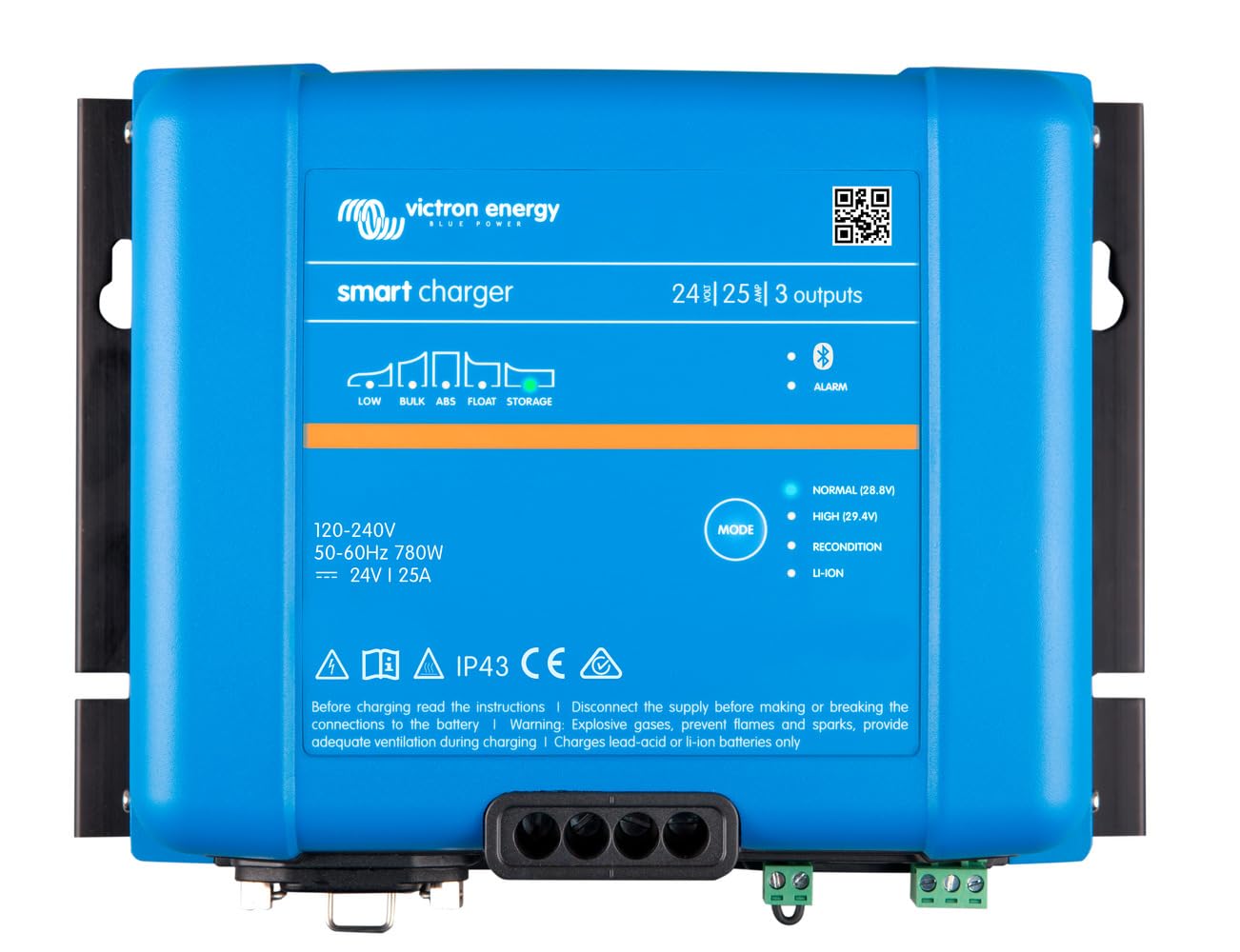
प्रतिमा: समोर view of the Victron Energy Smart IP43 24V 25A 3-Output Battery Charger.
२. बॉक्समध्ये काय आहे?
अनपॅक करताना, सर्व घटक उपस्थित आहेत का ते तपासा:
- Victron Energy Phoenix Smart IP43 24-Volt 25 AMP 120-240 VAC, 3 Output Battery Charger with Bluetooth (Model PSC242553095)
- वापरकर्ता मॅन्युअल (हा दस्तऐवज)
- माउंटिंग हार्डवेअर (लागू असल्यास)
2. सुरक्षितता सूचना
चेतावणी: या उत्पादनामध्ये कॅलिफोर्निया राज्याला कर्करोग आणि जन्म दोष किंवा इतर पुनरुत्पादक हानी होण्यासाठी ज्ञात रसायने आहेत. अधिक माहितीसाठी, येथे जा www.P65Warnings.ca.gov.
- Always disconnect AC power before making or breaking DC connections.
- चार्जरभोवती योग्य वायुवीजन असल्याची खात्री करा.
- चार्जरला पाऊस किंवा ओलावा उघड करू नका.
- Consult a qualified electrician for installation if you are unsure.
- Use appropriate cable sizes for all connections to prevent overheating.
- This device is designed for indoor use or protected outdoor environments (IP43 rating).
3. सेटअप आणि स्थापना
3.1. Mounting the Charger
Select a suitable location for mounting the charger. The location should be dry, well-ventilated, and protected from direct sunlight and excessive heat. Ensure there is sufficient space around the unit for air circulation.
- Mount the charger vertically on a non-flammable surface.
- Use appropriate screws and fasteners for the mounting surface.
- Ensure all connections are easily accessible after mounting.
३.३. विद्युत जोडणी
The charger has three full current outputs designed to charge up to three separate battery banks. The total current drawn across all three outputs combined must not exceed the charger's rated output current (25 Amps).
- डीसी बॅटरी कनेक्शन:
- Connect the positive (+) terminals of your battery banks to the corresponding positive output terminals on the charger.
- Connect the negative (-) terminals of your battery banks to the common negative terminal on the charger.
- Use marine-style battery connectors (ring terminals or battery clamps) as appropriate for your setup.
- Ensure all DC connections are tight and secure to prevent voltage थेंब आणि जास्त गरम होणे.
- एसी इनपुट कनेक्शन:
- Connect the standard AC power cord (5-15P) to a compatible 120-240 VAC power outlet.
- सत्यापित करा की इनपुट व्हॉल्यूमtage matches the charger's specifications.
4. ऑपरेशन
५. प्रारंभिक पॉवर-अप
Once all connections are secure, plug the AC power cord into the wall outlet. The charger will initiate its startup sequence. Status indicators (LEDs) on the unit will provide information on the charging process.
4.2. Bluetooth Connectivity (VictronConnect App)
The charger features built-in Bluetooth Smart for advanced monitoring and control via the VictronConnect app. This app allows you to:
- Monitor real-time charging status and battery voltage.
- Configure charging parameters and battery presets (e.g., Gel, Lithium Iron Phosphate).
- Update the charger's firmware.
- Synchronize with other Victron Energy Smart devices.
Download the VictronConnect app from your device's app store. Follow the in-app instructions to connect to your charger via Bluetooth.

Image: Screenshot of the VictronConnect app interface on a smartphone, showing monitoring and configuration options.
4.3. स्वयंचलित खंडtage भरपाई
The charger automatically compensates for voltage drop that occurs over the DC cabling. As the DC current increases, the charger slightly increases its output voltage to ensure the batteries receive the correct charging voltage, optimizing charging efficiency and battery life.
4.4. Multi-Output Charging
The three outputs allow for simultaneous charging of up to three battery banks. While each output can deliver the full rated current, the combined total current from all three outputs will not exceed the charger's maximum output of 25 Amps.
Video: This video demonstrates the VictronConnect App for monitoring performance, showing how users can check key monitoring data, see device performance, and use simple controls for configuration and firmware updates.
Video: This video illustrates the Victron Remote Management (VRM) portal, demonstrating how to master remote systems by checking remote systems at a glance, managing devices with simple controls, and monitoring system performance in detail.
5. तपशील
| वैशिष्ट्य | तपशील |
|---|---|
| ब्रँड | व्हिक्ट्रॉन एनर्जी |
| मॉडेल क्रमांक | PSC242553095 |
| उत्पादन परिमाणे | १६"उ x २६"प x ४७"उ |
| आयटम वजन | 2.6 किलोग्रॅम |
| आउटपुट व्हॉल्यूमtage | 24 व्होल्ट (DC) |
| इनपुट व्हॉल्यूमtage | १००-१२० व्होल्ट (एसी) |
| वर्तमान रेटिंग | 25 Amps |
| आउटपुटची संख्या | 3 |
| कनेक्टर प्रकार | Marine-style battery connectors (ring terminals or battery clamps) and standard AC power cord (5-15P) |
| ब्लूटूथ | Built-in Bluetooth Smart for VictronConnect app |
| प्रमाणपत्रे | CE, FCC |
6. देखभाल
- नियमित तपासणी: Periodically inspect the charger and its connections for any signs of damage, corrosion, or loose wiring.
- स्वच्छता: Keep the charger clean and free from dust and debris. Use a dry cloth for cleaning. Do not use liquid cleaners or solvents.
- वायुवीजन: अतिउष्णता टाळण्यासाठी वायुवीजन उघडणे अवरोधित केलेले नाही याची खात्री करा.
- फर्मवेअर अद्यतने: Regularly check for and install firmware updates via the VictronConnect app to ensure optimal performance and access to new features.
7. समस्या निवारण
If you encounter issues with your Victron Energy Smart IP43 charger, refer to the following common problems and solutions:
| समस्या | संभाव्य कारण | उपाय |
|---|---|---|
| चार्जर चालू होत नाहीये. | एसी इनपुट पॉवर नाही | Check AC power cord connection and wall outlet. Ensure circuit breaker is not tripped. |
| No charging output | Loose battery connections; Battery voltage too low for detection | Verify all DC battery connections are secure. If battery voltage is extremely low, try a different charging method to bring it to a detectable level. |
| जास्त गरम होणे | Insufficient ventilation; Blocked air vents | Ensure adequate airflow around the charger. Clear any obstructions from the air vents. Reduce load if possible. |
| ब्लूटूथ कनेक्शन समस्या | Distance from device; Interference; App issues | Move closer to the charger. Restart the VictronConnect app and your mobile device. Ensure Bluetooth is enabled. |
If the problem persists after attempting these solutions, please contact Victron Energy customer support.
8. हमी आणि समर्थन
8.1. वॉरंटी माहिती
This product comes with a manufacturer's warranty. Please refer to the "Warranty Description" provided with your product or visit the official Victron Energy webतपशीलवार वॉरंटी अटी आणि शर्तींसाठी साइट. वॉरंटी दाव्यांसाठी तुमचा खरेदीचा पुरावा ठेवा.
8.2. ग्राहक समर्थन
For technical assistance, troubleshooting, or service inquiries, please contact Victron Energy customer support through their official website or authorized service centers. You can also find additional resources and FAQs on the Victron Energy webसाइट
Ask a question about this manual
Ask about setup, troubleshooting, compatibility, parts, safety, or missing instructions. Manuals+ will review the question and use this page’s manual context to help answer it.