
Star Micronics BSH-HR2081BT BLK
Star Micronics BSH-HR2081BT Wireless Bluetooth 1D/2D Barcode Scanner User Manual
Model: BSH-HR2081BT BLK
1. परिचय
This manual provides comprehensive instructions for the setup, operation, maintenance, and troubleshooting of your Star Micronics BSH-HR2081BT Wireless Bluetooth 1D/2D Barcode Scanner. Designed for efficiency and durability, this scanner is a reliable solution for various point-of-sale and inventory management applications.
The BSH-HR2081BT scanner is equipped with a high-power CPU, enabling it to effortlessly capture high-density, high-volume, and even distorted barcodes from both printed materials and digital screens. Its robust design, coupled with advanced wireless capabilities, ensures seamless integration into your workflow.
2. प्रमुख वैशिष्ट्ये
- उच्च-कार्यक्षमता स्कॅनिंग: Powerful CPU captures high-density, high-volume, and distorted 1D/2D barcodes on paper or screen.
- विस्तारित बॅटरी आयुष्य: Offers up to 12 hours of continuous operation (one scan every six seconds) with its 2200mAh battery.
- बहुमुखी कनेक्टिव्हिटी: Connects directly to the host device via Bluetooth Low Energy (BLE) or wirelessly to a Star printer using the included USB dongle.
- Reliable Wireless Range: Maintains a stable wireless connection to transmit data, with communication distances up to 50 meters (approximately 164 feet).
- टिकाऊ बांधकाम: Features an IP42-rated design and a drop-resistant housing, capable of withstanding drops from up to 1.2 meters (approximately 4 feet).
3. सेटअप मार्गदर्शक
3.1. अनबॉक्सिंग आणि प्रारंभिक तपासणी
पॅकेजिंगमधून सर्व घटक काळजीपूर्वक काढा. खालील वस्तू आहेत का ते तपासा:
- Star Micronics BSH-HR2081BT Barcode Scanner
- यूएसबी चार्जिंग केबल
- USB Dongle (for wireless connection to Star printers)
- स्कॅनर स्टँड

Figure 3.1: Barcode scanner and its USB dongle.
१. स्कॅनर चार्ज करणे
Before first use, fully charge the scanner. Connect the USB charging cable to the scanner's charging port (located at the bottom of the handle) and plug the other end into a USB power adapter (not included) or a computer's USB port. The charging indicator light will show the charging status.

Figure 3.2: USB charging port at the base of the scanner handle.
२. स्कॅनर कनेक्ट करणे
The BSH-HR2081BT scanner offers two primary connection methods:
3.3.1. Bluetooth Connection (Direct to Host Device)
- स्कॅनर चालू असल्याची खात्री करा.
- On your host device (smartphone, tablet, or computer), enable Bluetooth.
- साठी शोधा available Bluetooth devices. The scanner should appear as "Star Micronics BSH-HR2081BT" or similar.
- Select the scanner to pair. Follow any on-screen prompts to complete the pairing process.
3.3.2. Wireless Connection (via USB Dongle to Star Printer)
- Insert the provided USB dongle into an available USB port on your compatible Star printer (e.g., mC-Print, mPOP).
- Power on the scanner. The scanner and dongle should automatically establish a connection.
- Refer to your Star printer's manual for specific instructions on connecting external devices.

Figure 3.3: Barcode scanner placed in its included stand.
4. ऑपरेटिंग सूचना
4.1. Basic Scanning Operation
To scan a barcode, point the scanner's window at the barcode and press the trigger button. A successful scan will typically be indicated by an audible beep and/or a visual confirmation light.
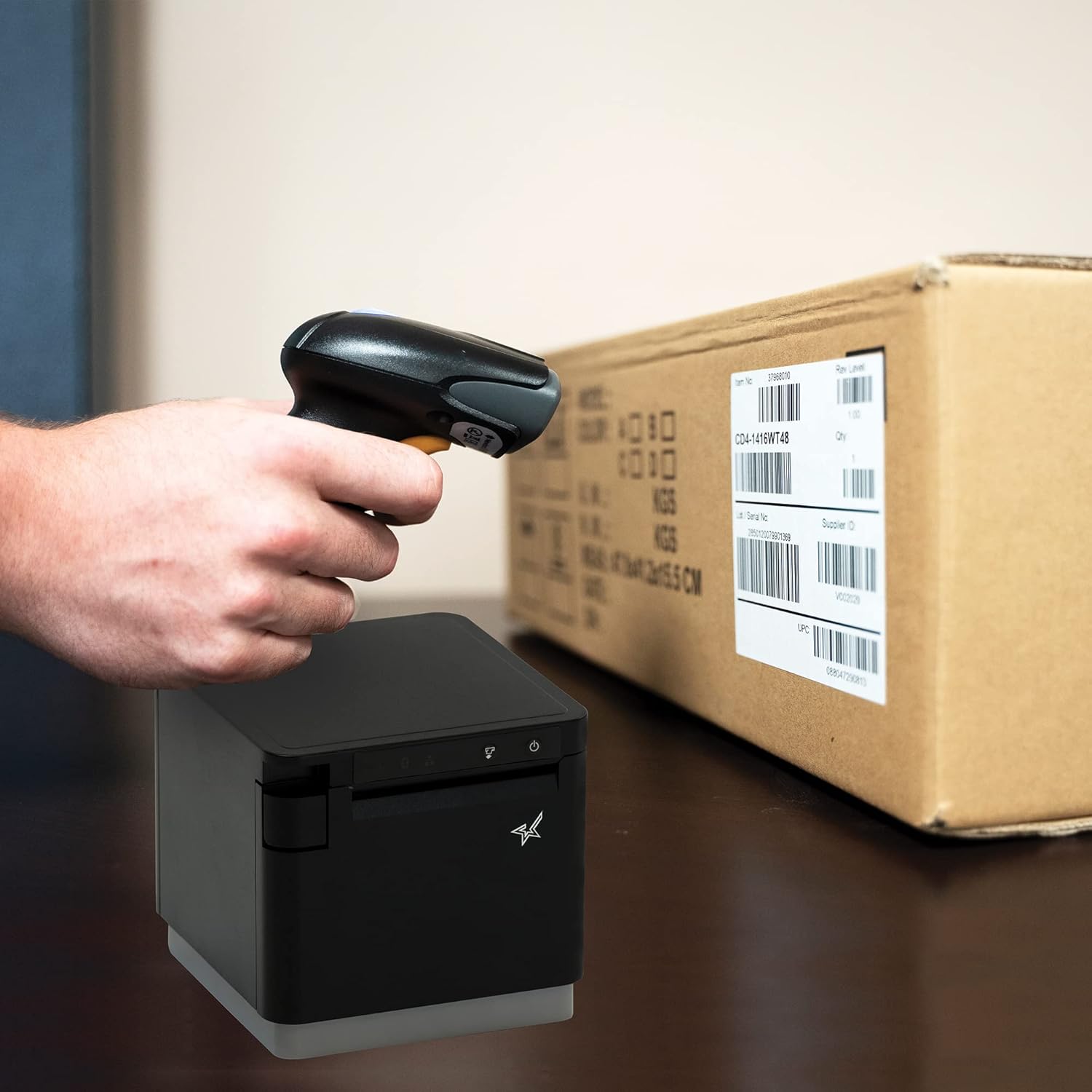
आकृती 4.1: उदाample of scanning a barcode on a package.
4.2. Scanning Modes
The BSH-HR2081BT scanner supports six different scanning modes to accommodate various operational needs:
- स्तर मोड: The scanner's trigger will activate the decode session.
- ट्रिगर मोड: A trigger pull activates a decode session.
- सेन्स मोड: The scanner activates a decode session every time it detects a barcode.
- सतत मोड: The scanner automatically starts one decode session after another.
- पल्स मोड: When the trigger is pulled and released, scanning is activated until a barcode is decoded or the decode session timeout expires.
- बॅच मोड: When the trigger is pulled and released, scanning is activated until the trigger is released.
Refer to the full user guide (link in Section 7) for detailed instructions on how to switch between these modes and configure specific settings.
5. देखभाल
१. स्कॅनर साफ करणे
To maintain optimal performance, keep the scanner's window clean. Use a soft, lint-free cloth lightly dampened with water or a mild, non-abrasive cleaner. Do not use harsh chemicals or abrasive materials, as they may damage the scanner's surface or optical components.
5.2. बॅटरी काळजी
The scanner is equipped with a Lithium Ion battery. To prolong battery life:
- बॅटरी वारंवार पूर्णपणे डिस्चार्ज करणे टाळा.
- जास्त काळ वापरात नसताना स्कॅनर थंड, कोरड्या जागी ठेवा.
- Charge the battery regularly, even if the scanner is not in frequent use.
6. समस्या निवारण
6.1. Scanner Not Connecting
- शक्ती तपासा: Ensure the scanner is fully charged and powered on.
- ब्लूटूथ पेअरिंग: For Bluetooth connections, ensure Bluetooth is enabled on your host device and the scanner is in pairing mode. Try unpairing and re-pairing the device.
- यूएसबी डोंगल: If using the USB dongle, ensure it is securely plugged into the Star printer and the printer is powered on.
- श्रेणी: Ensure the scanner is within the effective communication range (up to 50m) of the host device or dongle.
6.2. Scanner Not Reading Barcodes
- बारकोडची स्थिती: Ensure the barcode is clear, not smudged, torn, or excessively reflective.
- अंतर आणि कोन: Adjust the distance and angle of the scanner to the barcode. Try different scanning modes if applicable.
- प्रकाशयोजना: Ensure adequate lighting. Avoid direct glare on the barcode.
- स्कॅनर विंडो: Clean the scanner's reading window as described in the Maintenance section.
२. कमी बॅटरी आयुष्य
- पूर्ण शुल्क: Ensure the scanner is charged until the indicator shows a full charge.
- Usage Pattern: Continuous heavy usage will deplete the battery faster.
- बॅटरी वय: Over time, rechargeable batteries naturally lose capacity.
7. तांत्रिक तपशील
| तपशील | तपशील |
|---|---|
| उत्पादन परिमाणे | 5.7 x 4 x 2.7 इंच |
| आयटम वजन | 1.06 पाउंड |
| मॉडेल क्रमांक | BSH-HR2081BT BLK |
| बॅटरीज | १ लिथियम आयन बॅटरी आवश्यक आहे (समाविष्ट) |
| उत्पादक | स्टार मायक्रोनिक्स |
| सुसंगत साधने | स्मार्टफोन, टॅब्लेट |
| उर्जा स्त्रोत | बॅटरी पॉवर्ड |
| कनेक्टिव्हिटी तंत्रज्ञान | ब्लूटूथ, यूएसबी केबल |
| आयपी रेटिंग | IP42 |
| ड्रॉप प्रतिकार | 1.2 मीटर पर्यंत |
8. हमी आणि समर्थन
For warranty information and technical support, please contact Star Micronics directly or visit their official webसाइट. वॉरंटी दाव्यांसाठी खरेदीचा पुरावा म्हणून तुमची खरेदी पावती ठेवा.
पीडीएफ स्वरूपात सविस्तर वापरकर्ता मार्गदर्शक डाउनलोड करण्यासाठी उपलब्ध आहे:
Ask a question about this manual
Ask about setup, troubleshooting, compatibility, parts, safety, or missing instructions. Manuals+ will review the question and use this page’s manual context to help answer it.