
DOOMAY 5293UK
DOOMAY Digital Alarm Clock User Manual
Model: 5293UK
Brand: DOOMAY
1. परिचय
खरेदी केल्याबद्दल धन्यवाद.asing the DOOMAY Digital Alarm Clock. This compact and versatile alarm clock is designed for convenience and readability, featuring an adjustable LCD display, snooze function, weekend mode, and temperature display. This manual will guide you through the setup, operation, and maintenance of your new alarm clock to ensure optimal performance.
2. सुरक्षितता माहिती
- उपकरणाला पाणी आणि उच्च आर्द्रता असलेल्या वातावरणापासून दूर ठेवा.
- घड्याळाला थेट सूर्यप्रकाश किंवा अति तापमानात आणणे टाळा.
- स्वतः डिव्हाइस वेगळे करण्याचा किंवा दुरुस्त करण्याचा प्रयत्न करू नका. सेवेसाठी पात्र कर्मचाऱ्यांचा संदर्भ घ्या.
- Use only the specified battery type (2 x AAA batteries).
- जर उपकरण जास्त काळ वापरणार नसेल तर गळती रोखण्यासाठी बॅटरी काढून टाका.
- बॅटरी मुलांच्या आवाक्याबाहेर ठेवा.
3. पॅकेज सामग्री
- DOOMAY Digital Alarm Clock (1 unit)
- एएए बॅटरीज (२ युनिट्स)
- वापरकर्ता मॅन्युअल (हा दस्तऐवज)
4. उत्पादन संपलेview
Familiarize yourself with the components and controls of your DOOMAY Digital Alarm Clock.
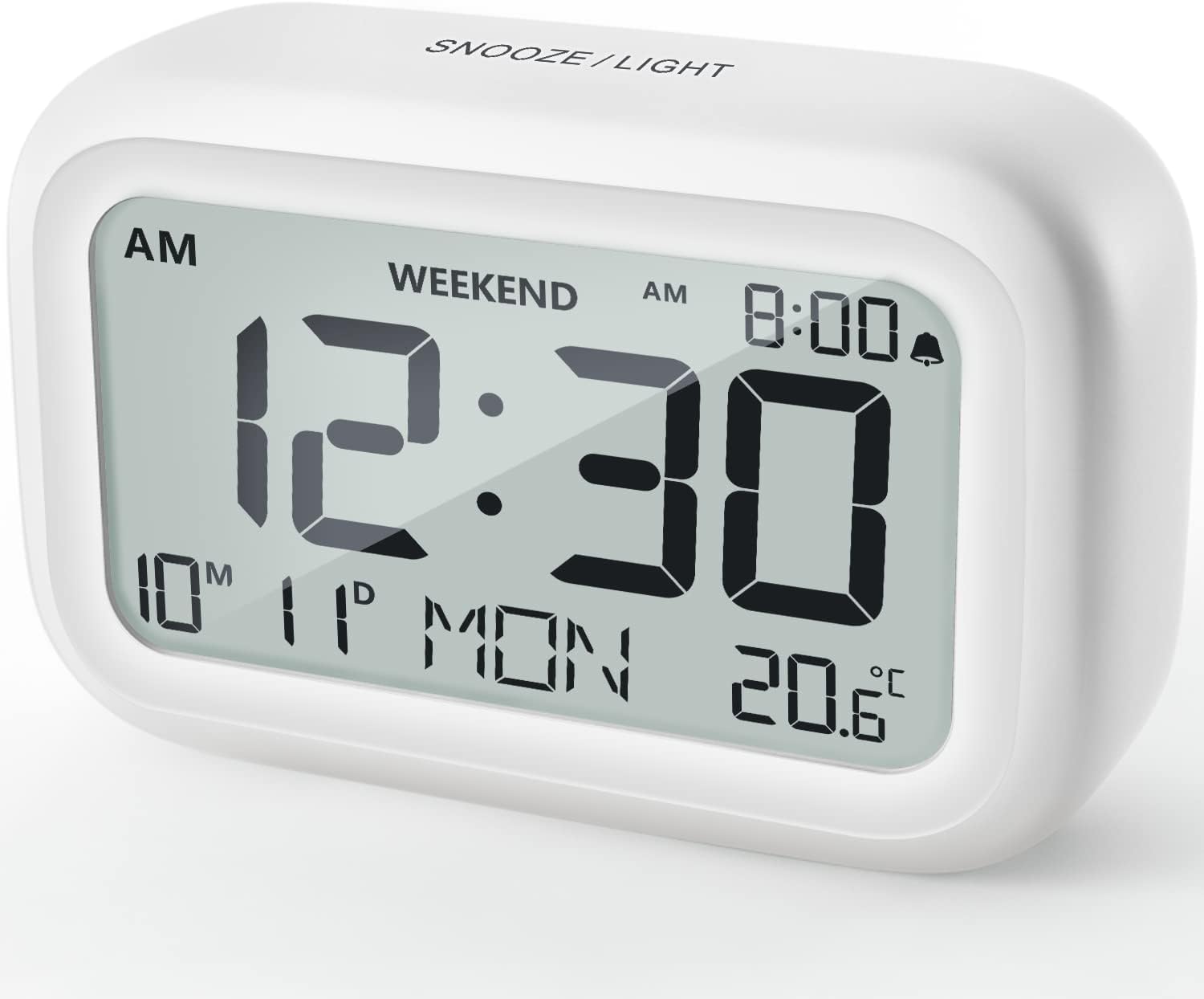
आकृती 4.1: समोर View अलार्म घड्याळाचे
This image displays the front of the DOOMAY Digital Alarm Clock, highlighting its large, clear LCD screen. The screen shows the current time (12:30), AM indicator, day of the week (MON), date (10th month, 11th day), and indoor temperature (20.6°C). The top of the clock has a "SNOOZE/LIGHT" button.

आकृती १: प्रमुख वैशिष्ट्ये संपलीview
This diagram illustrates the main functionalities of the alarm clock: 12/24H time display, calendar, alarm setting, adjustable volume, snooze function, backlight, weekend mode, and temperature display. The clock itself is shown on a wooden table, displaying 7:00 AM, Friday, and 28.8 degrees.

Figure 4.3: Back Panel Controls
This image shows the rear of the alarm clock, detailing the various control buttons and the battery compartment. Buttons are clearly labeled for: 12/24H time format, Alarm setting, Weekend mode, Date setting, Minus (-) for decreasing values, Plus (+) for increasing values, and °C/°F for temperature unit selection. The battery compartment is visible, designed for two AAA batteries.
नियंत्रणे आणि प्रदर्शन:
- एलसीडी डिस्प्ले: Shows time, date, day of week, AM/PM indicator, alarm status, and temperature.
- SNOOZE/LIGHT Button (Top): Activates snooze function during alarm; illuminates backlight for 5 seconds.
- 12/24H Button (Back): १२-तास आणि २४-तासांच्या वेळेच्या स्वरूपांमध्ये टॉगल करते.
- ALARM Button (Back): अलार्म सेटिंग मोडमध्ये प्रवेश करतो.
- WEEKEND Button (Back): Activates/deactivates weekend mode.
- DATE Button (Back): Enters date setting mode.
- MINUS (-) Button (Back): Decreases values during setting; adjusts alarm volume.
- PLUS (+) Button (Back): Increases values during setting; adjusts alarm volume.
- °C/°F Button (Back): सेल्सिअस आणि फॅरेनहाइट तापमान युनिट्समध्ये टॉगल करते.
5. सेटअप
5.1 बॅटरी इंस्टॉलेशन
- घड्याळाच्या मागील बाजूस असलेले बॅटरी कंपार्टमेंट कव्हर उघडा.
- Insert two (2) AAA batteries, ensuring correct polarity (+ and -).
- बॅटरी कंपार्टमेंट कव्हर सुरक्षितपणे बंद करा.
- The display will light up, and the clock will be ready for initial setup. A low battery symbol will appear when batteries need replacement. If the display shows "8888" flashing, it's also an indication to change batteries.
५.२ सुरुवातीची वेळ आणि तारीख सेटिंग
- वेळ सेट करा:
- दाबा 12/24H button to switch between 12-hour (with AM/PM) and 24-hour formats.
- दाबा आणि धरून ठेवा 12/24H वेळ सेटिंग मोडमध्ये प्रवेश करण्यासाठी 3 सेकंदांसाठी बटण दाबा. तासाचे अंक फ्लॅश होतील.
- वापरा + or - तास समायोजित करण्यासाठी बटणे.
- दाबा 12/24H button again to confirm the hour and move to minute setting. The minute digits will flash.
- वापरा + or - मिनिट समायोजित करण्यासाठी बटणे.
- दाबा 12/24H button one more time to exit time setting.
- तारीख सेट करा:
- दाबा आणि धरून ठेवा DATE button for 3 seconds to enter date setting mode. The year digits will flash.
- वापरा + or - वर्ष समायोजित करण्यासाठी बटणे.
- दाबा DATE button again to confirm the year and move to month setting.
- Adjust the month using + or -.
- दाबा DATE again to move to day setting.
- Adjust the day using + or -.
- दाबा DATE one more time to exit date setting. The day of the week will automatically adjust.
6. ऑपरेटिंग सूचना
6.1 अलार्म सेट करणे
- दाबा आणि धरून ठेवा अलार्म button for 3 seconds. The alarm hour digits will flash.
- वापरा + or - इच्छित अलार्म तास सेट करण्यासाठी बटणे.
- दाबा अलार्म button again to confirm the hour and move to minute setting. The alarm minute digits will flash.
- वापरा + or - इच्छित अलार्म मिनिट सेट करण्यासाठी बटणे.
- दाबा अलार्म button one more time to exit alarm setting. The alarm icon (bell symbol) will appear on the display, indicating the alarm is active.
- अलार्म चालू/बंद करण्यासाठी, फक्त दाबा अलार्म button once. The bell icon will appear/disappear.
6.2 स्नूझ फंक्शन
When the alarm sounds, gently tap the large स्नूझ / लाईट button on the top of the clock. The alarm will pause for 9 minutes and then sound again. This can be repeated multiple times.

Figure 6.1: Activating Snooze
This image demonstrates how to activate the snooze function by touching the top of the alarm clock. The text highlights that this action provides an additional 9 minutes of sleep after the alarm sounds.
To completely turn off the alarm after it sounds (without snoozing), press any button on the back of the clock.
३.२.२ वीकेंड मोड
The weekend mode allows the alarm to sound only from Monday to Friday, preventing it from ringing on Saturday and Sunday.

Figure 6.2: Weekend Mode Activated
This image shows the alarm clock display with the "WEEKEND" indicator prominently displayed, signifying that the weekend mode is active. The accompanying text clarifies that in this mode, the alarm will only sound from Monday to Friday, ensuring undisturbed weekends.
- To activate Weekend Mode, press the वीकेंड button once. The "WEEKEND" indicator will appear on the display.
- To deactivate Weekend Mode, press the वीकेंड button again. The "WEEKEND" indicator will disappear.
३.३ समायोज्य अलार्म व्हॉल्यूम
The alarm clock offers two volume levels: Low (70 dB) and High (85 dB).

Figure 6.3: Alarm Volume Levels
This image visually represents the two available alarm volume settings: L01 (85 dB) for a louder alarm and L02 (70 dB) for a softer alarm. The alarm clock is shown in a bedroom setting, emphasizing its use as a bedside device.
- सामान्य वेळेच्या प्रदर्शन मोडमध्ये असताना, दाबा + or - buttons to cycle between the two alarm volume levels. The current volume level will be briefly displayed.
५.३ बॅकलाइट फंक्शन
To illuminate the display in low light conditions, simply tap the स्नूझ / लाईट button on the top of the clock. The backlight will activate for approximately 5 seconds, providing clear visibility of the time and other information.
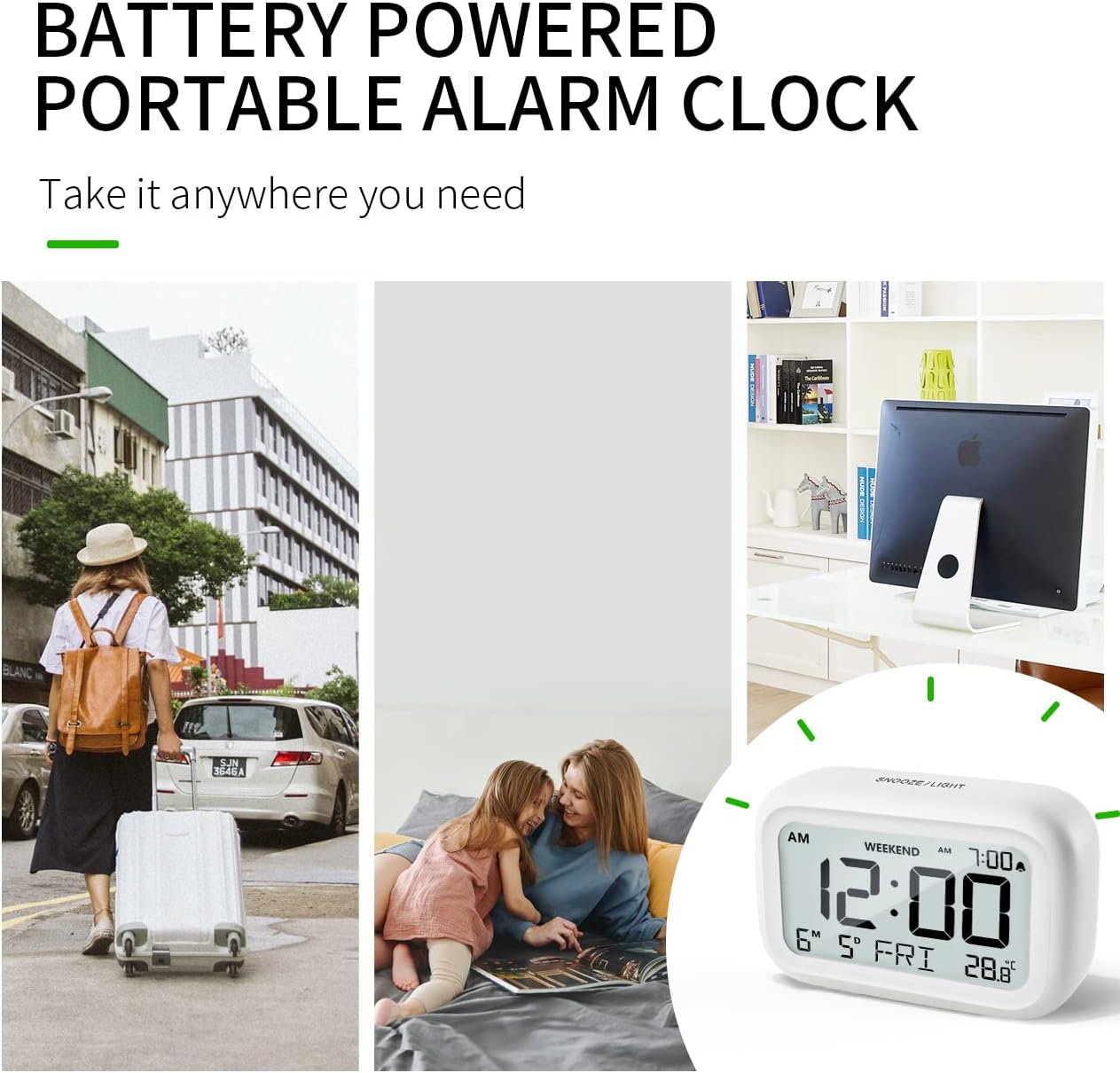
Figure 6.4: Backlight in Action
This image provides a side-by-side comparison of the alarm clock's display. On the left, the clock is shown in a well-lit environment. On the right, the same clock is shown in a dark setting with its 5-second backlight activated, demonstrating how the display becomes clearly visible at night.
6.6 तापमान प्रदर्शन
The clock displays the indoor temperature. You can switch between Celsius (°C) and Fahrenheit (°F) units.
- To change the temperature unit, press the ° से / ° फॅ घड्याळाच्या मागे बटण.
7. देखभाल
7.1 स्वच्छता
घड्याळ मऊ, कोरड्या कापडाने पुसून टाका. अपघर्षक क्लीनर किंवा सॉल्व्हेंट्स वापरू नका, कारण ते पृष्ठभागाला नुकसान पोहोचवू शकतात.
7.2 बॅटरी बदलणे
When the low battery indicator appears on the display, or if the display shows "8888" flashing, it is time to replace the batteries. Follow the steps in Section 5.1 Battery Installation to replace the two AAA batteries.
8. समस्या निवारण
| समस्या | संभाव्य कारण | उपाय |
|---|---|---|
| डिस्प्ले रिकामा किंवा मंद आहे. | बॅटरी मृत किंवा चुकीच्या पद्धतीने स्थापित केल्या आहेत. | योग्य ध्रुवीयता सुनिश्चित करून, बॅटरी नवीन AAA बॅटरीने बदला. |
| अलार्म वाजत नाही. | Alarm is not activated, or Weekend Mode is ON. | Ensure the alarm icon is displayed. Check if Weekend Mode is active and deactivate if necessary. |
| स्नूझ फंक्शन काम करत नाही. | Not tapping the SNOOZE/LIGHT button correctly. | Ensure a firm, brief tap on the top SNOOZE/LIGHT button when the alarm is sounding. |
| वेळ/तारीख चुकीची आहे. | Not set correctly or batteries were removed. | Refer to Section 5.2 Initial Time and Date Setting to re-set. |
9. तपशील
| वैशिष्ट्य | तपशील |
|---|---|
| मॉडेल क्रमांक | 5293UK |
| ब्रँड | कयामत |
| परिमाण (L x W x H) | ९.४ x ५.६ x २.५९ सेमी (३.७ x २.२१ x १.०२ इंच) |
| वजन | 127.01 ग्रॅम (0.28 एलबीएस) |
| साहित्य | ऍक्रिलोनिट्रिल बुटाडीन स्टायरीन (एबीएस) |
| उर्जा स्त्रोत | 2 x AAA बॅटरी (समाविष्ट) |
| डिस्प्ले प्रकार | डिजिटल एलसीडी |
| अलार्म व्हॉल्यूम पातळी | Low (70 dB), High (85 dB) |
| स्नूझ कालावधी | 9 मिनिटे |
| बॅकलाइट कालावधी | 5 सेकंद |
| तापमान युनिट्स | सेल्सिअस (°C) / फॅरेनहाइट (°F) |
10. हमी आणि समर्थन
DOOMAY products are designed for reliability and performance. For any questions, technical support, or warranty claims, please contact your retailer or visit the official DOOMAY website for assistance. Please retain your proof of purchase for warranty purposes.
For further information, you may visit the brand's Amazon store page: DOOMAY Store on Amazon
Ask a question about this manual
Ask about setup, troubleshooting, compatibility, parts, safety, or missing instructions. Manuals+ will review the question and use this page’s manual context to help answer it.