
tectake Zola
tectake Zola Electric Height-Adjustable Desk
मॉडेल: 404316
1. उत्पादन संपलेview
The tectake Zola Electric Height-Adjustable Desk is designed to provide a dynamic and ergonomic workspace. Featuring continuous electric height adjustment, a robust particle board tabletop, and a solid steel frame, this desk offers stability and comfort. Its powerful motor ensures smooth transitions between sitting and standing positions, while the flexible frame design maximizes legroom. The integrated touchpad allows for easy height adjustments and memory function for preferred settings. An anti-collision system enhances safety during operation.

Image 1.1: The tectake Zola Electric Height-Adjustable Desk, showcasing its sleek black design and sturdy construction.
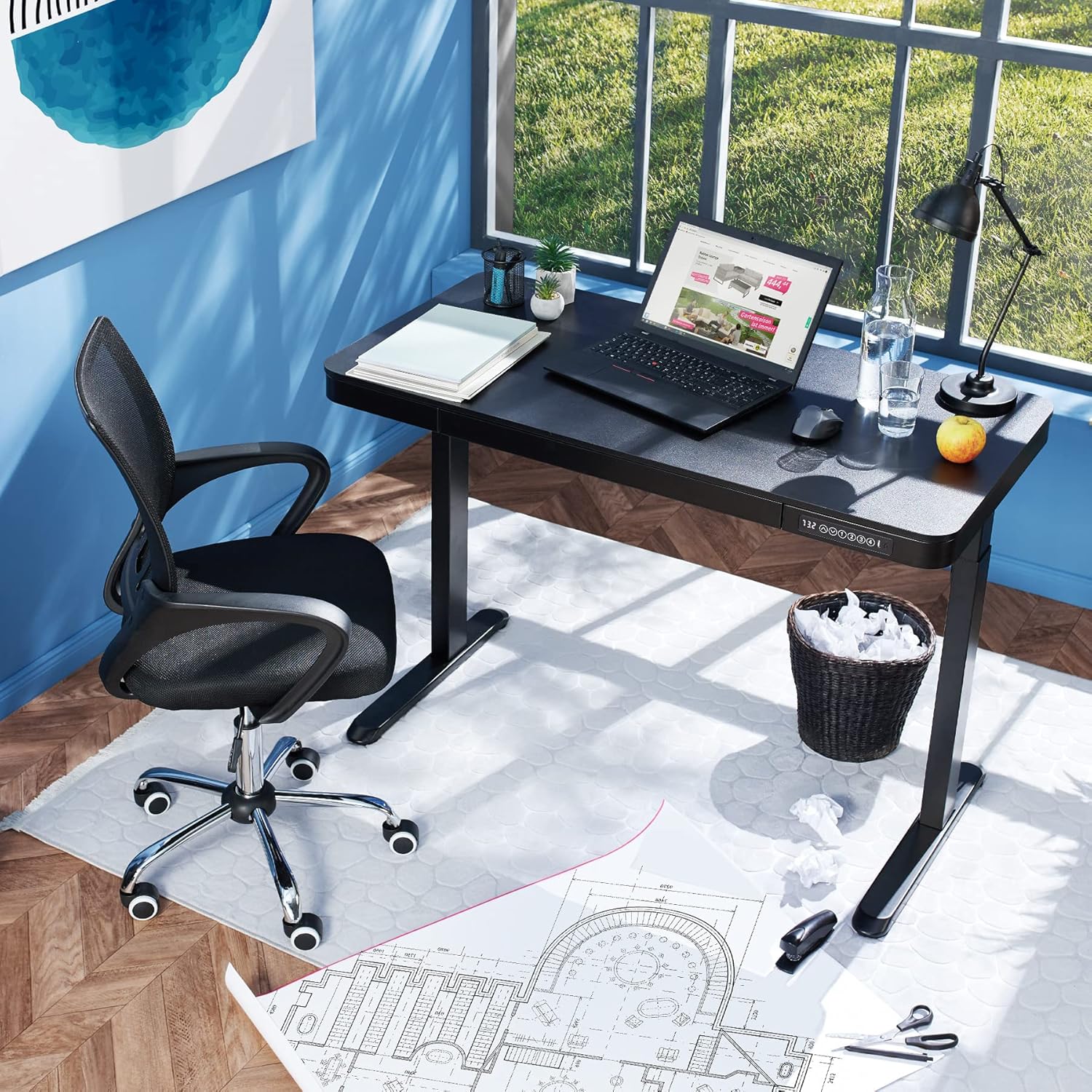
Image 1.2: The desk integrated into a modern office environment, demonstrating its practical use.
2. सुरक्षितता सूचना
- असेंब्ली आणि वापरण्यापूर्वी सर्व सूचना काळजीपूर्वक वाचा.
- काम करताना मुलांना आणि पाळीव प्राण्यांना डेस्कपासून दूर ठेवा.
- Ensure all screws and bolts are tightened securely before use. Periodically check and re-tighten as necessary.
- Do not overload the desk. The maximum load capacity is 45 kg.
- Keep hands and fingers clear of moving parts during height adjustment. The desk is equipped with an anti-collision system, but caution is still advised.
- फक्त प्रदान केलेले पॉवर अॅडॉप्टर वापरा.
- Do not disassemble or modify the motor or control unit. Contact qualified personnel for repairs.
- Place the desk on a level surface. Adjustable feet can compensate for minor unevenness.
3. पॅकेज सामग्री
असेंब्ली सुरू करण्यापूर्वी सर्व घटक उपस्थित आहेत आणि त्यांना नुकसान झालेले नाही याची खात्री करा. जर कोणतेही भाग गहाळ किंवा खराब झाले असतील तर ग्राहक समर्थनाशी संपर्क साधा.
- Tabletop with integrated drawer and control panel
- डावा पाय विधानसभा
- उजवा पाय असेंब्ली
- पाय (2x)
- पॉवर अडॅप्टर आणि केबल
- Assembly Hardware (screws, Allen key, etc.)
- सूचना पुस्तिका (हा दस्तऐवज)
4. विधानसभा मार्गदर्शक
Assembly is required for this product. It is recommended to have two people for easier and safer assembly. Clear a spacious area for assembly and lay out all components.
चरण-दर-चरण असेंब्ली:
- Attach Leg Assemblies to Tabletop: Carefully place the tabletop upside down on a soft, clean surface to prevent scratches. Align the left and right leg assemblies with the pre-drilled holes on the underside of the tabletop. Secure them using the provided screws and Allen key. Ensure the motor cables are not pinched.
- Attach Feet to Leg Assemblies: Slide the feet onto the bottom of each leg assembly. Secure them with the appropriate screws.
- पॉवर केबल कनेक्ट करा: Locate the power input port on the control unit (usually on the underside of the tabletop near the control panel). Connect the power cable firmly.
- डेस्कची जागा निश्चित करा: With assistance, carefully flip the desk upright and move it to its desired location. Adjust the plastic feet at the bottom of the legs to ensure the desk is stable and level on uneven floors.
- प्रारंभिक पॉवर-अप: Plug the power adapter into a wall outlet. The control panel display should light up.

Image 4.1: Dimensional drawing of the desk, useful for planning space and assembly.

प्रतिमा ४.२: बाजू view illustrating the robust leg structure and height adjustment mechanism.
5. ऑपरेशन मार्गदर्शक
The tectake Zola desk features an intuitive control panel for easy height adjustment and memory functions.
नियंत्रण पॅनेल कार्ये:

Image 5.1: The control panel, showing the digital height display and control buttons.
- डिजिटल प्रदर्शनः डेस्कची सध्याची उंची सेंटीमीटरमध्ये दाखवते.
- Up/Down Arrows (↑ / ↓): Press and hold to continuously adjust the desk height upwards or downwards. Release the button to stop at the desired height.
- मेमरी बटणे (१, २, ३, ४): These buttons allow you to save and recall up to four preferred height settings.
- उंची वाचवण्यासाठी: Adjust the desk to your desired height using the up/down arrows. Press and hold one of the memory buttons (1-4) until the display flashes or beeps, indicating the height has been saved.
- To Recall a Height: Simply press the corresponding memory button (1-4). The desk will automatically move to the saved height.
- टक्कर विरोधी प्रणाली: The desk is equipped with a sensitive anti-collision system. If the desk encounters an obstruction during height adjustment, it will stop and slightly reverse direction to prevent damage.
- USB-A and USB-C Ports: Located on the control panel, these ports can be used to charge small electronic devices.

Image 5.2: Detail of the USB-A and USB-C charging ports for convenient device charging.

Image 5.3: Visual representation of the desk's adjustable height range.
Integrated Drawer:
The desk includes a convenient integrated drawer for storing small office supplies, helping to keep your workspace tidy.

Image 5.4: The desk's integrated drawer, providing discreet storage.

Image 5.5: Detail of the drawer's smooth-gliding mechanism.
6. देखभाल आणि काळजी
- स्वच्छता: डेस्कचा पृष्ठभाग आणि पाय मऊ, डी ने पुसून टाका.amp कापड. कठोर रसायने किंवा अपघर्षक क्लीनर वापरणे टाळा, कारण ते फिनिशिंग खराब करू शकतात.
- नियमित तपासणी: सर्व स्क्रू आणि कनेक्शन घट्ट राहतील याची खात्री करण्यासाठी वेळोवेळी तपासणी करा. आवश्यक असल्यास पुन्हा घट्ट करा.
- केबल व्यवस्थापनः Ensure power cables are not tangled or pinched, which could lead to damage or malfunction.
7. समस्या निवारण
| समस्या | संभाव्य कारण | उपाय |
|---|---|---|
| डेस्क हलत नाही. | No power; cable disconnected; motor error. | Check power connection to wall outlet and desk. Ensure all cables are securely connected. Unplug and replug the power cable to reset the system. |
| टेबल असमानपणे हलते किंवा असामान्य आवाज करते. | Loose connections; obstruction; uneven load. | Check all assembly screws for tightness. Ensure there are no obstructions under or around the desk. Distribute weight evenly on the tabletop. |
| Anti-collision system frequently activates. | Obstruction; sensitive setting. | Ensure the path of movement is clear. If the issue persists without clear obstruction, consult customer support. |
| मेमरी फंक्शन काम करत नाही. | चुकीची बचत प्रक्रिया. | Refer to 'Operation Guide' section 5 for correct saving procedure (press and hold memory button until confirmation). |
8. तांत्रिक तपशील
| वैशिष्ट्य | तपशील |
|---|---|
| मॉडेल क्रमांक | 404316 |
| एकूण परिमाण (L x W x H) | Approx. 1204 x 604 x 720 - 1220 mm |
| Tabletop Dimensions (L x W x H) | अंदाजे 1204 x 604 x 64.5 मिमी |
| आतील ड्रॉवरचे परिमाण (L x W x H) | साधारण 60 x 29 x 5 सेमी |
| Lifting Columns per Side | 2 main columns (approx. 4.5 x 7.5 cm) |
| Adjustable Feet Range | अंदाजे 1.2 सें.मी |
| मोटर आवाज पातळी | <50 dB |
| उचलण्याची गती | 25 मिमी/से |
| मोटर पॉवर | 52.2 प |
| इनपुट व्हॉल्यूमtage | 100-240 व्ही |
| केबलची लांबी | अंदाजे 310 सें.मी |
| लोड क्षमता | 45 किलो |
| उत्पादनाचे वजन | अंदाजे 32 किलो |
| साहित्य | Powder-coated steel, particle board, polychloride, ABS plastic |
9. हमी आणि समर्थन
For information regarding warranty terms and conditions, please refer to the purchase documentation or contact your retailer. For technical support or inquiries about replacement parts, please visit the official tectake webसाइटवर जा किंवा त्यांच्या ग्राहक सेवा विभागाशी संपर्क साधा. खरेदीचा पुरावा म्हणून तुमची खरेदी पावती ठेवा.
निर्माता: tectake
ब्रँड: टेकटेक
Ask a question about this manual
Ask about setup, troubleshooting, compatibility, parts, safety, or missing instructions. Manuals+ will review the question and use this page’s manual context to help answer it.