
पेरिएक्स पेरिबोर्ड-४२६
Perixx PERIBOARD-332 Wired Backlit USB Keyboard User Manual
परिचय
This manual provides detailed instructions for the setup, operation, maintenance, and troubleshooting of your Perixx PERIBOARD-332 Wired Backlit USB Keyboard. Please read this manual thoroughly before using the product to ensure optimal performance and longevity.

Image: The Perixx PERIBOARD-332 Wired Backlit USB Keyboard, showcasinत्याची कॉम्पॅक्ट डिझाइन.
पॅकेज सामग्री
पॅकेजमध्ये सर्व वस्तू आहेत का ते तपासा:
- Perixx PERIBOARD-332 Wired Backlit USB Keyboard
- एकात्मिक यूएसबी केबल
- वापरकर्ता मॅन्युअल (हा दस्तऐवज)

Image: The Perixx PERIBOARD-332 keyboard, its integrated USB cable, the user manual, and the product packaging.
सेटअप सूचना
कीबोर्ड कनेक्ट करा: Locate an available USB port on your computer (PC, laptop, tablet, or smartphone with appropriate adapter). Insert the USB cable from the PERIBOARD-332 into the USB port.
ड्राइव्हर स्थापना: The keyboard is plug-and-play and typically does not require additional drivers for basic functionality on Windows, macOS, Linux, or Chrome OS. Your operating system should automatically detect and configure the device.
प्लेसमेंट: Place the keyboard on a stable, flat surface. The compact design is ideal for small workspaces.

Image: A user typing on the Perixx PERIBOARD-332 keyboard, demonstrating its compact size and wired connection on a desk.
ऑपरेटिंग सूचना
सामान्य वापर
The Perixx PERIBOARD-332 features a standard US English QWERTY layout with 84 keys. Its low-profile scissor keys provide a quiet and comfortable typing experience, similar to laptop keyboards. The compact design helps optimize desk space.

Image: A user typing on the Perixx PERIBOARD-332 keyboard, highlighting its compact size and ergonomic placement in a workspace.

प्रतिमा: क्लोज-अप view of the sculpted, low-profile scissor keys of the Perixx PERIBOARD-332, highlighting their design.
Function Keys (Fn Hotkeys)
The keyboard includes integrated Fn hotkeys for quick access to multimedia and system functions. These functions are primarily designed for Windows operating systems. For other operating systems (macOS, Linux, Chrome OS), their functionality may vary or require specific system settings/configurations.
- Fn+F1: Fn लॉक
- Fn+F2: Backlight Brightness Adjustment (Cycle through levels)
- Fn+F3: नि:शब्द करा
- Fn+F4: आवाज कमी करा
- Fn+F5: आवाज वाढवा
- Fn+F6: मागील ट्रॅक
- Fn+F7: खेळा/विराम द्या
- Fn+F8: पुढील ट्रॅक
- Fn+F9: विराम द्या
- Fn+F10: स्क्रोल लॉक
- Fn+F11: घाला
- Fn+F12: प्रिंट स्क्रीन
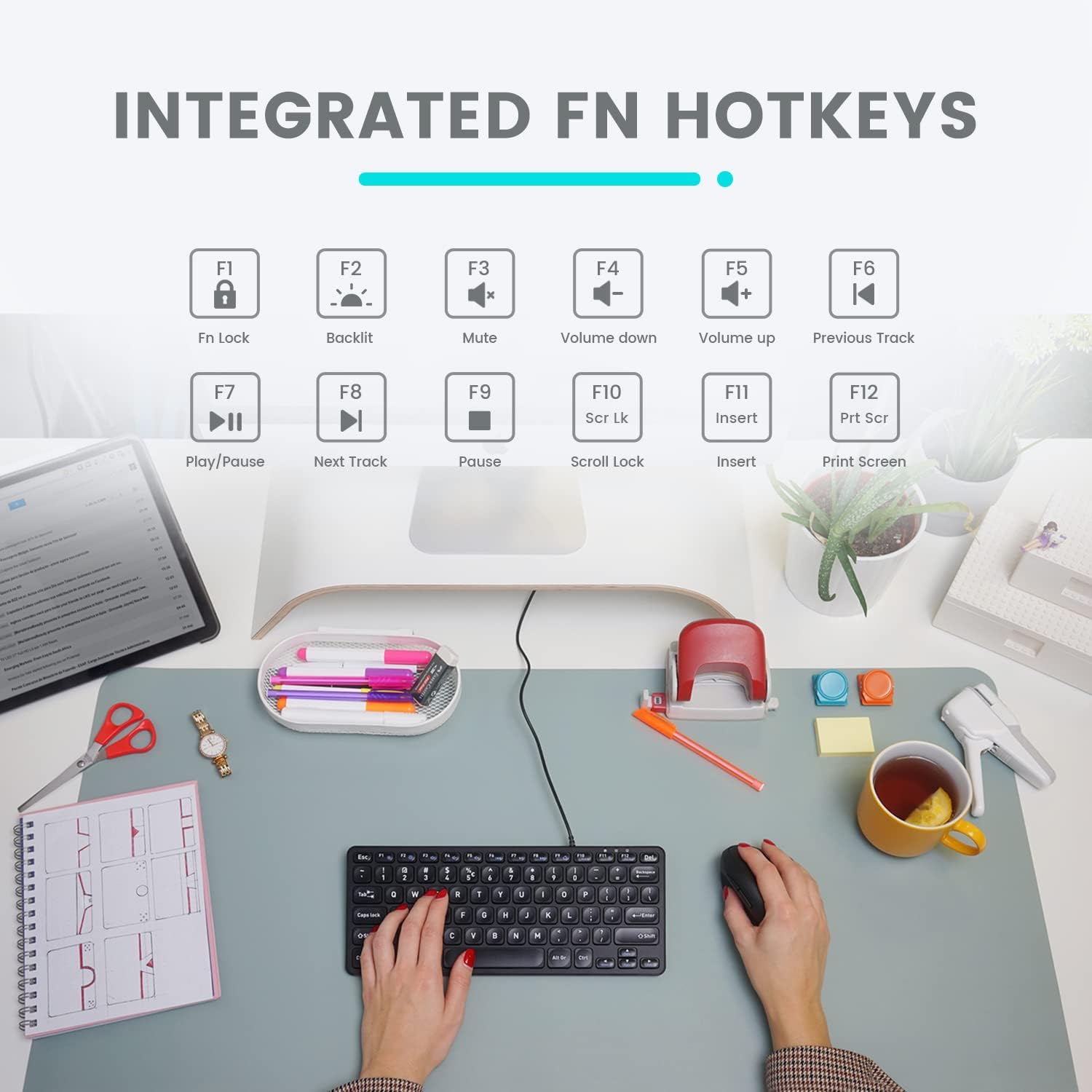
Image: Diagram illustrating the integrated Fn hotkeys on the Perixx PERIBOARD-332, showing the function of each F-key when pressed with the Fn key.
बॅकलाइट नियंत्रण
The PERIBOARD-332 features white LED backlighting with adjustable brightness. To adjust the backlight brightness, press the Fn + F2 keys simultaneously. Repeatedly pressing this combination will cycle through different brightness levels (including off).
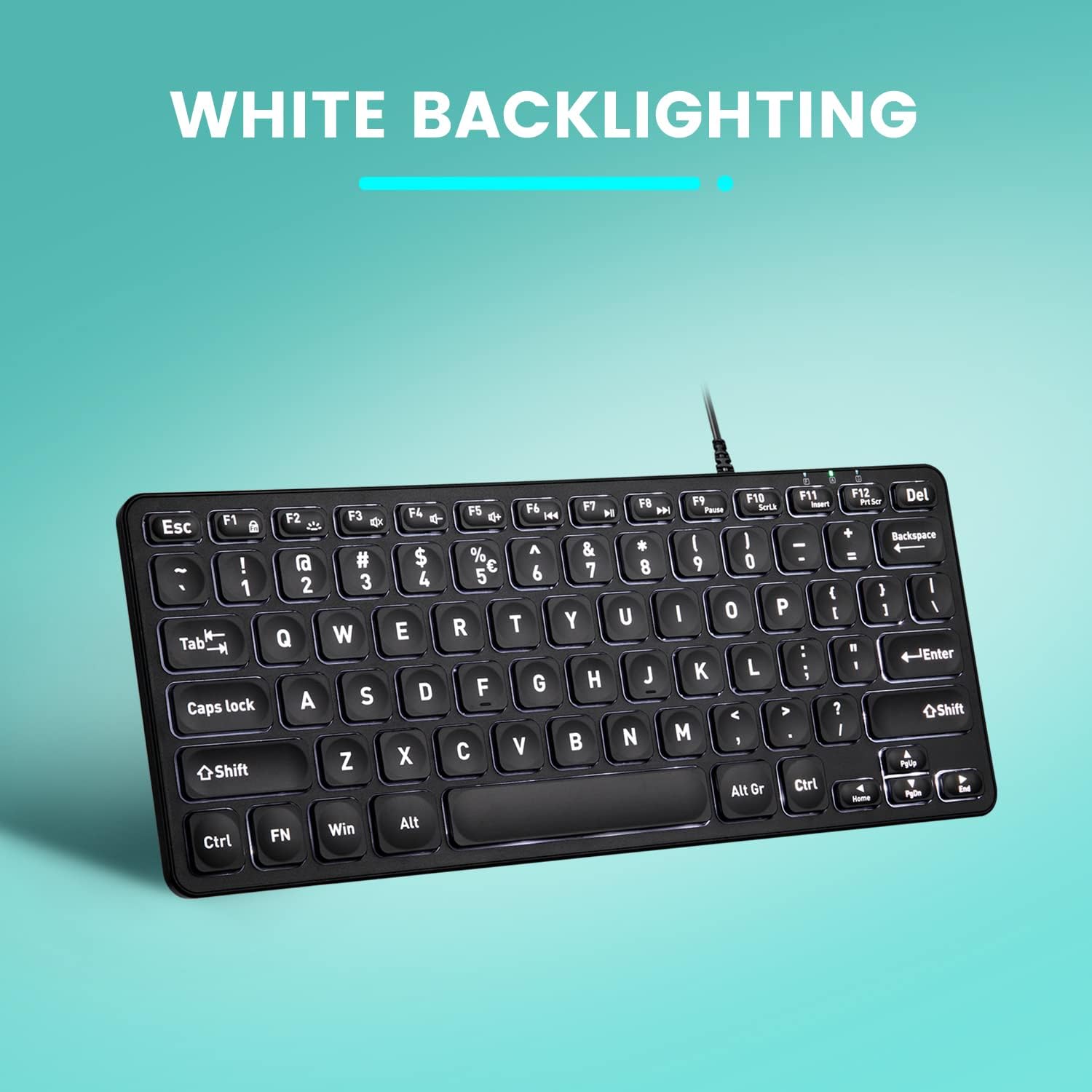
प्रतिमा: वरपासून खालपर्यंत view of the Perixx PERIBOARD-332 keyboard with its white LED backlighting illuminated, showcasing the clear, large font on the keys.
देखभाल
To ensure the longevity and proper functioning of your keyboard, follow these maintenance guidelines:
- स्वच्छता: मऊ, लिंट-फ्री कापड किंचित वापरा dampened with water or a mild cleaning solution to wipe the surface of the keyboard. Avoid excessive moisture. Do not spray cleaners directly onto the keyboard.
- धूळ काढणे: चाव्यांमधील धूळ आणि मोडतोड काढण्यासाठी संकुचित हवेचा वापर करा.
- गळती टाळा: Keep liquids away from the keyboard to prevent damage. The keyboard is not water-resistant.
- स्टोरेज: वापरात नसताना, कीबोर्ड अत्यंत तापमानापासून दूर स्वच्छ, कोरड्या वातावरणात ठेवा.
समस्यानिवारण
If you encounter issues with your Perixx PERIBOARD-332, refer to the following common solutions:
कीबोर्ड प्रतिसाद देत नाही
- यूएसबी कनेक्शन तपासा: Ensure the USB cable is securely plugged into both the keyboard and the computer's USB port. Try a different USB port.
- संगणक रीस्टार्ट करा: कधीकधी, एक साधा संगणक रीस्टार्ट केल्याने कनेक्टिव्हिटी समस्या सोडवता येतात.
- दुसर्या डिव्हाइसवर चाचणी: Connect the keyboard to another computer or device to determine if the issue is with the keyboard or the original computer.
Backlight Not Working or Adjusting
- Check Brightness Setting: दाबा Fn + F2 repeatedly to cycle through all brightness levels, including off. Ensure it's not set to the lowest or off setting.
- उर्जा स्त्रोत: Ensure the keyboard is properly connected to a powered USB port.
की योग्यरित्या कार्य करत नाहीत
- स्वच्छ चाव्या: Check for any debris or obstructions under the affected keys. Use compressed air to clear them.
- सॉफ्टवेअर विरोधाभास: If specific keys are not working, check for any software or driver conflicts on your computer.
Multimedia Keys Not Working on macOS/Linux/Chrome OS
- ऑपरेटिंग सिस्टम सुसंगतता: The multimedia shortcut keys are primarily designed for Windows. On other operating systems, their functionality may vary or require specific system settings/configurations.
तपशील
| वैशिष्ट्य | तपशील |
|---|---|
| ब्रँड | पेरिक्स |
| मॉडेल क्रमांक | पेरीबोर्ड-332 |
| कनेक्टिव्हिटी तंत्रज्ञान | यूएसबी (वायर्ड) |
| कीबोर्ड वर्णन | US English QWERTY |
| विशेष वैशिष्ट्य | Backlit (White LED) |
| स्विच प्रकार | Scissor Switches |
| कळांची संख्या | 84 |
| उत्पादनाची परिमाणे (L x W x H) | ५.९१" x १.९७" x १.९७" (१५.०१ सेमी x ५.०० सेमी x ५.०० सेमी) |
| आयटम वजन | 0.79 lbs (12.3 Ounces / 350 grams approx.) |
| सुसंगत साधने | PC, Laptop, Tablet, Smartphone (with compatible USB port/adapter) |
| ऑपरेटिंग सिस्टम सुसंगतता | Windows 7, 8, 10, 11; macOS; Linux; Chrome OS |
| साहित्य | प्लास्टिक |
हमी आणि समर्थन
हमी माहिती
Your Perixx PERIBOARD-332 keyboard comes with a १२ महिन्यांची मर्यादित वॉरंटी from the date of purchase. This warranty covers manufacturing defects and workmanship under normal use. It does not cover damage caused by misuse, accidents, unauthorized modifications, or external factors.
कृपया वॉरंटी दाव्यांसाठी तुमचा खरेदीचा पुरावा ठेवा.
ग्राहक समर्थन
For technical assistance, warranty claims, or any questions regarding your Perixx product, please visit the official Perixx website or contact their customer support team. Contact information can typically be found on the Perixx webसाइट किंवा उत्पादन पॅकेजिंगमध्ये.
आपण देखील भेट देऊ शकता Amazon वर Perixx स्टोअर अधिक माहिती आणि समर्थन संसाधनांसाठी.
Ask a question about this manual
Ask about setup, troubleshooting, compatibility, parts, safety, or missing instructions. Manuals+ will review the question and use this page’s manual context to help answer it.