
1. परिचय
This manual provides detailed instructions for the installation, operation, and maintenance of your Athom Smart Wall Switch. This device is designed to integrate seamlessly with Apple HomeKit, offering convenient control via Siri voice commands, remote access, and scheduling features. It supports both no-neutral line and neutral line electrical systems, making it versatile for various installations.
2. सुरक्षितता माहिती
- सर्किट ब्रेकरची स्थापना, काढणे किंवा देखभाल करण्यापूर्वी नेहमी वीज बंद करा.
- स्थापना पात्र इलेक्ट्रिशियनद्वारे किंवा स्थानिक विद्युत कोडनुसार केली पाहिजे.
- ओल्या हाताने स्विच चालवू नका.
- Ensure the switch is installed in a dry environment, away from moisture and extreme temperatures.
- Verify correct wiring connections to prevent damage to the switch or connected appliances.
3. पॅकेज सामग्री
कृपया खालील वस्तूंसाठी पॅकेज तपासा:
- Athom Smart Wall Switch (3-Key)
- वापरकर्ता मॅन्युअल
- Capacitor (for no-neutral line installations)
- माउंटिंग स्क्रू

Image: Contents of the Athom Smart Wall Switch package, including the switch, manual, capacitor, and screws.
4. उत्पादन संपलेview
The Athom Smart Wall Switch features a sleek glass panel with three touch-sensitive buttons for manual control. A Wi-Fi indicator is located on the top left of the panel. The rear of the switch houses the wiring terminals for electrical connection.
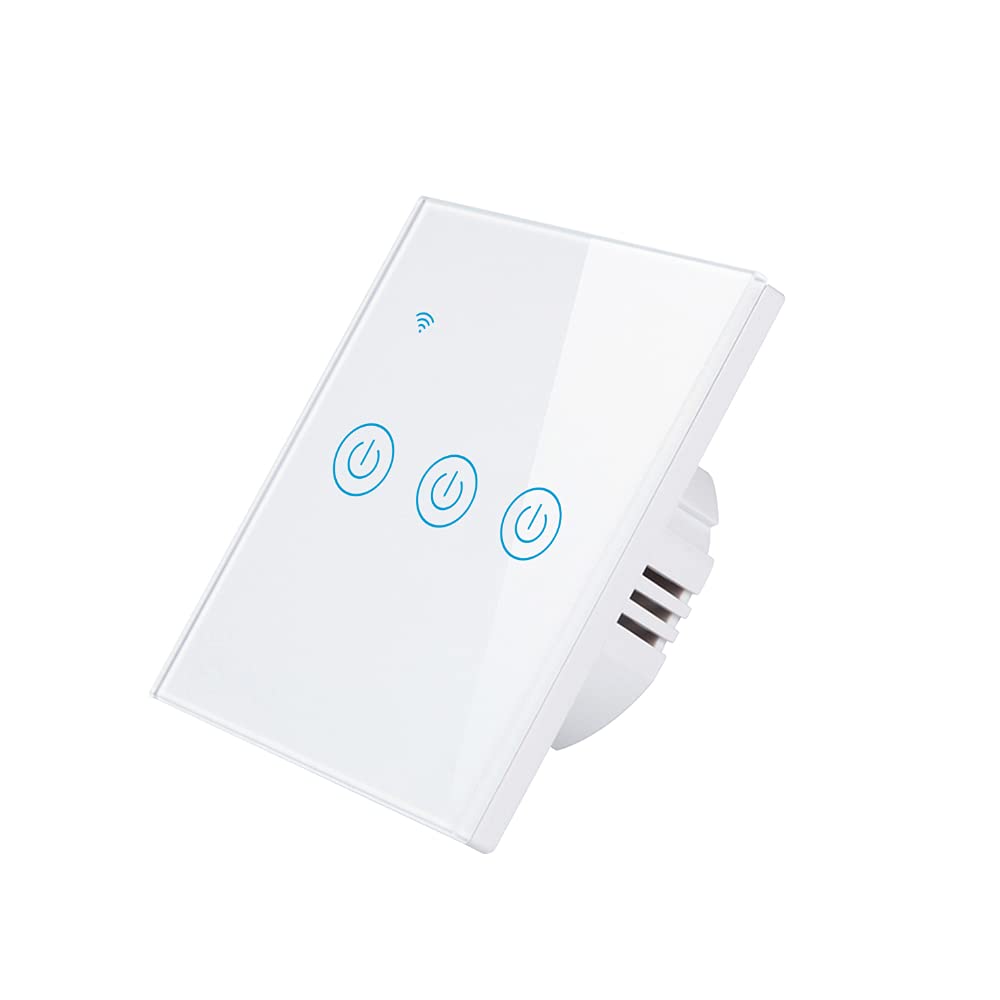
प्रतिमा: समोर view of the Athom Smart Wall Switch, showing the three touch-sensitive buttons and Wi-Fi indicator.

Image: Display of multiple Athom Smart Wall Switches, highlighting compatibility with Apple HomeKit.
5. सेटअप आणि स्थापना
5.1 वायरिंग आकृत्या
The Athom Smart Wall Switch supports both no-neutral line and neutral line installations. Please identify your home's wiring configuration before proceeding.
5.1.1 No Neutral Line Mode
This mode is common in older installations where a neutral wire is not present at the switch box. A capacitor must be installed across the light fixture for proper operation.

Image: Detailed wiring diagram illustrating the connection for the Athom Smart Wall Switch when a neutral line is not available, including capacitor installation across the bulb.
5.1.2 Neutral Line Mode
For installations where a neutral wire is available in the switch box, connect the Live (L) wire to the 'L' terminal, the Neutral (N) wire to the 'N' terminal, and the Load wires (L1, L2, L3) to their respective terminals. The capacitor is not required in this mode.
5.2 स्थापना चरण
- पॉवर बंद करा: तुमचा सर्किट ब्रेकर शोधा आणि तुम्ही बदलत असलेल्या स्विचची पॉवर बंद करा. व्हॉल्यूम वापरून पॉवर बंद आहे का ते तपासा.tagई परीक्षक.
- जुना स्विच काढा: Carefully remove the existing wall plate and switch. Disconnect the wires.
- स्मार्ट स्विच वायर करा: Connect the wires to the Athom Smart Wall Switch according to the appropriate wiring diagram (Section 5.1). Ensure all connections are secure.
- स्विच माउंट करा: Gently push the wired switch into the wall box and secure it with the provided mounting screws.
- वॉल प्लेट स्थापित करा: नवीन वॉल प्लेट जोडा.
- पुनर्संचयित शक्ती: सर्किट ब्रेकरवर पॉवर परत चालू करा.
- Pair with HomeKit: Follow the instructions in Section 6.1 to pair your switch with Apple HomeKit.
6. ऑपरेटिंग सूचना
The Athom Smart Wall Switch offers multiple control methods:
6.1 Apple HomeKit and Siri Voice Control
The switch is designed for direct integration with Apple HomeKit without requiring a separate app or registration. To add the switch to HomeKit:
- Ensure your iPhone, iPad, or iPod Touch is connected to the same 2.4GHz Wi-Fi network as the switch.
- Homeपल मुख्यपृष्ठ अॅप उघडा.
- Tap the '+' icon in the top right corner and select 'Add Accessory'.
- Scan the HomeKit setup code located on the switch or in the manual.
- Follow the on-screen prompts to assign the switch to a room and give it a name.
Once added, you can control the switch using Siri. For example, say: "अरे सिरी, लिव्हिंग रूमचा लाईट चालू कर."
6.2 रिमोट कंट्रोल
After successfully adding the switch to Apple HomeKit, you can control it remotely using the Home app on your Apple devices. Ensure your Home Hub (e.g., Apple TV, HomePod, or iPad) is set up and online to enable remote access.
५.३ वेळ आणि वेळापत्रक
Utilize the Apple Home app to set up schedules and automations for your smart switch. You can configure lights or appliances to turn on or off at specific times, or based on other conditions like sunrise/sunset or sensor triggers.
7. देखभाल
- स्वच्छता: Gently wipe the switch's glass panel with a soft, dry cloth. Avoid using abrasive cleaners or solvents.
- फर्मवेअर अद्यतने: Periodically check for firmware updates through the Apple Home app to ensure optimal performance and security.
- पर्यावरणीय परिस्थिती: Ensure the switch is not exposed to excessive heat, cold, or humidity, which can affect its lifespan and functionality.
8. समस्या निवारण
- स्विच प्रतिसाद देत नाही:
- सर्किट ब्रेकर चालू आहे का ते तपासा.
- सर्व वायरिंग कनेक्शन सुरक्षित आहेत याची खात्री करा.
- If in no-neutral mode, ensure the capacitor is correctly installed across the light fixture.
- Try resetting the switch by turning off power at the breaker for 10 seconds, then turning it back on.
- Cannot Connect to HomeKit:
- तुमचे वाय-फाय नेटवर्क २.४GHz असल्याची खात्री करा. स्विच ५GHz नेटवर्कना सपोर्ट करत नाही.
- Check that your iPhone/iPad is connected to the same 2.4GHz Wi-Fi network.
- Move closer to your Wi-Fi router during the pairing process.
- If the issue persists, try resetting the switch to factory defaults (refer to specific reset procedure if available, otherwise power cycle).
- Lights Flicker (No Neutral Mode):
- This often indicates an issue with the capacitor installation or a low-wattage bulb. Ensure the capacitor is correctly wired across the light fixture.
- Some very low-wattage LED bulbs may still flicker; consider using a compatible bulb or a neutral line installation if possible.
9. तपशील
| ब्रँड | Athom |
| मॉडेल | Smart Wall Switch 3-Key EU Dual Mode |
| खंडtage | 220-240V AC, 50-60Hz |
| Load per Gang | 5-200W |
| परिमाण | 86x86x35 मिमी |
| ऑपरेशन मोड | Off, Smart Switch |
| वर्तमान रेटिंग | 10 Amps |
| संचालन खंडtage | 240 व्होल्ट |
| कनेक्टर प्रकार | वायरलेस |
| आंतरराष्ट्रीय संरक्षण रेटिंग | IP54 |
| पदांची संख्या | 3 |
| कंट्रोलर प्रकार | ऍपल होमकिट |
| नियंत्रण पद्धत | रिमोट |
| कनेक्टिव्हिटी प्रोटोकॉल | वाय-फाय (२.४GHz b/g/n) |
| Hub Requirement | नाही |
| कार्यरत तापमान | -20°C ते 50°C |
| प्रमाणपत्रे | सीई, RoHS |
10. हमी आणि समर्थन
For warranty information and technical support, please refer to the documentation provided with your purchase or visit the official Athom webसाइट. वॉरंटी दाव्यांसाठी खरेदीचा पुरावा म्हणून तुमची खरेदी पावती ठेवा.