
ATuMan LS-P 40m
ATuMan LS-P 40m Laser Distance Meter User Manual
Model: LS-P 40m | Brand: ATuMan
1. परिचय
The ATuMan LS-P 40m Laser Distance Meter is a high-precision, portable device designed for accurate and reliable measurements. It integrates multiple functions including distance, area, volume, angle, and Pythagorean measurements, making it a versatile tool for various applications.
Key features of this device include:
- High precision for accurate and reliable measuring.
- 11 functions controlled with two intuitive keys.
- Supports up to 3500 measurements on a single charge.
- Capable of volume, angle, area, and distance measurements.

आकृती 1: समोर view of the ATuMan LS-P 40m Laser Distance Meter, displaying its screen and single control button.
2. सेटअप
2.1 डिव्हाइस चार्ज करणे
The LS-P 40m is equipped with a built-in Lithium Ion battery. Before first use, or when the battery indicator shows low power, charge the device using the provided USB cable.
- Connect the small end of the USB cable to the charging port on the side of the device.
- USB केबलचे दुसरे टोक एका मानक USB पॉवर अॅडॉप्टरशी (समाविष्ट नाही) किंवा संगणकाच्या USB पोर्टशी जोडा.
- The charging indicator on the screen will show the charging status. A full charge supports approximately 3500 measurements.
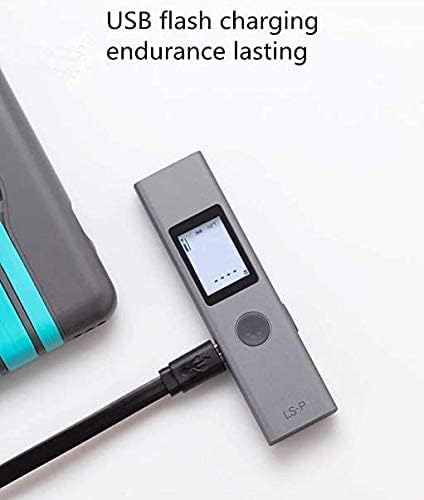
Figure 2: The LS-P 40m device connected to a USB cable for charging, highlighting its USB flash charging capability.
2.2 पॉवरिंग चालू/बंद
- To power on: Press and hold the main button until the screen illuminates.
- To power off: Press and hold the main button until the screen turns off. The device also features an automatic power-off function after a period of inactivity to conserve battery.
3. ऑपरेटिंग सूचना
The LS-P 40m features a simple two-key control system for all its 11 functions. The primary button is used for measurements and mode selection, while the secondary button (if present, or a long press of the primary) is for switching modes or clearing data.
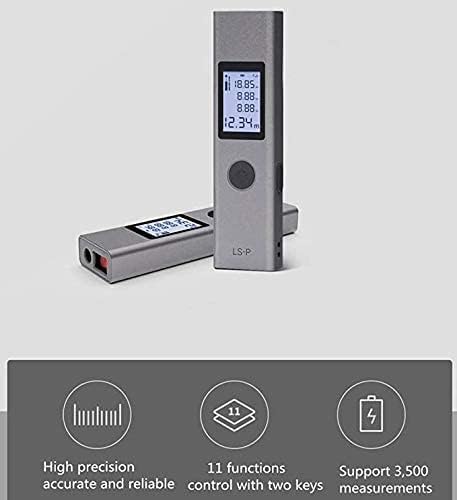
आकृती 3: ओव्हरview of the device's capabilities, emphasizing its high precision, 11 functions, and long battery life for up to 3500 measurements.
५.२ मूलभूत अंतर मापन
- Ensure the device is powered on and in basic distance measurement mode (usually the default).
- लक्ष्य पृष्ठभागावर लेसर बीम निर्देशित करा.
- Press the main button once to activate the laser.
- Press the main button again to take the measurement. The distance will be displayed on the screen.

आकृती 4: उदाamples of practical applications, including distance measurement for furniture and area measurement for a window.
3.2 क्षेत्र मोजमाप
- Switch to Area Measurement mode. This is typically done by pressing the mode button until the area icon appears on the screen.
- Measure the length of the first side (e.g., width) by pointing the laser and pressing the main button.
- Measure the length of the second side (e.g., height) by pointing the laser and pressing the main button.
- डिव्हाइस आपोआप क्षेत्राची गणना करेल आणि प्रदर्शित करेल.
3.3 आवाज मोजमाप
- Switch to Volume Measurement mode.
- Measure the length, width, and height sequentially as prompted by the device's display.
- डिव्हाइस स्वयंचलितपणे व्हॉल्यूमची गणना करेल आणि प्रदर्शित करेल.

Figure 5: Visual representations of volume measurement within a room and angle measurement on a staircase.
५.३ कोन मापन
- Switch to Angle Measurement mode.
- Follow the on-screen prompts to measure the necessary points to determine the angle.
- The calculated angle will be displayed.
५.५ पायथागोरियन मापन
The device supports various Pythagorean modes (e.g., single Pythagorean, double Pythagorean) to calculate indirect measurements. Refer to the on-screen icons for specific prompts for each Pythagorean function.
- Select the desired Pythagorean mode.
- Measure the required sides as indicated by the flashing segments on the display.
- हे उपकरण अज्ञात बाजूची गणना करेल आणि प्रदर्शित करेल.
4. देखभाल
4.1 स्वच्छता
- मऊ सह उपकरण पुसणे, डीamp कापड कठोर रसायने किंवा अपघर्षक क्लीनर वापरू नका.
- Ensure the laser lens and display are clean for optimal performance. Use a lens cleaning cloth if necessary.
५.८.१ स्टोरेज
- थेट सूर्यप्रकाश आणि अति तापमानापासून दूर थंड, कोरड्या जागी डिव्हाइस साठवा.
- The device features an aluminum-magnesium alloy casing for durability, but it should still be protected from drops and impacts.

आकृती ४.१: सविस्तर view of the device's robust aluminum-magnesium alloy casing, टिकाऊपणासाठी डिझाइन केलेले.
4.3 बॅटरी काळजी
- बॅटरीचे आरोग्य राखण्यासाठी, डिव्हाइस वारंवार वापरात नसले तरीही, बॅटरी नियमितपणे चार्ज करा.
- रिचार्ज करण्यापूर्वी बॅटरी पूर्णपणे काढून टाकणे टाळा.
- जर जास्त काळ साठवत असाल तर साठवण्यापूर्वी बॅटरी अंदाजे ५०% पर्यंत चार्ज करा.
5. समस्या निवारण
१०.१ डिव्हाइस चालू होत नाही
- Ensure the battery is sufficiently charged. Connect the device to a USB charger and allow it to charge for at least 30 minutes before attempting to power on again.
- Press and hold the power button for several seconds to ensure proper power-on attempt.
5.2 Inaccurate Measurements or Laser Not Visible
- Ensure the laser lens is clean and free from dust or smudges.
- Measurements taken in bright sunlight or on highly reflective/absorbent surfaces may be less accurate or difficult to obtain. Try to measure in shaded areas or use a target plate if available.
- Verify that the measurement reference point (front or rear of the device) is correctly set for your application.
७.३ कमी बॅटरी आयुष्य
- वापरण्यापूर्वी डिव्हाइस पूर्णपणे चार्ज झाल्याचे सुनिश्चित करा.
- Frequent use of the laser or backlight can consume battery faster.
- Battery performance can degrade over time. If battery life significantly shortens, consider contacting customer support.
6. तपशील
| वैशिष्ट्य | तपशील |
|---|---|
| मॉडेल क्रमांक | LS-P 40m |
| ब्रँड | ATuMan (Manufacturer: DUKA) |
| रंग | राखाडी |
| साहित्य | Metal (Aluminum-magnesium alloy casing) |
| बॅटरी प्रकार | लिथियम आयन (१ लिथियम पॉलिमर बॅटरी समाविष्ट) |
| प्रति शुल्क मोजमाप | अंदाजे 3500 |
| कार्ये | Distance, Area, Volume, Angle, Pythagorean (11 total functions) |
| पॅकेजचे परिमाण | 13 x 6.9 x 2.1 सेमी |
| आयटम वजन | 60 ग्रॅम |

Figure 7: The compact size of the LS-P 40m, demonstrating its portability as it fits into a shirt pocket.
7. हमी आणि समर्थन
Specific warranty details are not provided in the product information. For warranty claims, technical support, or service inquiries, please contact the seller or manufacturer directly through their official channels. Keep your purchase receipt as proof of purchase.
Ask a question about this manual
Ask about setup, troubleshooting, compatibility, parts, safety, or missing instructions. Manuals+ will review the question and use this page’s manual context to help answer it.