
1. उत्पादन संपलेview
The MEIZE 10-inch Android Tablet K105 is a versatile device designed for both productivity and entertainment. Featuring a 10.1-inch HD display, a quad-core processor, and the Android 9.0 Pie operating system, it offers a smooth user experience. This tablet supports dual SIM cards for cellular connectivity and includes a 6000mAh battery for extended usage.

प्रतिमा: समोर view of the MEIZE 10-inch Android Tablet K105, displaying its home screen with various application icons.
२. बॉक्समध्ये काय आहे?
Upon unboxing your MEIZE K105 tablet, please verify that all the following items are included:
- MEIZE 10-inch Android Tablet K105
- एसी अडॅप्टर
- यूएसबी केबल
- वापरकर्ता मॅन्युअल (हा दस्तऐवज)

Image: The MEIZE tablet alongside its included accessories, such as the charging cable and power adapter.
४. उत्पादन लेआउट आणि घटक
तुमच्या टॅब्लेटच्या भौतिक लेआउटशी परिचित व्हा:
- पॉवर बटण: बाजूला स्थित, टॅबलेट चालू/बंद करण्यासाठी किंवा स्क्रीन जागृत/निद्रावस्थेत ठेवण्यासाठी वापरला जातो.
- व्हॉल्यूम बटणे: ऑडिओ आउटपुट पातळी समायोजित करा.
- यूएसबी पोर्ट: चार्जिंग आणि डेटा ट्रान्सफरसाठी.
- हेडफोन जॅक: वायर्ड हेडफोन कनेक्ट करण्यासाठी.
- समोरचा कॅमेरा: For video calls and selfies (2.0 MP).
- मागील कॅमेरा: For taking photos and videos (5.0 MP).
- वक्ता: ऑडिओ आउटपुट.
- सिम/एसडी कार्ड स्लॉट: Houses the dual SIM card slots and the microSD card slot for expandable storage.

प्रतिमा: क्लोज-अप view of the MEIZE tablet's side, showing the open cover for the SD card and dual SIM card slots.

Image: Diagram highlighting the locations of the 2.0 MP front camera and 5.0 MP rear camera on the MEIZE tablet.
4. सेटअप
४.१ टॅब्लेट चार्ज करणे
Before first use, fully charge your tablet. Connect the USB cable to the tablet's USB port and the AC adapter, then plug the adapter into a power outlet. The battery indicator on the screen will show charging status.
4.2 पॉवरिंग चालू/बंद
- चालू करण्यासाठी: Press and hold the Power button until the MEIZE logo appears.
- पॉवर ऑफ करण्यासाठी: Press and hold the Power button until the power options menu appears, then select "Power off."
- To Sleep/Wake: थोडक्यात पॉवर बटण दाबा.
४.५ प्रारंभिक सेटअप विझार्ड
The first time you power on the tablet, you will be guided through an initial setup process. Follow the on-screen prompts to select your language, connect to Wi-Fi, set up your Google account, and configure other basic settings.
३.१ सिम कार्ड आणि एसडी कार्ड घालणे
The MEIZE K105 supports dual SIM cards and expandable storage via a microSD card.
- Locate the SIM/SD card slot cover on the side of the tablet.
- कव्हर काळजीपूर्वक उघडा.
- Insert your SIM cards into the designated SIM1 and SIM2 slots with the gold contacts facing down.
- Insert your microSD card (up to 128GB, not included) into the SD card slot until it clicks into place.
- स्लॉट कव्हर सुरक्षितपणे बंद करा.

Image: Detailed diagram showing how to correctly insert SIM cards (SIM1, SIM2) and an SD card into their respective slots on the MEIZE tablet.
५. टॅब्लेट चालवणे
5.1 होम स्क्रीन नेव्हिगेशन
The home screen is your central hub. Swipe left or right to access different panels. Tap on app icons to open applications. Swipe down from the top of the screen to access the notification panel and quick settings.
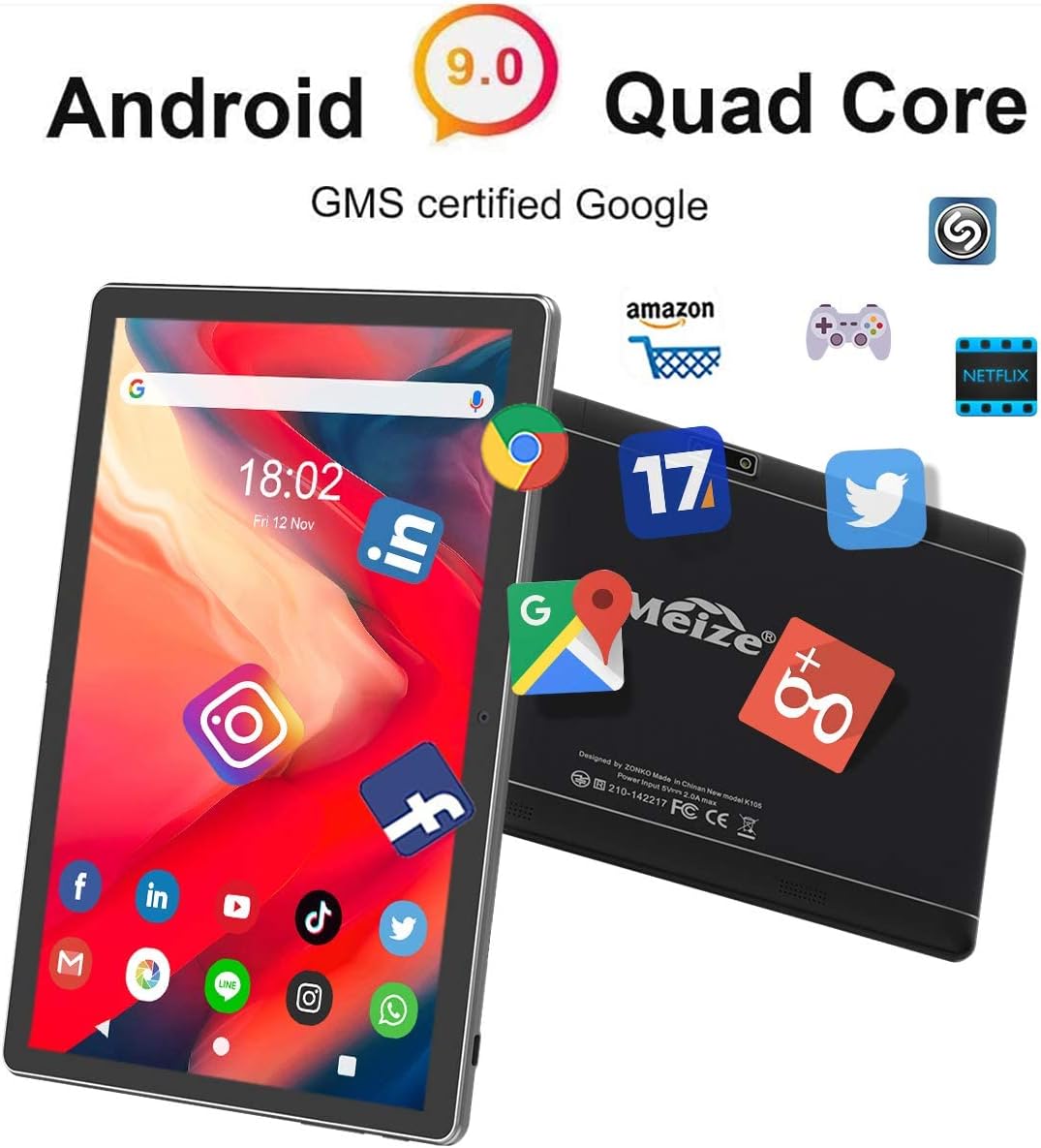
Image: The MEIZE tablet displaying its home screen filled with various application icons, demonstrating the user interface.
5.2 Wi-Fi शी कनेक्ट करत आहे
- वर जा सेटिंग्ज > नेटवर्क आणि इंटरनेट > वाय-फाय.
- वाय-फाय चालू करा.
- सूचीमधून तुमचे इच्छित वाय-फाय नेटवर्क निवडा.
- संकेत दिल्यास पासवर्ड एंटर करा, नंतर टॅप करा कनेक्ट करा.
5.3 ब्लूटूथ पेअरिंग
- वर जा सेटिंग्ज > कनेक्ट केलेली उपकरणे > ब्लूटूथ.
- ब्लूटूथ चालू करा.
- Ensure the device you wish to pair is in pairing mode.
- Select the device from the list of available devices and follow any on-screen prompts to complete pairing.
5.4 Making Calls and Using Cellular Data
With inserted SIM cards, your tablet can function as a large phone. Use the pre-installed Phone app to make calls and the Messages app for SMS. Ensure mobile data is enabled in सेटिंग्ज > नेटवर्क आणि इंटरनेट > मोबाइल नेटवर्क to use cellular data.
६.२ कॅमेरा वापर
Open the Camera app from your home screen or app drawer. You can switch between front and rear cameras, select photo or video mode, and adjust basic settings like flash or timer.
५.३ स्टोरेज व्यवस्थापित करणे
Your tablet comes with 32GB of internal storage. You can expand this by inserting a microSD card (up to 128GB). To view स्टोरेज वापर, येथे जा सेटिंग्ज > स्टोरेज.
5.7 Installing and Uninstalling Apps
- स्थापित करा: Open the Google Play Store app, search for your desired app, and tap स्थापित करा.
- विस्थापित करा: वर जा सेटिंग्ज > ॲप्स आणि सूचना, select the app, and tap विस्थापित करा. Alternatively, long-press the app icon on the home screen or app drawer and drag it to "Uninstall."

Image: A person holding the MEIZE tablet, watching a video, demonstrating its use for entertainment.
6. देखभाल
6.1 स्वच्छता
टॅब्लेटची स्क्रीन आणि बॉडी स्वच्छ करण्यासाठी मऊ, लिंट-फ्री कापड वापरा. पृष्ठभागाला नुकसान पोहोचवू शकणारे कठोर रसायने किंवा अपघर्षक पदार्थ वापरणे टाळा.
6.2 बॅटरी काळजी
To prolong battery life, avoid exposing the tablet to extreme temperatures. It is recommended to keep the battery charge between 20% and 80% for optimal longevity. Avoid completely draining the battery frequently.
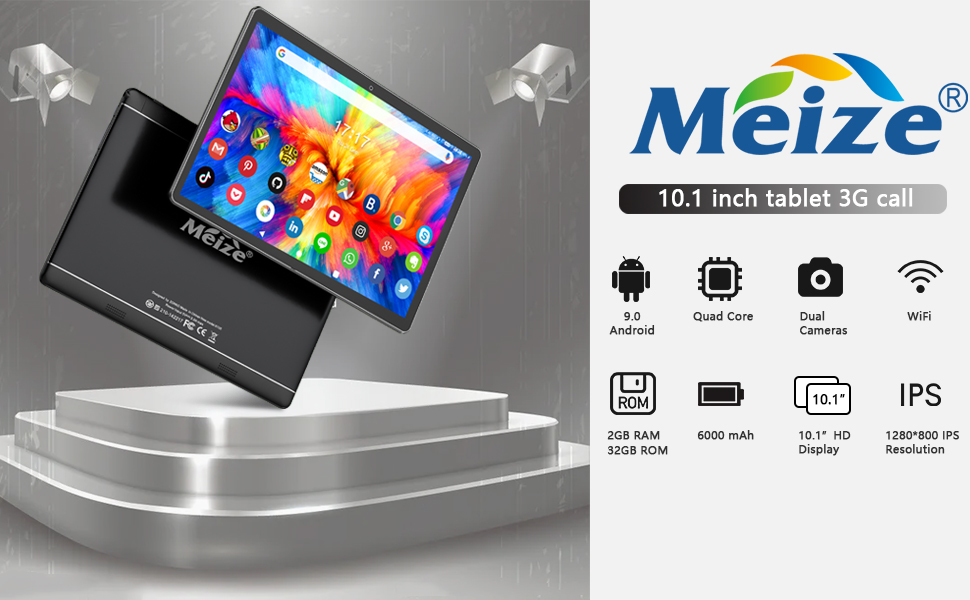
Image: Graphic illustrating the 6000mAh battery capacity of the MEIZE tablet, highlighting its endurance for video, browsing, and e-book reading.
6.3 सॉफ्टवेअर अद्यतने
Periodically check for system updates to ensure your tablet has the latest features and security patches. Go to सेटिंग्ज > प्रणाली > प्रगत > सिस्टम अपडेट.
6.4 Backup Data
Regularly back up important data to a cloud service or external storage device to prevent data loss.
7. समस्या निवारण
If you encounter issues with your tablet, try the following solutions:
- टॅब्लेट चालू होत नाही: Ensure the tablet is charged. Connect it to the charger for at least 30 minutes before attempting to power on again.
- टॅब्लेट मंद किंवा प्रतिसाद देत नाही: Close unused applications. Restart the tablet. Clear cache data from apps in सेटिंग्ज > ॲप्स आणि सूचना.
- वाय-फाय कनेक्शन समस्या: Ensure Wi-Fi is enabled. Restart your Wi-Fi router. Forget the network in tablet settings and reconnect.
- अॅप्स क्रॅश होत आहेत: Ensure the app is updated to the latest version. Clear the app's cache and data in सेटिंग्ज > ॲप्स आणि सूचना. Reinstall the app if necessary.
- फॅक्टरी रीसेट (शेवटचा उपाय): If problems persist, you may need to perform a factory reset. Warning: This will erase all data on your tablet. वर जा सेटिंग्ज > प्रणाली > प्रगत > पर्याय रीसेट करा > सर्व डेटा पुसून टाका (फॅक्टरी रीसेट).
या पायऱ्यांद्वारे ज्या समस्यांचे निराकरण झाले नाही, त्यांच्यासाठी कृपया ग्राहक समर्थनाशी संपर्क साधा.
8. तपशील
Key technical specifications for the MEIZE 10-inch Android Tablet K105:
| वैशिष्ट्य | तपशील |
|---|---|
| डिस्प्ले आकार | 10.1 इंच |
| स्क्रीन रिझोल्यूशन | 1280 x 800 (HD) |
| ऑपरेटिंग सिस्टम | Android 9 Pie |
| प्रोसेसर | १.४ GHz क्वाड-कोर |
| रॅम | 2GB |
| अंतर्गत स्टोरेज | 32GB |
| विस्तारण्यायोग्य स्टोरेज | Up to 128GB (microSD) |
| मागील कॅमेरा | 5 MP |
| समोरचा कॅमेरा | 2 MP |
| बॅटरी क्षमता | 6000 mAh |
| वायरलेस कनेक्टिव्हिटी | Wi-Fi (802.11bgn), Bluetooth, GPS |
| Cellular Support | Dual SIM (2G/3G) |
| आयटम वजन | 1.85 पाउंड |
| उत्पादन परिमाणे | 9.84 x 6 x 0.5 इंच |
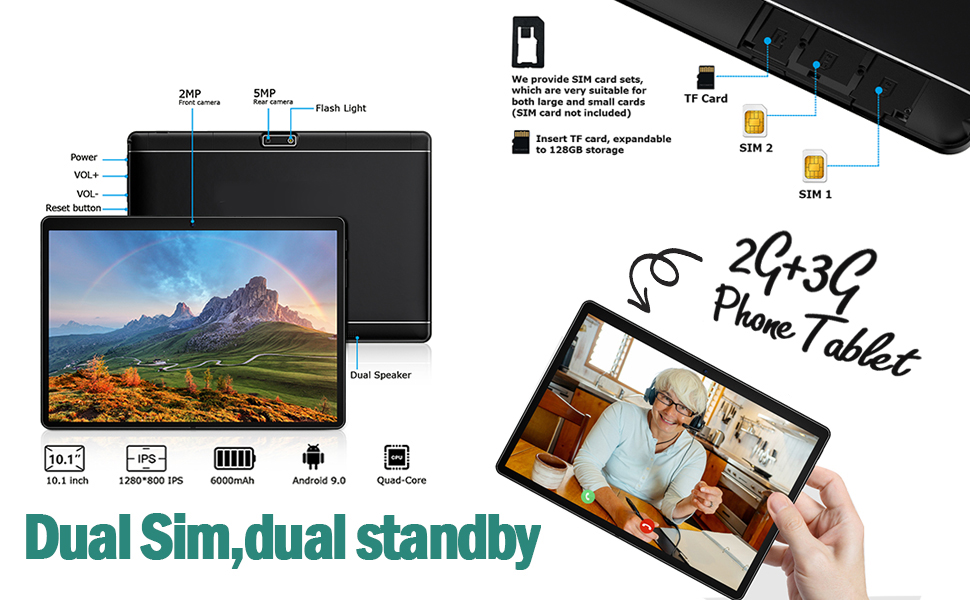
Image: A visual summary of the MEIZE tablet's technical specifications, including processor, memory, camera, and battery details.
9. हमी आणि समर्थन
MEIZE provides a 1-year return and exchange service for this product. If you have any questions or require assistance, please contact our customer service team. We are available to assist you 24 hours a day.
For customer service inquiries, please refer to the contact information provided with your purchase or visit the official MEIZE support webसाइट