
परिचय
This manual provides instructions for the installation, operation, and maintenance of your Okin 2 Button 5 Pin Lift Chair or Power Recliner Hand Control with USB.
This control unit is designed for use with compatible lift chairs and power recliners, offering convenient control over reclining functions and a built-in USB charging port.
उत्पादन वैशिष्ट्ये
- साहित्य: Zinc alloy pane for durability.
- यूएसबी चार्जिंग: 5V 2A output for mobile devices.
- केबल लांबी: Approximately 125cm (4.1Ft) recliner switch cable.
- सुसंगतता: Works with Okin, Ashley Furniture, Dewert, Flexteel, Limoss, and many other power recliners using a 5-pin connection.

Okin 2 Button 5 Pin Recliner Hand Control with USB, showing the two control buttons and the USB charging port.
सेटअप आणि स्थापना
This section details the steps for replacing or installing the hand control unit.
आवश्यक साधने: Small flat-head screwdriver or putty knife (for prying), zip ties (optional, for cable management).
स्थापना चरण:
- पॉवर डिस्कनेक्ट करा: Ensure the recliner is unplugged from the electrical outlet before beginning installation.
- जुने नियंत्रण काढून टाका: Carefully remove the existing hand control unit from its mounting location. This may involve gently prying it out of the armrest or side panel.
- केबल डिस्कनेक्ट करा: Disconnect the 5-pin connector of the old control from the recliner's motor or control box.
- Connect New Control: Connect the new Okin 2 Button 5 Pin Hand Control's cable to the recliner's control box. Ensure the 5-pin connector is securely seated.
- रूट केबल: Route the cable neatly and secure it with zip ties if necessary to prevent snagging or damage.
- Install Unit: Insert the new hand control unit into the mounting hole. Ensure it clicks into place or is securely fastened using the provided circlips.
- पॉवर पुन्हा कनेक्ट करा: Reconnect the recliner to the electrical outlet.

स्फोट झाला view diagram illustrating the components of the recliner hand control and its installation into a wooden frame, showing the switch cover, lower cover, circlips, and studs.
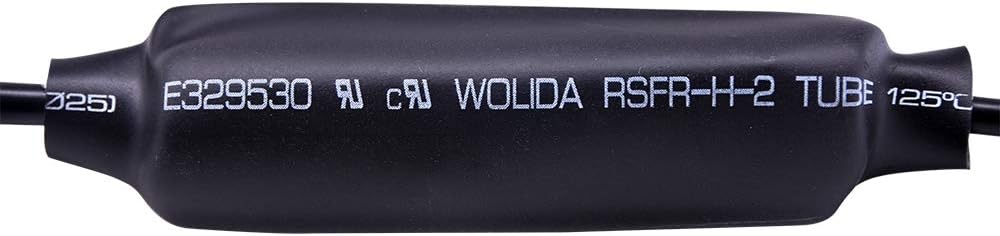
Close-up of the 5-pin connector, which connects the hand control to the recliner's motor system.
ऑपरेटिंग सूचना
The Okin 2 Button 5 Pin Hand Control provides simple operation for your power recliner.
रिक्लाइनिंग फंक्शन:
- Extend Footrest / Recline: दाबा आणि धरून ठेवा "वर" button to extend the footrest and recline the chair.
- Retract Footrest / Upright: दाबा आणि धरून ठेवा "खाली" button to retract the footrest and return the chair to its upright position.
- टीप: Some recliner models may require continuous pressure on the button for the full range of motion.
यूएसबी चार्जिंग पोर्ट:
- The integrated USB port (5V 2A) is designed for charging mobile devices. Connect your device's USB cable to the port.
- Ensure the recliner is connected to a power source for the USB port to function.
देखभाल
To ensure the longevity and proper function of your hand control unit:
- स्वच्छता: Keep the unit clean by wiping it with a soft, dry cloth. Avoid abrasive cleaners or solvents, which can damage the surface or internal components.
- केबल तपासणी: Ensure cables are not pinched, twisted, or damaged. Regularly inspect the cable for any signs of wear, fraying, or cuts.
- पर्यावरणीय परिस्थिती: Do not expose the unit to excessive moisture, direct sunlight, or extreme temperatures.
समस्यानिवारण
नियंत्रण युनिट प्रतिसाद देत नाही:
- पॉवर तपासणी: Verify that the recliner is properly plugged into a working power outlet.
- कनेक्शन तपासा: Ensure that all cable connections, especially the 5-pin connector to the recliner's motor, are secure and fully inserted.
- केबलचे नुकसान: Inspect the control cable for any visible damage or cuts. A damaged cable may prevent proper function.
- Motor/Power Supply: If the issue persists after checking connections and cable, the recliner's motor or power supply unit may need inspection by a qualified technician.
USB पोर्ट चार्ज होत नाही:
- Recliner Power: Ensure the recliner is powered on and connected to an electrical outlet. The USB port requires power from the recliner's system.
- Cable/Device Check: Try a different USB cable or device to rule out issues with the charging cable or the device being charged.
- युनिट बदलणे: If the USB port still does not function, the control unit may require replacement.
तपशील
| वैशिष्ट्य | तपशील |
|---|---|
| मॉडेल | चार्ल्स |
| बटणे | 2 (Up/Down) |
| कनेक्टर प्रकार | 5 पिन |
| यूएसबी आउटपुट | 5V 2A |
| केबलची लांबी | Approximately 125 cm (4.1 ft) |
| साहित्य | Zinc alloy pane |
| आयटम वजन | 0.18 किलोग्रॅम |
| परिमाण | Refer to dimension image for detailed measurements. |

Detailed dimensions of the Okin 2 Button 5 Pin Recliner Hand Control, showing measurements of 3.27 inches, 1.42 inches, and 3.9 inches.

मागील view of the control unit, displaying product identification labels including P/N JLDK-17, DC 24V 2A, USB 5V 2A, and manufacturer Okin Refined Electric Technology Co., Ltd.
हमी आणि समर्थन
For warranty information or technical support regarding this Okin 2 Button 5 Pin Recliner Hand Control, please refer to the documentation provided with your original recliner or contact the manufacturer directly. Specific warranty terms for this replacement part may vary.