1. परिचय
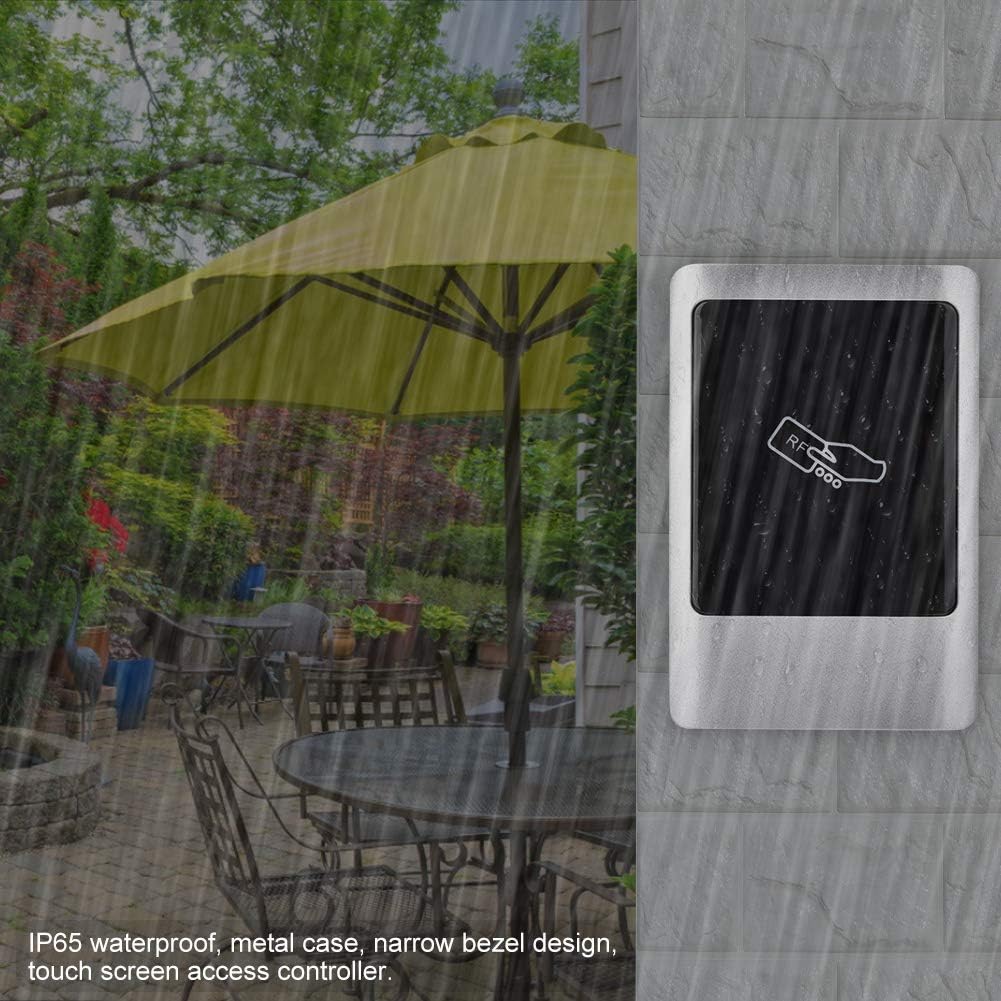
This manual provides detailed instructions for the installation, operation, and maintenance of the Sonew IP65 RFID Reader Outdoor Wiegand Door Access Control Panel. This device is designed for non-contact induction card access management, offering high user capacity, ease of operation, and stable performance, making it suitable for various access control applications in intelligent communities, offices, and industrial settings.
2. सुरक्षितता माहिती
- सर्व वायरिंग पात्र कर्मचाऱ्यांनी केले आहे आणि स्थानिक विद्युत कोडचे पालन करत आहे याची खात्री करा.
- Disconnect power before performing any installation, wiring, or maintenance procedures.
- Do not expose the device to extreme temperatures or corrosive environments beyond its specified operating range.
- Use only the specified power supply (DC 12V).
- उपकरणाला तीव्र इलेक्ट्रोमॅग्नेटिक हस्तक्षेपापासून दूर ठेवा.
3. पॅकेज सामग्री
पॅकेजमध्ये सर्व वस्तू आहेत का ते तपासा:
- 1 x Sonew IP65 Access Control Panel
- 10 x Access Cards (Blue Key Fobs)
- 1 x Access Management Card (Orange Key Fob)
- 1 x वापरकर्ता मॅन्युअल

4. तपशील
| आयटम | तपशील |
|---|---|
| मॉडेल | IP65 metal access controller |
| पडताळणी पद्धत | RFID card / Password / RFID card + Password |
| वापरकर्ता क्षमता | 1000 वापरकर्ते |
| कार्ड प्रकार | Mifare one or EM card |
| कार्यरत खंडtage | डीसी 12V |
| कार्यरत वर्तमान | <100mA (Access Control Unit Only) |
| पर्यावरणीय तापमान | -20°C ते 60°C |
| कार्ड वाचन अंतर | 3-15 CM |
| दार उघडण्याची वेळ | ०.२-९९ सेकंद (समायोज्य) |
| Wiegand इंटरफेस | Wiegand 26 आउटपुट/इनपुट |
| Access Control Interfaces | Electronic Lock, Door Sensor, Exit Button, Alarm, Doorbell |
| साहित्य | Metal shell, Zinc alloy |
| परिमाण (L x W x H) | अंदाजे 0.39 x 0.39 x 0.39 इंच |
| वजन | Approximately 13.4 ounces (0.84 lbs) |
5. सेटअप आणि स्थापना
२. डिव्हाइस माउंट करणे
- Securely fix the mounting bracket to the desired installation surface.
- Hang the access control unit onto the fixed bracket.
5.2. वायरिंग आकृती
The access control machine's output signal is a relay signal, capable of driving electric locks, automatic doors, turnstiles, and other equipment. Refer to the diagram below for typical wiring connections. For specific wiring methods or complex setups, please consult a qualified technician or supplier.


5.3. Setting Unlock Time
The unlock time can be adjusted using the S2 jumper cap on the circuit board:
- Insert the S2 jumper cap into the '1S' terminal for a 1-second relay activation (factory default).
- Insert the S2 jumper cap into the '5S' terminal for a 5-second relay activation.
6. ऑपरेटिंग सूचना
6.1. Audio-Visual Indicators
| ऑपरेशन स्थिती | सूचक प्रकाश | बजर |
|---|---|---|
| स्टँडबाय | Red light slow flash | काहीही नाही |
| Add Card Mode | Green light fast flash | काहीही नाही |
| Read Invalid Card | Red light slow flash | बीप-बीप-बीप |
| Delete Card Mode | लाल दिवा जलद फ्लॅश | काहीही नाही |
6.2. User Management with Management Card
Each machine is pre-configured with a unique management card at the factory. This card is specific to its machine and not interchangeable.

6.2.1. Adding User Cards
- डिव्हाइस स्टँडबाय मोडमध्ये असल्याची खात्री करा.
- स्वाइप करा व्यवस्थापन कार्ड. The green indicator light will flash rapidly.
- स्वाइप करा User Card(s) you wish to add. The device will emit a 'beep' sound after each successful card addition. You can swipe multiple user cards consecutively.
- स्वाइप करा व्यवस्थापन कार्ड again to exit the add card mode.
6.2.2. Deleting User Cards
- डिव्हाइस स्टँडबाय मोडमध्ये असल्याची खात्री करा.
- स्वाइप करा व्यवस्थापन कार्ड. The red indicator light will flash rapidly.
- स्वाइप करा User Card(s) you wish to delete. The device will emit a 'beep' sound after each successful card deletion. You can swipe multiple user cards consecutively.
- स्वाइप करा व्यवस्थापन कार्ड again to exit the delete card mode.
6.2.3. Deleting All Users
- वीज बंद साधन.
- Remove the metal back cover. Locate the DEL jumper cap on the circuit board and set it to the '2S' terminal.
- पॉवर चालू the machine again. It will continuously beep.
- ठेवा व्यवस्थापन कार्ड on the card reading area for approximately 5 seconds. After a long beep, the machine will continuously beep again, indicating that all user data has been cleared.
- वीज बंद the device. Reset the DEL jumper cap back to the '1S' terminal.
- पॉवर चालू the device. The operation to delete all users is complete.
6.3. Setting/Resetting Management Card
If the management card is lost or needs to be reset, follow these steps:
- वीज बंद साधन.
- शॉर्ट सर्किट द उघडा wire (brown) of the 8P terminal block with the GND wire (black).
- पॉवर चालू the device. After three long beeps, the green light will flash rapidly.
- Swipe any रिकामे कार्ड. This blank card will now be set as the new Management Card. The machine's red light will flash and the buzzer will continuously beep.
- वीज बंद the device. Disconnect the OPEN and GND wires.
- पॉवर चालू the device again. The machine will enter normal working state, and the management card setup is complete.
7. प्रगत कार्ये
7.1. MOD Function
- MOD Status '1' (Factory Default): If no operation is performed within 3 minutes while in card adding state, the system automatically exits this state.
- MOD Status '2': The system will not automatically exit the card adding state. It must be exited by swiping the Management Card or by powering off and restarting the device.
- When in card adding state (MOD Status '2'), swiping any card (except the management card) will output an unlock signal, and the card will be automatically saved. This function is useful for temporary machine replacements or other special scenarios.
7.2. Data Copy Function
This function allows user data to be exported from one access control machine (Machine A) to another (Machine B) using the PROG pin (4P). Data on Machine A will not be deleted.
- Connect the PROG pins of Machine A and Machine B using a data cable.
- Short-circuit the D0 (green) and GND (black) wires of Machine B.
- Power on Machine B (Machine A does not need to be powered on). At this point, the red lights of both A and B will flash slowly.
- Place Machine B's व्यवस्थापन कार्ड on Machine B's card reading area for approximately 5 seconds. Both A and B will emit three long beeps, A's red light will flash rapidly, and B's green light will flash rapidly.
- After approximately 30 seconds, A will emit one long beep, and B will continuously beep, indicating successful data copy.
- Disconnect the data cable and the D0 and GND wires from Machine B. The data copy operation is complete.
8. देखभाल
- Regularly clean the surface of the access control panel with a soft, dry cloth. Avoid abrasive cleaners or solvents.
- Inspect wiring connections periodically to ensure they are secure and free from corrosion.
- Ensure the device is protected from direct impact or physical damage.
9. समस्या निवारण
- डिव्हाइस चालू होत नाही: Check the DC 12V power supply connection and ensure it is providing adequate power.
- Cards not being read: Ensure the card type (Mifare one or EM) is compatible. Verify the card reading distance. Clean the card reading area.
- दरवाजा उघडत नाही: Check the electric lock wiring. Verify the unlock time setting. Ensure the correct user card or password is being used.
- Management card lost/not working: Follow the steps in Section 6.3 to reset or set a new management card.
- All users deleted accidentally: User data cannot be recovered once deleted. Re-add users as necessary.
10. हमी आणि समर्थन
For warranty information, technical support, or service inquiries, please refer to the product's purchase documentation or contact your vendor. Keep your purchase receipt for warranty claims.


