
DIGOO M1Z
DIGOO DG-M1Z 1080P Home Security Camera User Manual
मॉडेल: M1Z
1. परिचय
This manual provides detailed instructions for the installation, operation, and maintenance of your DIGOO DG-M1Z 1080P Home Security Camera. Please read this manual thoroughly before using the product to ensure proper functionality and safety.
2. उत्पादन संपलेview
2.1 प्रमुख वैशिष्ट्ये
- True 1080P HD Video Quality (2.0MP Image Sensor)
- 130° Wide Angle Lens (2.8mm)
- 11 Pcs IR LED for Night Vision (up to 10m)
- द्वि-मार्ग ऑडिओ कम्युनिकेशन
- Motion Detection with E-mail Alerts
- पॅन आणि टिल्ट कार्यक्षमता
- Support for Micro TF Card Slot (up to 64GB) for Local Storage
- H.264 व्हिडिओ कॉम्प्रेशन
- ONVIF सपोर्ट
- Compatible with iOS, Android, and Windows PC via "Digoo Eye" App
३.१ कॅमेरा घटक
The DIGOO DG-M1Z camera features a compact design with essential components for surveillance. Refer to the image below for a visual representation.

प्रतिमा 1: समोर view of the DIGOO DG-M1Z camera, showing the lens, IR LEDs, and base with the DIGOO logo.
मुख्य घटकांमध्ये हे समाविष्ट आहे:
- कॅमेरा लेन्स: व्हिडिओ foo कॅप्चर करतेtage.
- Infrared (IR) LEDs: रात्रीच्या दृष्टीसाठी प्रकाश व्यवस्था करा.
- मायक्रोफोन: For audio input during two-way communication.
- वक्ता: For audio output during two-way communication and alarms.
- Micro TF Card Slot: For local video storage (up to 64GB).
- पॉवर पोर्ट: DC 5V/2A+ input.
- इथरनेट पोर्ट: वायर्ड नेटवर्क कनेक्शनसाठी.
3. सेटअप मार्गदर्शक
३.१ कॅमेरा चालू करणे
- Connect the provided Micro USB power cable (3 meters long) to the camera's power port.
- Plug the other end of the cable into a DC 5V/2A+ power adapter (ensure the adapter provides sufficient current).
- कॅमेरा चालू होईल आणि त्याचा स्टार्टअप क्रम सुरू करेल.
3.2 Installing the "Digoo Eye" App
The "Digoo Eye" application is required to configure and operate your camera. It is available for iOS, Android, and Windows PC.
- For mobile devices, search for "Digoo Eye" in your device's app store (Google Play Store for Android, Apple App Store for iOS).
- अनुप्रयोग डाउनलोड आणि स्थापित करा.
- For Windows PC, download the client software from the official DIGOO webसाइट (उपलब्ध असल्यास).

Image 2: A smartphone displaying the "Digoo Eye" application interface, showing a live camera feed and control options.
3.3 नेटवर्क कॉन्फिगरेशन
The camera supports both wireless (Wi-Fi) and wired network connections. Note: The camera only supports 2.4GHz Wi-Fi networks, not 5GHz.
3.3.1 Wireless Connection (Acoustic Smart Link)
- तुमचे मोबाइल डिव्हाइस 2.4GHz Wi-Fi नेटवर्कशी कनेक्ट केलेले असल्याची खात्री करा.
- Open the "Digoo Eye" app and follow the on-screen instructions to add a new device.
- Select the "Acoustic smart link configuration" option.
- The app will guide you through entering your Wi-Fi password and using sound to pair the camera.
3.3.2 वायर्ड कनेक्शन
- Connect an Ethernet cable from your router to the camera's Ethernet port.
- कॅमेरा आपोआप नेटवर्कशी कनेक्ट होईल.
- Open the "Digoo Eye" app and follow the instructions to add a new device, selecting the wired connection option.
4. ऑपरेटिंग सूचना
4.1 थेट View आणि पॅन/टिल्ट नियंत्रण
Once connected, you can access the live video feed through the "Digoo Eye" app. Use the on-screen controls to pan (horizontal movement) and tilt (vertical movement) the camera lens to adjust the viewकोन.

Image 3: Illustration of key camera functionalities including Pan & Tilt, Two-Way Talking, Inframe Light (IR), and Screeching Alarm.
४.४ टू-वे ऑडिओ
The camera supports two-way audio communication. In the app's live view, tap the microphone icon to speak through the camera's speaker, and listen through your device's speaker to audio captured by the camera's microphone.

Image 4: Depiction of multi-account video sharing and two-way audio communication feature.
३.३ हालचाल शोधणे आणि सूचना
Configure motion detection settings within the "Digoo Eye" app. When motion is detected, the camera can trigger an alarm, send real-time message pushes, and E-mail alerts to your configured accounts.

Image 5: Visual explanation of motion detection functionality, showing alerts and diverse applications.
4.4 रेकॉर्डिंग आणि प्लेबॅक
Insert a Micro TF card (up to 64GB) into the camera's slot for local video storage. The camera supports continuous recording or event-triggered recording based on your settings. You can review रेकॉर्ड footage directly from the "Digoo Eye" app.
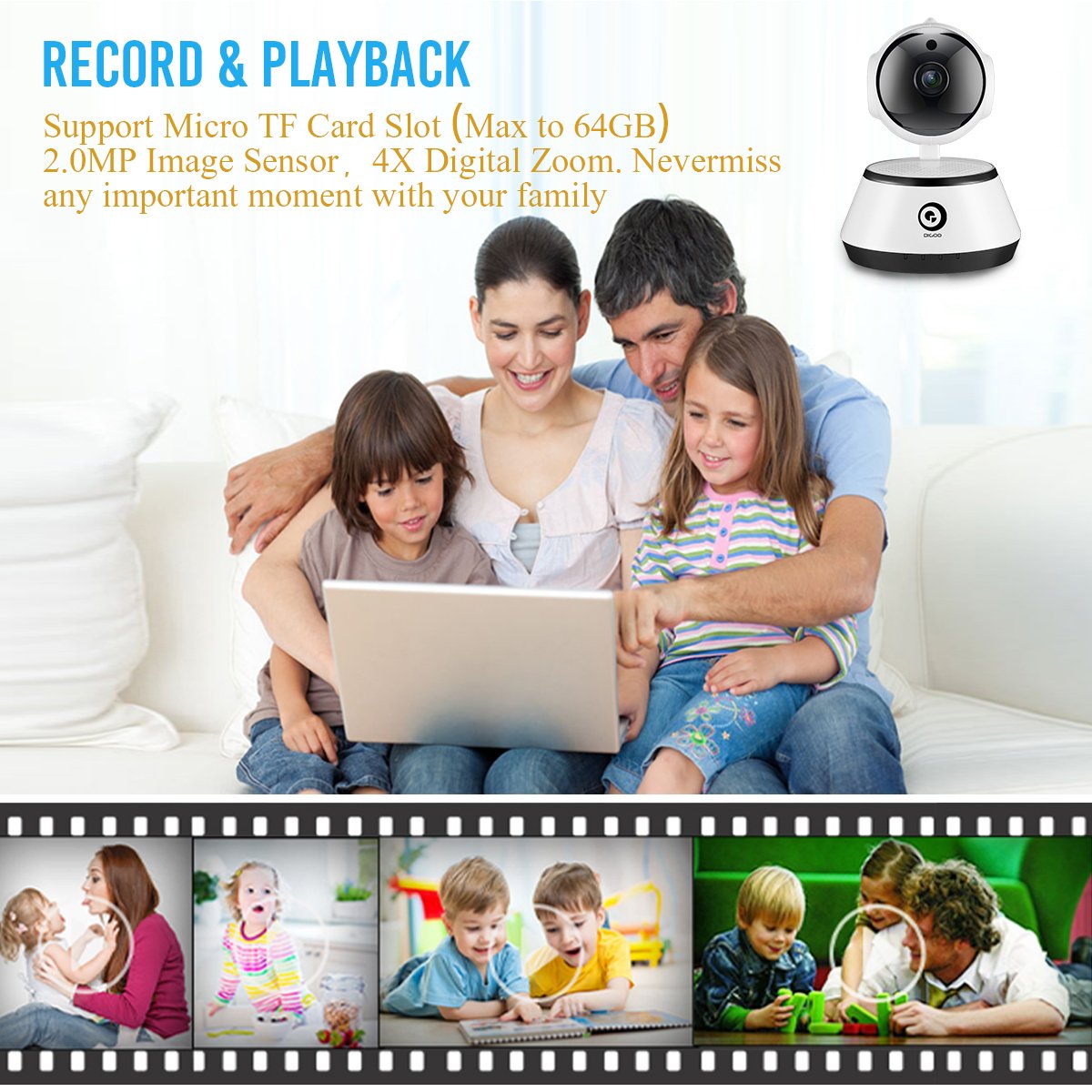
Image 6: A family viewing recorded video, highlighting the record and playback feature with a timeline of events.
4.5 रात्रीची दृष्टी
The camera automatically switches to night vision mode in low-light conditions, utilizing its 11 IR LEDs to provide clear black-and-white video up to 10 meters.

Image 7: Visual comparison demonstrating the clarity of 1080P HD video quality compared to lower resolutions.
5. देखभाल
- स्वच्छता: कॅमेरा लेन्स आणि बॉडी मऊ, कोरड्या कापडाने हळूवारपणे पुसून टाका. कठोर रसायने किंवा अपघर्षक पदार्थ वापरणे टाळा.
- फर्मवेअर अद्यतने: Periodically check the "Digoo Eye" app for available firmware updates to ensure optimal performance and security.
- वीज पुरवठा: Ensure the camera is always connected to a stable DC 5V/2A+ power source.
- पर्यावरणीय परिस्थिती: Operate the camera within the specified temperature range (-10°C to +60°C) and humidity (RH95% Max). While it can be used indoors or outdoors, ensure it is protected from direct weather exposure if used outdoors.
6. समस्या निवारण
- कॅमेरा चालू नाही:
- Ensure the power adapter is correctly connected and providing sufficient power (DC 5V/2A+). Try a different power outlet or adapter.
- वाय-फायशी कनेक्ट करण्यात अक्षम:
- Verify your Wi-Fi network is 2.4GHz. The camera does not support 5GHz networks.
- अचूकतेसाठी तुमचा वाय-फाय पासवर्ड तपासा.
- कॅमेरा तुमच्या वाय-फाय राउटरच्या रेंजमध्ये असल्याची खात्री करा.
- तुमचा राउटर आणि कॅमेरा रीस्टार्ट करा.
- If using acoustic smart link, ensure there is no excessive background noise.
- No video feed in the app:
- कॅमेरा चालू आहे आणि नेटवर्कशी जोडलेला आहे याची खात्री करा.
- तुमचे इंटरनेट कनेक्शन तपासा.
- अॅप आणि कॅमेरा रीस्टार्ट करा.
- Micro TF card not recording:
- टीएफ कार्ड योग्यरित्या घातले आहे याची खात्री करा.
- Check if the TF card is formatted correctly (usually FAT32).
- Verify that recording settings are enabled in the "Digoo Eye" app.
- The card might be full; consider backing up data and formatting or replacing it.
7. तपशील
| वैशिष्ट्य | तपशील |
|---|---|
| मॉडेल | DG-M1Z SHARK |
| प्रतिमा सेन्सर | 1/2.7 Progressive CMOS Sensor |
| लेन्स | 2.8mm, 130° Wide Angle Lens, 5.0MP Lens |
| रॅम | 1GB |
| ठराव | FHD 1080P (2.0MP) |
| फ्रेम दर | 25fps± (internet adaptively adjustment) |
| डिजिटल झूम | 4X डिजिटल झूम |
| व्हिडिओ कॉम्प्रेशन | H.264 |
| ऑडिओ कॉम्प्रेशन | जी .१711. |
| स्टोरेज | Micro TF Card Slot (Max 64GB) |
| कनेक्टिव्हिटी | Wireless (2.4G Wi-Fi), Wired (Ethernet), ONVIF |
| अलार्म फंक्शन | Motion Detection, One Button Guard/Dis-Guard, E-mail alert |
| आयआर लाइट | 11 Pcs IR LED |
| IR अंतर | Night Visibility 10m+ |
| ऑपरेटिंग तापमान | -10°C ~ +60°C RH95% Max |
| वीज पुरवठा | DC 5V/2A+ |
| वीज वापर | 3W-5W |
| परिमाण | 15.01 x 11.99 x 10.01 सेमी |
| वजन | 381 ग्रॅम |
| अॅप सुसंगतता | iOS, Android, Windows PC ("Digoo Eye") |
8. हमी आणि समर्थन
For warranty information and technical support, please refer to the documentation provided with your purchase or visit the official DIGOO webसाइट. वॉरंटी दाव्यांसाठी खरेदीचा पुरावा म्हणून तुमची खरेदी पावती ठेवा.
For further assistance, you may contact DIGOO customer support through their official channels.
Ask a question about this manual
Ask about setup, troubleshooting, compatibility, parts, safety, or missing instructions. Manuals+ will review the question and use this page’s manual context to help answer it.