
1. उत्पादन संपलेview
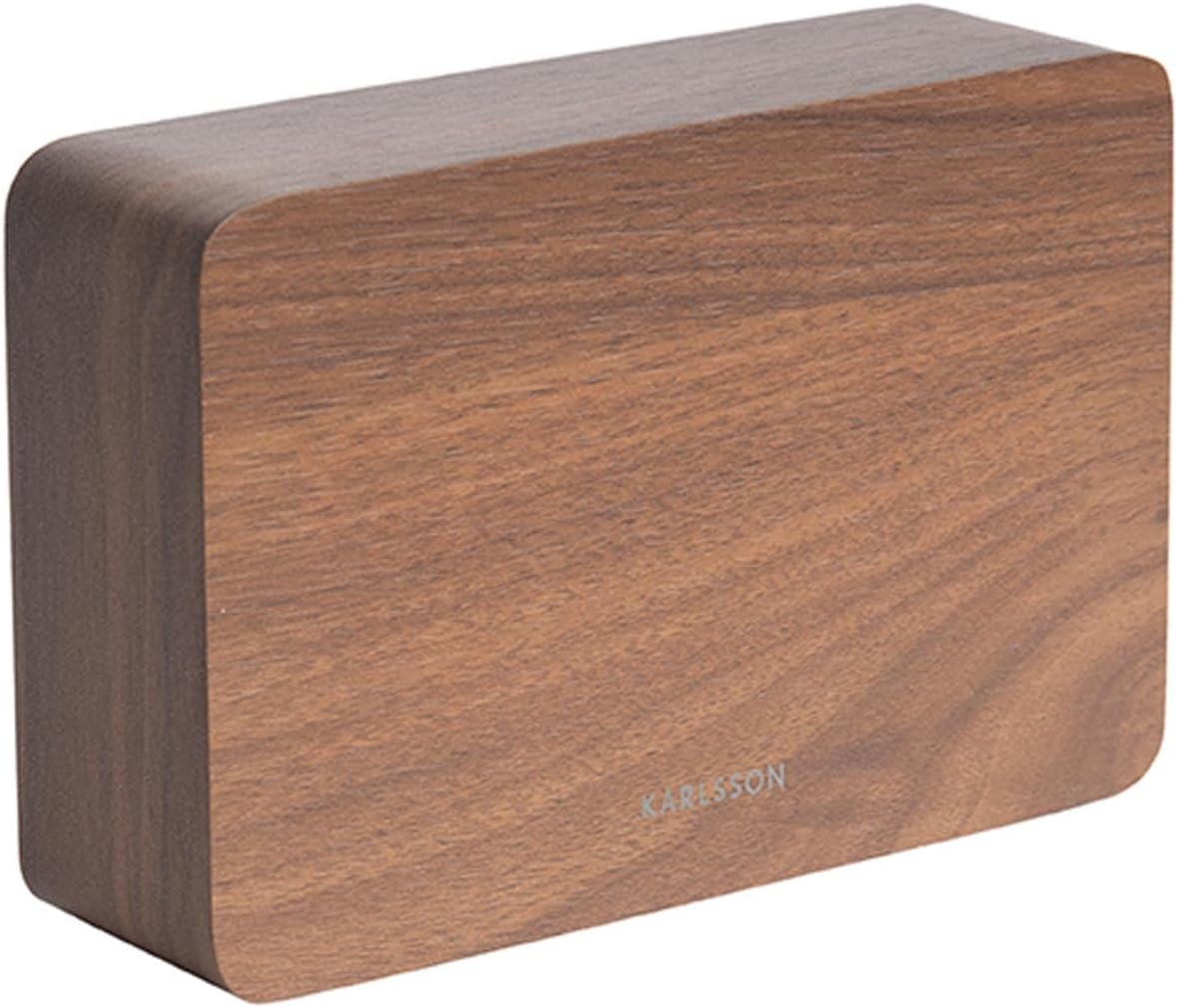
The Karlsson LED Alarm Clock KA5653DW is a stylish and functional timepiece designed to display time and temperature. Crafted from wood, its LED display illuminates through the material, offering a clear view of information. This clock features multiple alarm settings and an energy-saving mode.

आकृती 1: समोर view of the Karlsson LED Alarm Clock KA5653DW.
2. पॅकेज सामग्री
- कार्लसन एलईडी अलार्म घड्याळ KA5653DW
- सूचना पुस्तिका
टीप: 1 AA battery is required for operation and is not included.
3. सेटअप
3.1 बॅटरी इंस्टॉलेशन
- अलार्म घड्याळाच्या मागील बाजूस बॅटरीचा डबा शोधा.
- बॅटरी कंपार्टमेंट कव्हर उघडा.
- योग्य ध्रुवीयता (+/-) सुनिश्चित करून, १ AA बॅटरी घाला.
- बॅटरी कंपार्टमेंट कव्हर सुरक्षितपणे बंद करा.
आकृती 2: मागे view of the alarm clock, indicating control buttons and battery compartment.
3.2 प्रारंभिक पॉवर-ऑन
Upon successful battery installation, the LED display will illuminate, showing the current time and temperature.
4. ऑपरेटिंग सूचना
The alarm clock features several buttons, typically located on the back or bottom, for setting time, alarms, and other functions. Refer to the labels on your device for specific button identification (e.g., SET, UP, DOWN, ALARM).
4.1 वेळ ठरवणे
- दाबा सेट वेळ सेटिंग मोडमध्ये प्रवेश करण्यासाठी एकदा बटण दाबा. तासाचे अंक फ्लॅश होतील.
- वापरा UP or खाली तास समायोजित करण्यासाठी बटणे.
- दाबा सेट पुन्हा तास निश्चित करण्यासाठी आणि मिनिट सेटिंगवर जाण्यासाठी. मिनिटाचे अंक फ्लॅश होतील.
- वापरा UP or खाली मिनिटे समायोजित करण्यासाठी बटणे.
- दाबा सेट a third time to confirm the minutes and exit time setting mode.
4.2 Setting Alarms (Up to 3 Alarms)
The clock supports setting up to three independent alarms (AL1, AL2, AL3).
- दाबा अलार्म button repeatedly to cycle through AL1, AL2, AL3, and alarm off modes.
- When the desired alarm (e.g., AL1) is displayed, press and hold the अलार्म तासाचे अंक चमकेपर्यंत बटण दाबा.
- वापरा UP or खाली अलार्म तास सेट करण्यासाठी बटणे.
- दाबा अलार्म again to confirm the hour and move to minute setting.
- वापरा UP or खाली अलार्म मिनिटे सेट करण्यासाठी बटणे.
- दाबा अलार्म a third time to confirm the alarm and exit setting mode.
- अलार्म सक्रिय किंवा निष्क्रिय करण्यासाठी, दाबा अलार्म button briefly until the alarm indicator (e.g., AL1) appears or disappears from the display.
4.3 तापमान प्रदर्शन
The clock automatically detects and displays the ambient room temperature. The temperature reading updates approximately every 60 seconds.
4.4 ऊर्जा-बचत मोड
To conserve battery life and prevent light disturbance during the night, the clock features an energy-saving mode that turns off the LED display.
- To activate energy-saving mode: Locate the वीज बचत or similar button/switch (refer to your device's specific markings). Press or toggle it to turn off the display.
- To reactivate the display: Press any button, or make a sound (some models feature sound activation). The display will light up for a few seconds before turning off again.
5. देखभाल
- स्वच्छता: Wipe the clock surface with a soft, dry cloth. Avoid abrasive cleaners or solvents.
- बॅटरी बदलणे: Replace the AA battery when the display dims or functions become erratic. Always use a fresh, high-quality AA battery.
- स्टोरेज: जर घड्याळ जास्त काळ साठवून ठेवत असाल तर गळती टाळण्यासाठी बॅटरी काढून टाका.
6. समस्या निवारण
| समस्या | संभाव्य कारण | उपाय |
|---|---|---|
| डिस्प्ले मंद किंवा बंद आहे. | Low battery or energy-saving mode is active. | Replace the AA battery. Press any button to temporarily activate the display if in energy-saving mode. |
| अलार्म वाजत नाही. | अलार्म सक्रिय केलेला नाही किंवा चुकीचा सेट केलेला नाही. | Ensure the alarm indicator (AL1, AL2, or AL3) is visible on the display. Verify the alarm time is set correctly. |
| Time or temperature is incorrect. | Time needs adjustment or temperature sensor interference. | Reset the time as per section 4.1. Ensure the clock is not placed near heat sources or vents for accurate temperature readings. |
| Difficulty setting time/alarms. | नियंत्रणांशी अपरिचितता. | Carefully follow the steps in section 4.1 and 4.2. Practice the button presses. |
7. तपशील
| वैशिष्ट्य | तपशील |
|---|---|
| मॉडेल क्रमांक | PTG-KA5653DW साठी चौकशी सबमिट करा, आम्ही तुमच्याशी २४ तासांत संपर्क करू. |
| ब्रँड | कार्लसन |
| डिस्प्ले प्रकार | डिजिटल एलईडी |
| साहित्य | लाकूड |
| परिमाण (L x W x H) | 10 x 3.81 x 2 सेमी |
| वजन | 310 ग्रॅम |
| उर्जा स्त्रोत | २ x एए बॅटरी (समाविष्ट नाही) |
| विशेष वैशिष्ट्ये | Time display, Temperature display, Up to 3 Alarms, Energy-saving mode |
| वापर | इनडोअर |
8. हमी आणि समर्थन
For warranty information and customer support, please refer to the documentation provided with your purchase or visit the official Karlsson webसाइट. कोणत्याही वॉरंटी दाव्यांसाठी तुमचा खरेदीचा पुरावा ठेवा.