
परिचय
This manual provides essential information for the safe and efficient installation, operation, and maintenance of your Victron Energy Orion 24/12-Volt 70 Amp Non-Isolated DC-DC Converter. Please read this manual thoroughly before using the device.
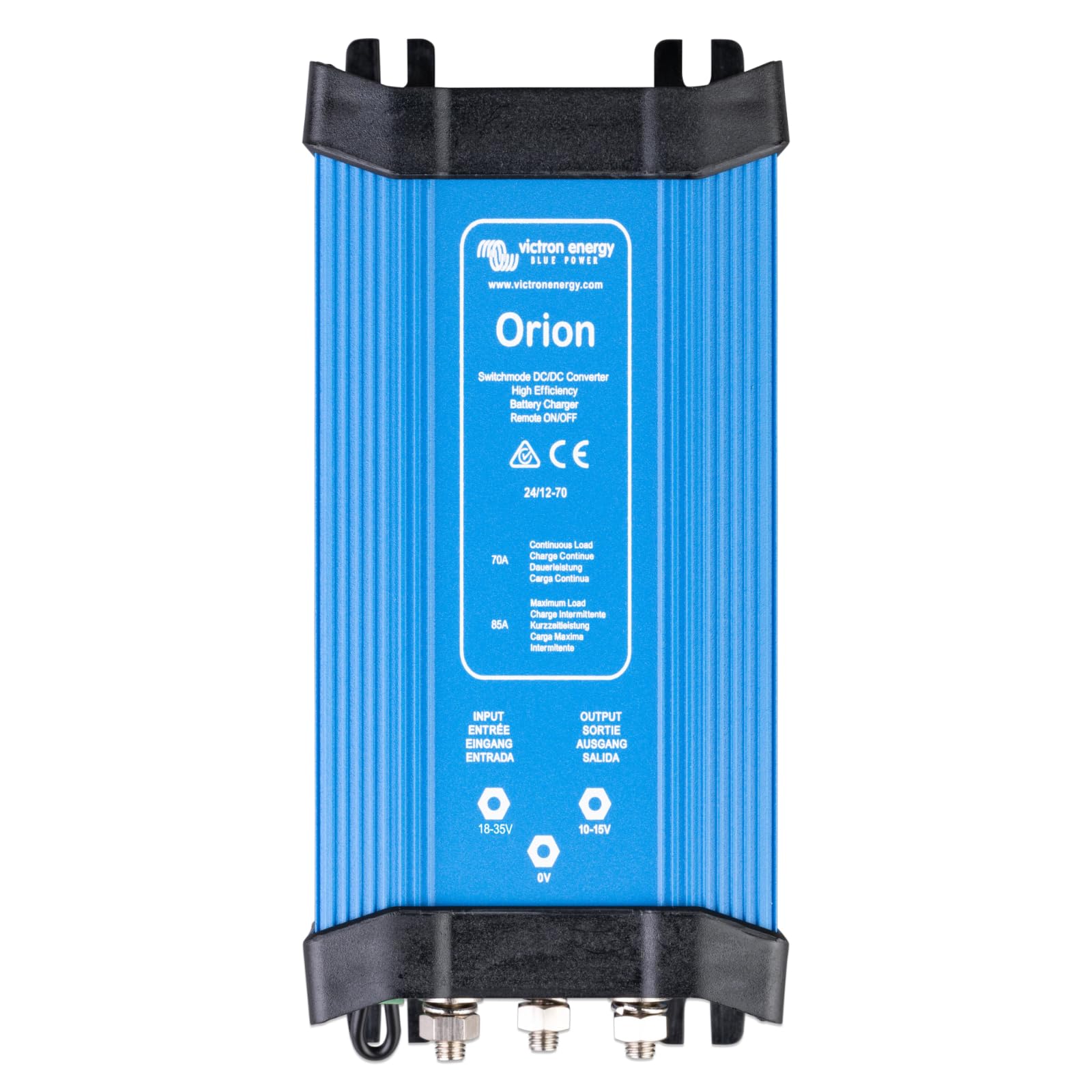
Figure 1: Victron Energy Orion 24/12-Volt 70 Amp DC-DC Converter.
सुरक्षितता माहिती
- स्थानिक विद्युत संहितांनुसार पात्र कर्मचाऱ्यांनी स्थापना केली पाहिजे.
- शॉर्ट सर्किट टाळण्यासाठी सर्व कनेक्शन सुरक्षित आणि योग्यरित्या इन्सुलेटेड असल्याची खात्री करा.
- Always disconnect power before performing any maintenance or installation work.
- The device can become warm during operation; ensure adequate ventilation.
- उपकरणाला पाणी किंवा जास्त आर्द्रतेच्या संपर्कात आणू नका.
उत्पादन संपलेview
The Victron Energy Orion 24/12-Volt 70 Amp DC-DC Converter is designed for high-efficiency voltage conversion, stepping down 24-Volt DC input to a stable 12-Volt DC output. It is suitable for various applications including motor, marine, electronic systems, and off-grid setups.
प्रमुख वैशिष्ट्ये:
- उच्च रूपांतरण कार्यक्षमता: Up to 92% efficiency ensures minimal power loss.
- वाइड इनपुट व्हॉल्यूमtagई श्रेणी: Accepts 18-Volt to 35-Volt DC input.
- Stable Output Voltage: Provides 10-Volt to 15-Volt DC output.
- Remote On-Off Connector: Allows for external control, eliminating the need for a high-current switch in the input wiring.
- समायोज्य आउटपुट: Can be used as a battery charger for 12-Volt batteries in a 24-Volt system.
- समांतर ऑपरेशन: Up to five units can be connected in parallel to increase output current.
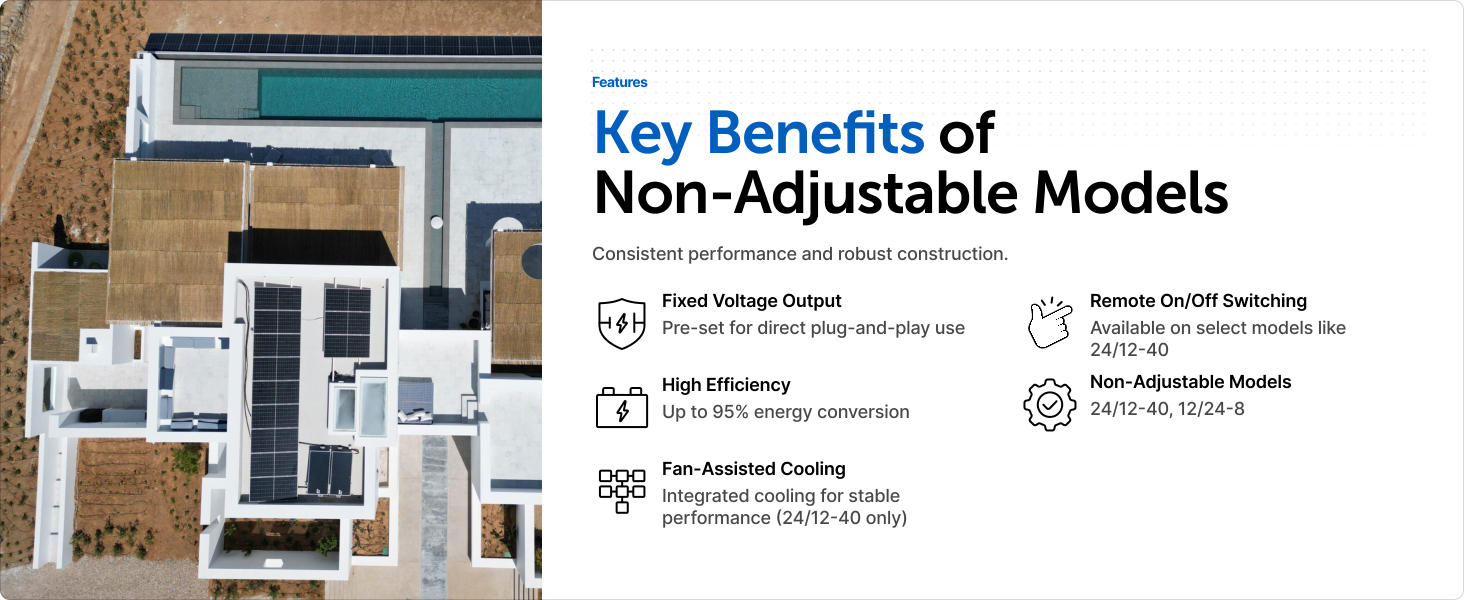
आकृती 2: ओव्हरview of key features including factory-set voltage, high efficiency, and remote on/off option.
सेटअप आणि स्थापना
The Orion DC-DC Converter is designed for straightforward installation. Follow these general guidelines:
- माउंटिंग: Securely mount the converter in a well-ventilated area using four screws. Ensure the mounting surface is stable and can support the device's weight.
- वायरिंग: Connect the 24-Volt DC input (18-35V) from your battery bank to the input terminals. Connect your 12-Volt DC appliances to the output terminals (10-15V). Ensure correct polarity (positive to positive, negative to negative/ground).
- Remote On-Off: If using the remote on-off feature, connect a low-power switch or engine run/stop switch to the designated remote on-off connector. This allows for convenient control without high-current switching.
- फ्यूजिंग: Install appropriate fuses or circuit breakers on both the input and output lines to protect the converter and connected devices from overcurrent.

आकृती 3: बाजू view of the converter with input and output terminals for wiring.
ऑपरेटिंग सूचना
Once properly installed, the Victron Energy Orion DC-DC Converter operates automatically to provide stable 12-Volt power from a 24-Volt source.
- पॉवर चालू/बंद: If the remote on-off feature is connected, use the external switch to activate or deactivate the converter. Otherwise, the unit will power on when input voltage उपस्थित आहे.
- लोड व्यवस्थापन: The converter can supply up to 70 Amps continuously. Monitor your total 12-Volt load to ensure it does not exceed the converter's capacity.
- बॅटरी चार्जिंग: Models with adjustable output can function as a battery charger. Refer to the detailed product sheet for specific adjustment procedures if using this feature.
- समांतर ऑपरेशन: For higher current requirements, up to five units can be connected in parallel. Consult the wiring diagram for correct parallel connection setup.
Video 1: This video demonstrates the VictronConnect App for monitoring performance, which can be used with compatible Victron products for configuration and data review.
देखभाल
The Victron Energy Orion DC-DC Converter is designed for reliability and requires minimal maintenance. Regular checks can help ensure optimal performance and longevity.
- व्हिज्युअल तपासणी: Periodically inspect the converter for any signs of damage, loose connections, or overheating.
- स्वच्छता: Keep the unit clean and free from dust and debris to ensure proper airflow and cooling. Use a dry cloth for cleaning.
- वायुवीजन: Ensure that the area around the converter remains unobstructed to allow for adequate ventilation.
- कनेक्शनची अखंडता: Check all electrical connections for tightness, especially after initial installation and during routine maintenance.
समस्यानिवारण
If you encounter issues with your Victron Energy Orion DC-DC Converter, refer to the following common troubleshooting steps:
| समस्या | संभाव्य कारण | उपाय |
|---|---|---|
| आउटपुट व्हॉल्यूम नाहीtage | इनपुट व्हॉल्यूम नाहीtage; remote on-off switch off; blown fuse/breaker | Check input power; activate remote switch; check and replace fuses/reset breakers. |
| कमी आउटपुट व्हॉल्यूमtage | Overload; poor connections; input voltage खूप कमी | Reduce load; check and tighten connections; verify input voltage is within range (18-35V). |
| जास्त गरम होणे | Insufficient ventilation; excessive load | Ensure proper airflow around the unit; reduce connected load. |
If the problem persists after attempting these solutions, contact Victron Energy support or a qualified technician.
तपशील
The following table details the technical specifications for the Victron Energy Orion 24/12-Volt 70 Amp DC-DC Converter (Model: ORI241270020).

Figure 4: Physical dimensions of the converter.
| वैशिष्ट्य | तपशील |
|---|---|
| मॉडेल क्रमांक | ORI241270020 |
| इनपुट व्हॉल्यूमtage श्रेणी | ५ - २४ व्होल्ट डीसी |
| आउटपुट व्हॉल्यूमtage श्रेणी | ५ - २४ व्होल्ट डीसी |
| आउटपुट करंट (सतत) | 70 Amps |
| कार्यक्षमता | 92% |
| आयटम वजन | 0.95 किलोग्रॅम |
| परिमाण (L x W x H) | 7.7 x 3.5 x 2.6 इंच (195 x 88 x 65 मिमी) |
| ऑपरेटिंग तापमान | -20°C ते +55°C |
| Remote On-Off | होय |
| आउटलेटची संख्या | 5 |
हमी आणि समर्थन
Victron Energy products are known for their quality and reliability. This product comes with a standard manufacturer's warranty. For specific warranty terms and conditions, please refer to the documentation included with your product or visit the official Victron Energy webसाइट
For technical support, troubleshooting assistance beyond this manual, or warranty claims, please contact Victron Energy customer service or an authorized dealer. You can also utilize the VictronConnect app for monitoring and configuration of compatible devices.
व्हिडिओ १: हा व्हिडिओ एक ओव्हर प्रदान करतोview of the Victron Remote Management (VRM) portal, a tool for monitoring and managing your Victron energy systems remotely.