
Baseus NGW05-03
बेसियस NGW05-03 ट्रू वायरलेस इअरबड्स वापरकर्ता मॅन्युअल
Model: NGW05-03 (W05)
ब्रँड: बेसियस
1. ओवरview
Thank you for choosing the Baseus NGW05-03 True Wireless Earbuds. This manual provides essential information on how to set up, operate, and maintain your new earbuds to ensure optimal performance and longevity.
प्रमुख वैशिष्ट्ये:
- True Wireless Stereo (TWS) functionality
- Bluetooth 5.0 for stable and efficient connection
- Compact and portable charging case
- Long battery life with charging case (up to 30 hours)
- टाइप-सी चार्जिंग इंटरफेस
- Wide compatibility with wireless devices

Figure 1.1: Baseus NGW05-03 True Wireless Earbuds in their open charging case, showcasing the earbuds and the charging indicators.

Figure 1.2: A pair of Baseus NGW05-03 True Wireless Earbuds, highlighting their sleek design.
2. सेटअप
४.१ इअरबड्स आणि केस चार्ज करणे
Before first use, fully charge the earbuds and the charging case. The charging case has a battery capacity of 400mAh, and each earbud has a 30mAh battery.
- वायर्ड चार्जिंग: Connect the provided USB Type-C cable to the charging port on the case and a power source. The charging time for the case is approximately 1.5 hours.
- वायरलेस चार्जिंग: Place the charging case on a compatible wireless charging pad. Wireless charging takes approximately 2 hours.
The earbuds will charge automatically when placed inside the charging case, provided the case has power.
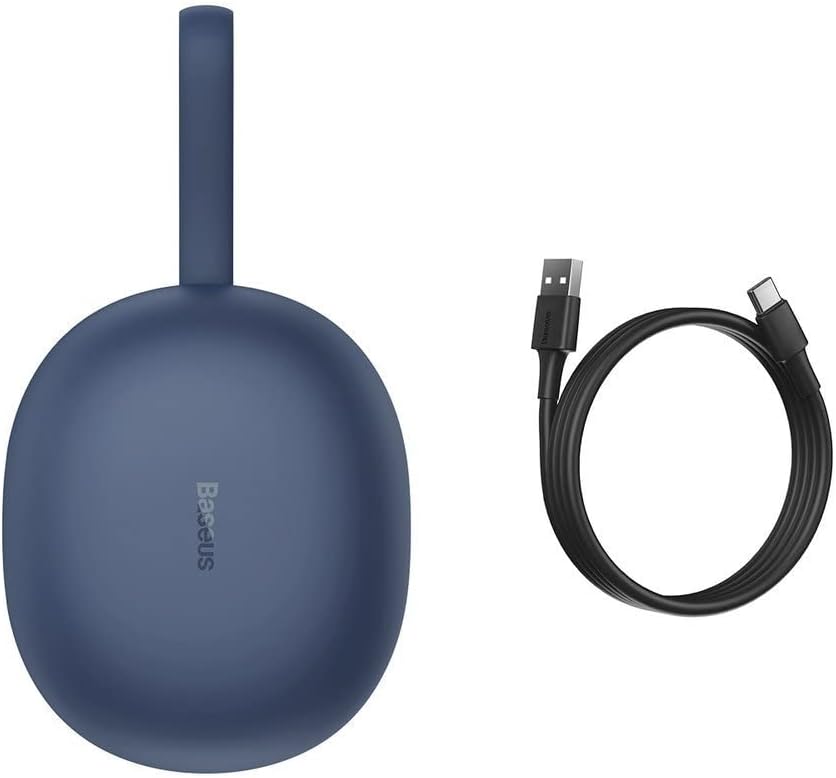
Figure 2.1: The Baseus NGW05-03 charging case alongside its USB Type-C charging cable.
2.2 डिव्हाइससह जोडणी
- इअरबड्स चार्ज झाले आहेत आणि चार्जिंग केसमध्ये ठेवले आहेत याची खात्री करा.
- चार्जिंग केस उघडा. इअरबड्स आपोआप पेअरिंग मोडमध्ये येतील.
- तुमच्या डिव्हाइसवर (स्मार्टफोन, टॅबलेट इ.), ब्लूटूथ सक्षम करा.
- साठी शोधा उपलब्ध ब्लूटूथ उपकरणे.
- Select "Baseus Encok W05" from the list of found devices.
- एकदा कनेक्ट झाल्यावर, तुम्हाला एक पुष्टीकरण टोन ऐकू येईल आणि इअरबड्स वापरण्यासाठी तयार होतील.
The earbuds are compatible with all wireless devices that support Bluetooth connectivity.
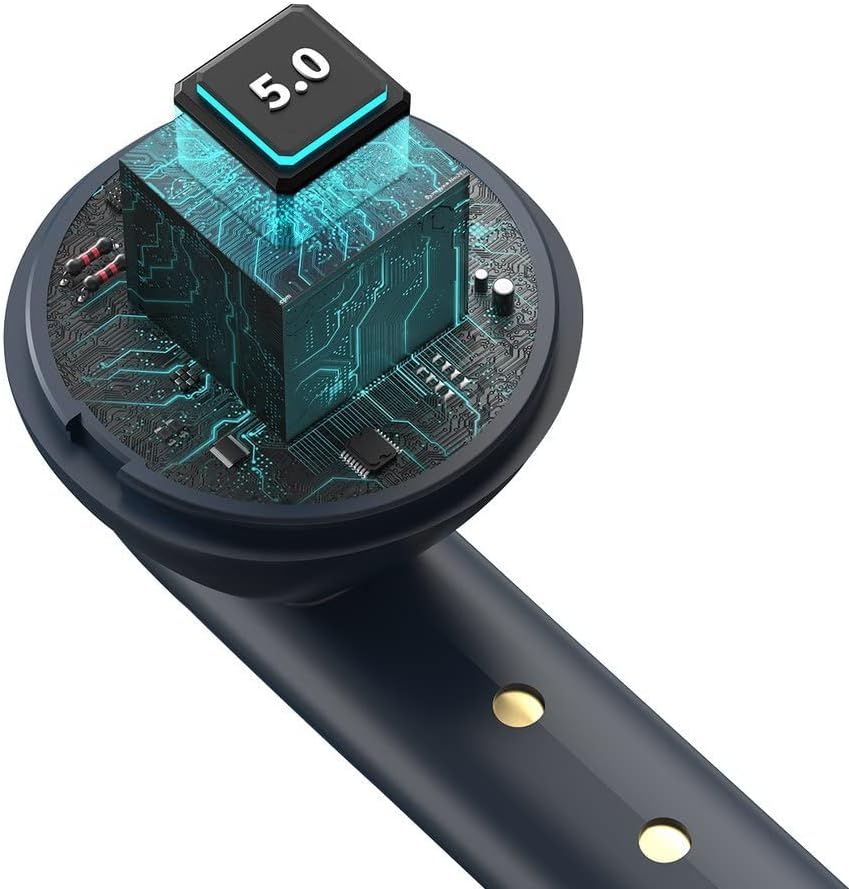
आकृती ३.२: अंतर्गत view of the earbud, highlighting the integrated Bluetooth 5.0 chip for advanced connectivity.
६. इअरबड्स चालवणे
५.१ इअरबड्स घालणे
Gently insert the earbuds into your ears, ensuring a comfortable and secure fit. The ergonomic design helps them stay in place during various activities.

Figure 3.1: A user demonstrating the proper way to wear one of the Baseus NGW05-03 earbuds while holding the charging case.
3.2 मूलभूत नियंत्रणे
Specific touch or button controls for music playback, call management, and voice assistant activation are typically located on the earbuds. Please refer to the quick start guide included in your product packaging for detailed instructions on these functions, as they may vary.
3.3 संगीत प्लेबॅक
Once connected, you can play music from your device. The earbuds provide up to 4 hours of continuous music playback on a single charge (at 70% volume). With the charging case, total playback time extends to 25-30 hours.

Figure 3.2: A user enjoying audio with the Baseus NGW05-03 earbuds while interacting with their smartphone.
५.३ कॉल व्यवस्थापन
When a call comes in, you can typically answer or end calls using the touch controls on the earbuds. Consult your quick start guide for precise instructions on call handling.
4. देखभाल
4.1 स्वच्छता
- इअरबड्स आणि चार्जिंग केस नियमितपणे मऊ, कोरड्या, लिंट-फ्री कापडाने स्वच्छ करा.
- अपघर्षक क्लीनर, अल्कोहोल किंवा रासायनिक सॉल्व्हेंट्स वापरू नका.
- Keep the charging contacts on both the earbuds and the case clean to ensure proper charging.
५.८.१ स्टोरेज
- इयरबड्स वापरात नसताना त्यांच्या चार्जिंग केसमध्ये साठवा आणि त्यांना चार्ज करून ठेवा.
- Avoid exposing the earbuds and case to extreme temperatures, humidity, or dust.
- The product is not water resistant; avoid contact with liquids.

Figure 4.1: An exploded diagram showing the internal components of a Baseus NGW05-03 earbud, illustrating its intricate design.
5. समस्या निवारण
सामान्य समस्या आणि उपाय:
- इअरबड्स पेअर होत नाहीत: Ensure both earbuds are charged. Place them back in the case, close the lid, then open it again to re-enter pairing mode. Forget the device on your phone's Bluetooth settings and try pairing again.
- फक्त एकच इअरबड काम करत आहे: Ensure both earbuds are charged. Try resetting the earbuds (refer to the quick start guide for specific reset instructions).
- आवाज नाही: Check the volume level on your device and the earbuds. Ensure the earbuds are properly connected to your device.
- चार्जिंग समस्या: Clean the charging contacts on both the earbuds and the case. Try a different charging cable or power adapter.
If you encounter persistent issues, please refer to the warranty and support section for further assistance.
6. तपशील
| वैशिष्ट्य | तपशील |
|---|---|
| ब्रँड | बेसियस |
| मॉडेलचे नाव | NGW05-03 (W05) |
| कनेक्टिव्हिटी तंत्रज्ञान | वायरलेस (ब्लूटूथ ५.३) |
| कान प्लेसमेंट | कानात |
| साहित्य | ABS + पॉली कार्बोनेट |
| रंग | निळा |
| चार्जिंग केस बॅटरी क्षमता | 400mAh / 1.48Wh |
| एरबड बॅटरी क्षमता | 30mAh / 0.111Wh (each) |
| Music Playback Time (Earbuds) | अंदाजे 4 तास (70% व्हॉल्यूमवर) |
| एकूण प्लेबॅक वेळ (केससह) | अंदाजे 25-30 तास |
| स्टँडबाय वेळ | अंदाजे 300 तास |
| Charging Time (Wired) | अंदाजे 1.5 तास |
| वायरलेस चार्जिंग वेळ | अंदाजे 2 तास |
| चार्जिंग इंटरफेस | यूएसबी टाइप-सी |
| वारंवारता प्रतिसाद श्रेणी | २० हर्ट्झ - २० किलोहर्ट्झ |
| आयटम वजन | 50 ग्रॅम |
| उत्पादन परिमाणे | 10 x 2 x 3 सेमी |
| पाणी प्रतिकार पातळी | पाणी प्रतिरोधक नाही |
| सुसंगत साधने | All wireless devices |
7. हमी आणि समर्थन
Baseus products are designed with quality and reliability in mind. For information regarding warranty coverage, technical support, or service, please refer to the warranty card included with your product or visit the official Baseus webसाइट. वॉरंटी दाव्यांसाठी खरेदीचा पुरावा म्हणून तुमची खरेदी पावती ठेवा.

Figure 7.1: A user holding the compact Baseus NGW05-03 charging case, demonstrating its portability.
Ask a question about this manual
Ask about setup, troubleshooting, compatibility, parts, safety, or missing instructions. Manuals+ will review the question and use this page’s manual context to help answer it.