
1. परिचय
This manual provides essential instructions for the proper setup, operation, and maintenance of your AmazonBasics 10-Port USB 3.0 Hub. Please read this manual thoroughly before using the product to ensure optimal performance and safety. Keep this manual for future reference.
2. सुरक्षितता सूचना
- डिव्हाइसला ओलावा, अति तापमान किंवा थेट सूर्यप्रकाशाच्या संपर्कात आणू नका.
- Do not attempt to disassemble or modify the device. This may void the warranty and pose a safety risk.
- Use only the provided power adapter. Using an incompatible power adapter may damage the device or connected peripherals.
- डिव्हाइस लहान मुलांपासून दूर ठेवा.
- Ensure proper ventilation around the hub during operation.
3. पॅकेज सामग्री
खाली सूचीबद्ध केलेल्या सर्व वस्तू तुमच्या पॅकेजमध्ये आहेत याची खात्री करा:
- AmazonBasics 10-Port USB 3.0 Hub
- पॉवर अडॅप्टर (DC 15V)
- USB 3.0 डेटा केबल
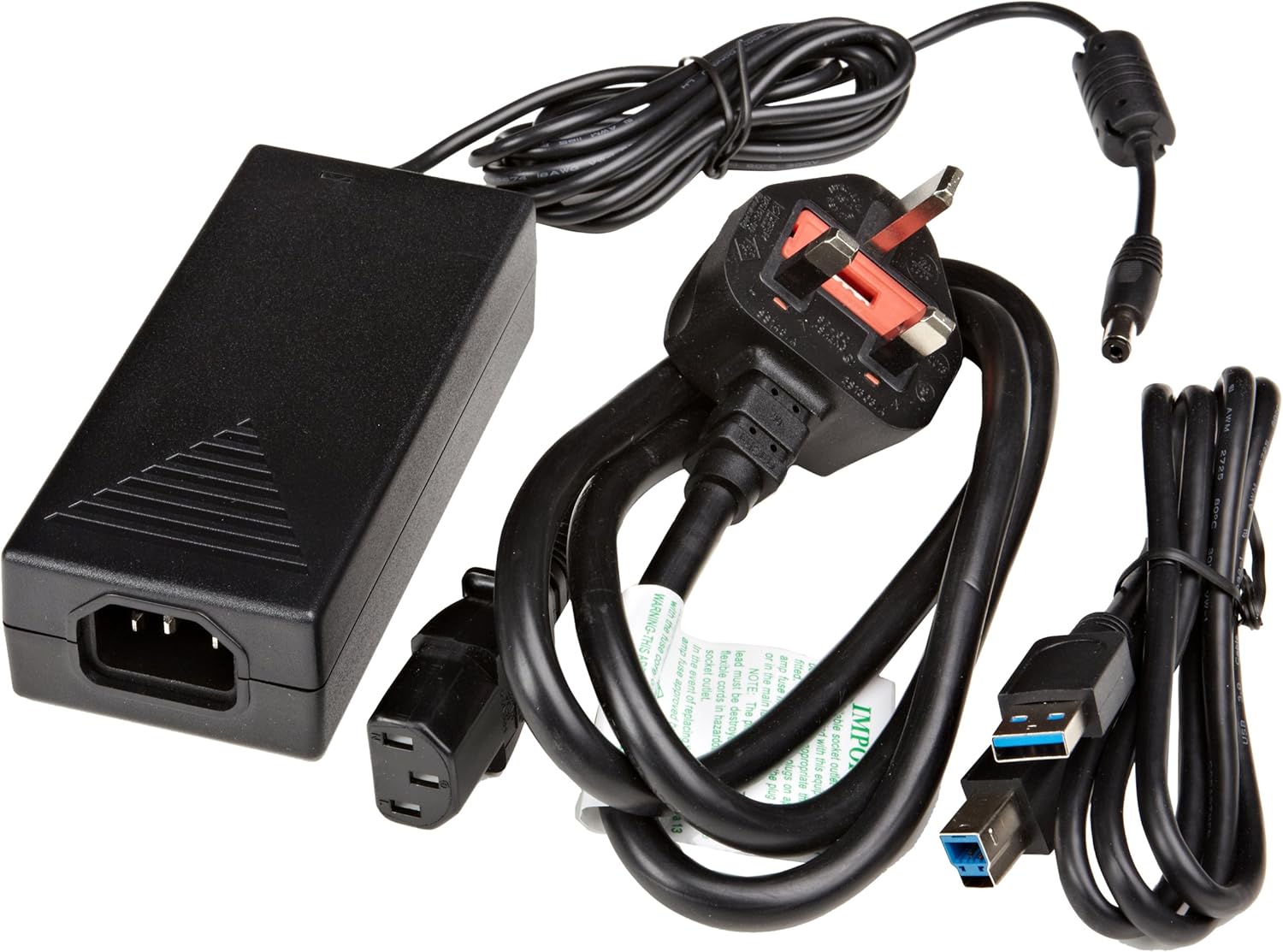
आकृती 3.1: The image displays the AmazonBasics 10-Port USB 3.0 Hub, its power adapter, and a USB 3.0 data cable, which are the typical contents found in the product packaging.
4. उत्पादन संपलेview
The AmazonBasics 10-Port USB 3.0 Hub expands your computer's connectivity, offering ten USB 3.0 ports for various peripherals. It supports high-speed data transfer and is backward compatible with USB 2.0 devices.
१.१ समोर आणि बाजूला View

आकृती 4.1: This image shows the front and left side of the USB hub. On the front, three USB 3.0 ports are visible, two of which are labeled 'Fast'. The left side features the upstream USB 3.0 port for connecting to a computer and the DC 15V power input.
4.2 Top and Rear View

आकृती 4.2: ही प्रतिमा वरपासून खालपर्यंत दर्शवते view of the USB hub, highlighting five additional USB 3.0 ports located on the rear panel. An 'ON/OFF' switch is also visible on the side, allowing users to power the hub on or off.
4.3 तळ View

आकृती 4.3: तळ view of the hub shows four rubber feet for stability and a product label containing regulatory information and the model number.
5. सेटअप मार्गदर्शक
Follow these steps to set up your USB 3.0 hub:
- पॉवर अडॅप्टर कनेक्ट करा: Plug the provided power adapter into the DC 15V input port on the side of the USB hub. Then, plug the power adapter into a standard electrical outlet.
- संगणकाशी कनेक्ट करा: Use the supplied USB 3.0 data cable to connect the upstream USB 3.0 port on the hub (located on the side) to an available USB 3.0 port on your computer.
- पॉवर चालू: If the hub has an ON/OFF switch (refer to Figure 4.2), ensure it is in the 'ON' position.
- पेरिफेरल्स कनेक्ट करा: You can now connect your USB devices (e.g., external hard drives, keyboards, mice, flash drives) to any of the ten available USB 3.0 ports on the hub.
The hub supports automatic switching between self-power and bus-power mode. For optimal performance with multiple high-power devices, ensure the power adapter is connected.
6. ऑपरेशन
Once connected, the AmazonBasics 10-Port USB 3.0 Hub operates automatically. Your computer should recognize connected devices without requiring additional drivers for most operating systems.
- USB 3.0 Speed: The hub supports SuperSpeed (5 Gbps), High Speed (480 Mbps), Full Speed (12 Mbps), and Low Speed (1.5 Mbps) data transfer rates, depending on the connected device and your computer's USB port capabilities.
- डिव्हाइस सुसंगतता: The hub is compatible with both USB 3.0 and USB 2.0 specifications, allowing you to connect a wide range of USB devices.
- उर्जा व्यवस्थापन: The hub intelligently manages power distribution to connected devices. For devices requiring more power, ensure the external power adapter is connected.
7. समस्या निवारण
If you encounter issues with your USB hub, refer to the following common problems and solutions:
| समस्या | संभाव्य उपाय |
|---|---|
| Devices are not recognized. |
|
| डेटा ट्रान्सफरचा वेग कमी. |
|
| Hub is not powering on. |
|
| Intermittent device connection. |
|
8. तपशील
- मॉडेल क्रमांक: HU37A0V1-UK
- बंदरे: 10 x USB 3.0
- डेटा ट्रान्सफर रेट: ५ Gbps पर्यंत (USB ३.० सुपरस्पीड)
- मागास सुसंगतता: USB 2.0, USB 1.1
- पॉवर इनपुट: DC 15V (via included power adapter)
- परिमाण (LxWxH): अंदाजे 5.71 x 2.96 x 1.06 इंच (14.5 x 7.5 x 2.7 सेमी)
- वजन: अंदाजे 1.29 पौंड (0.58 किलो)
- ऑपरेटिंग सिस्टम सुसंगतता: Windows, macOS, Linux (driver-free for most systems)
9. काळजी आणि देखभाल
- Clean the hub with a soft, dry cloth. Do not use liquid cleaners or aerosols.
- वेंटिलेशन ओपनिंग अवरोधित करणे टाळा.
- हब वापरात नसताना थंड, कोरड्या जागी साठवा.
10. पुनर्वापराची माहिती
Dispose of this product according to local regulations. Do not dispose of it with general household waste. For more information on recycling electronic waste, contact your local authorities or the retailer where you purchased the product.
11. हमी आणि समर्थन
For warranty information or technical support, please refer to the AmazonBasics support page or contact Amazon customer service directly. Details can typically be found on the Amazon web'मदत' किंवा 'ग्राहक सेवा' विभागांतर्गत साइट.