
1. Introduction to the HP 48SX
This document serves as Volume II of the comprehensive user manual for the HP 48SX Scientific Expandable Calculator. It is designed to guide users through the advanced functionalities, programming capabilities, and intricate operations of this powerful scientific instrument. Familiarity with basic calculator operations, as covered in Volume I, is recommended for optimal use of this manual.
The HP 48SX is renowned for its Reverse Polish Notation (RPN) entry system, extensive graphing capabilities, and expandability via memory cards. This volume delves deeper into these features, enabling users to unlock the full potential of their calculator for complex scientific, engineering, and mathematical tasks.
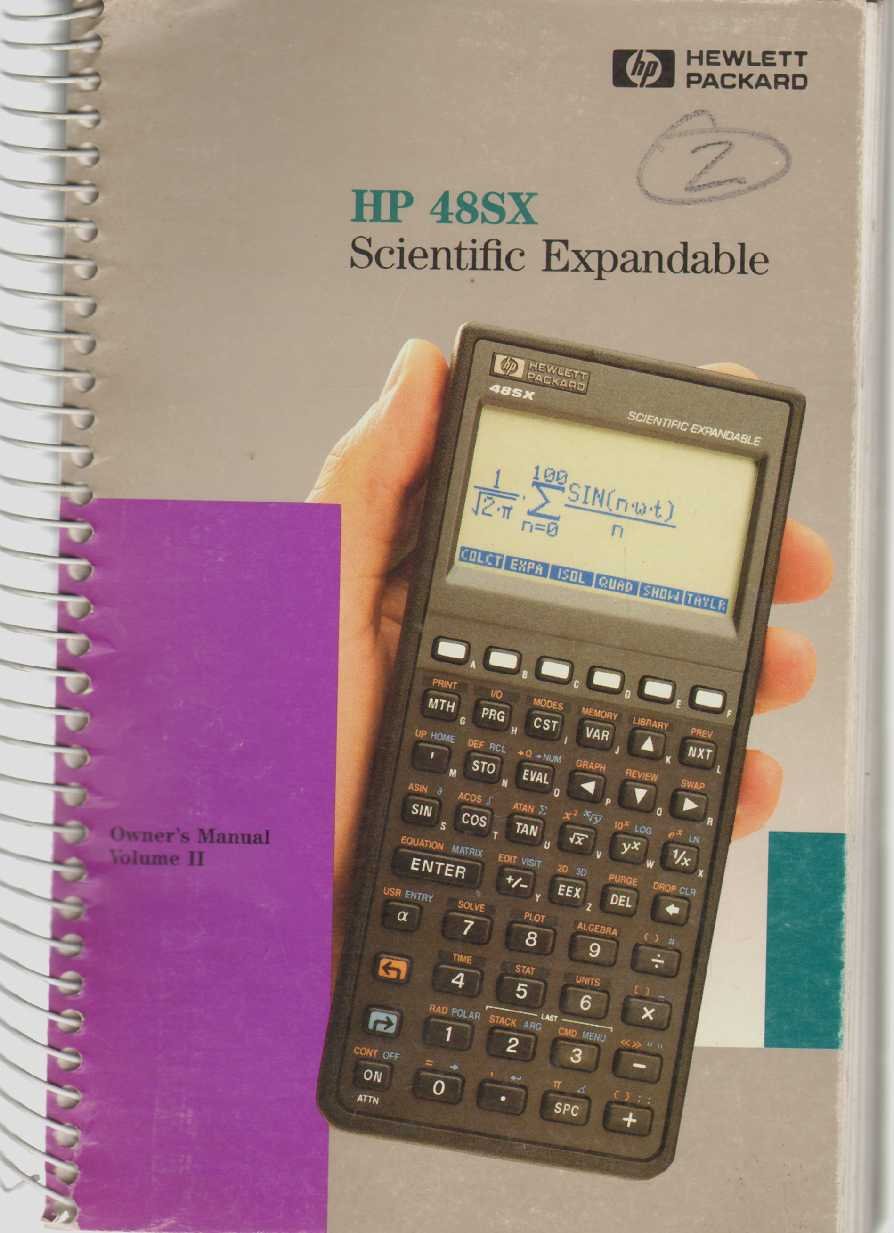
Figure 1: The HP 48SX Scientific Expandable Calculator. This image displays the calculator's physical layout, including its keypad, display, and expansion slots.
१. सेटअप आणि प्रारंभिक कॉन्फिगरेशन
2.1 बॅटरी इंस्टॉलेशन
The HP 48SX operates on three AAA batteries. Proper installation is crucial for functionality.
- कॅल्क्युलेटरच्या मागील बाजूस बॅटरी कंपार्टमेंट कव्हर शोधा.
- बाणाने दर्शविलेल्या दिशेने कव्हर काढा.
- Insert three fresh AAA batteries, ensuring correct polarity (+/-) as marked inside the compartment.
- बॅटरी कंपार्टमेंट कव्हर सुरक्षितपणे जागी बसेल याची खात्री करून बदला.
2.2 Initial Power-On and Display Adjustment
बॅटरी बसवल्यानंतर, दाबा ON key to power on the calculator. The display contrast can be adjusted for optimal viewing
- To increase contrast: Press and hold the ON की, नंतर दाबा + की
- To decrease contrast: Press and hold the ON की, नंतर दाबा - की
2.3 Memory Card Installation (Optional)
The HP 48SX features two expansion slots for memory cards, allowing for increased storage and specialized applications.
- कॅल्क्युलेटर बंद असल्याची खात्री करा.
- Locate the expansion slots on the top edge of the calculator.
- Carefully insert the memory card into an available slot, ensuring the correct orientation. Do not force the card.
- Press firmly until the card is seated securely.
- Power on the calculator. The system should detect the new memory card.
3. Operating the HP 48SX: Advanced Functions
This section covers advanced operations, building upon the basic functions detailed in Volume I.
3.1 Understanding the RPN Stack
The HP 48SX utilizes Reverse Polish Notation (RPN), where operands are entered before the operator. The stack is a fundamental concept in RPN, holding intermediate results.
- Entering Numbers: Type the number, then press प्रविष्ट करा. This pushes the number onto the stack.
- Performing Operations: Enter the operands, then press the desired operator key (e.g., +, -, *, /). The operation is performed on the top two stack levels, and the result replaces them.
- Stack Manipulation: कळा जसे ड्रॉप करा, स्वॅप, रोल, आणि DUP are used to manage stack contents.
3.2 Advanced Mathematical Functions
Access advanced functions via the शिफ्ट keys (left-shift LS and right-shift RS) and menus.
- त्रिकोणमितीय कार्ये: SIN, COS, TAN and their inverses are directly accessible or via shifted keys. Ensure the correct angle mode (degrees, radians, grads) is selected using the मोड मेनू
- लॉगरिदमिक फंक्शन्स: LN (natural logarithm) and लॉग (base 10 logarithm) are available.
- Complex Numbers: The HP 48SX supports complex number arithmetic. Enter complex numbers as (real, imaginary).
- मॅट्रिक्स ऑपरेशन्स: Create and manipulate matrices using the मॅट्रिक्स menu. Operations include addition, subtraction, multiplication, inversion, and determinants.
३.२ ग्राफिंग फंक्शन्स
The calculator can plot various types of graphs.
- दाबा प्लॉट to access the plotting menu.
- Select the desired plot type (e.g., कार्य, पॅरामेट्रिक, ध्रुवीय, CONIC).
- Enter the function(s) to be plotted.
- समायोजित करा viewing window (X-RANGE, Y-RANGE) as needed.
- दाबा काढा आलेख प्रदर्शित करण्यासाठी.
3.4 Programming with RPL
The HP 48SX uses RPL (Reverse Polish Lisp) for programming. Programs are stored as objects.
- To create a new program, enter << (left-shift अल्फा [) followed by the program commands, and then >> (right-shift अल्फा ]).
- Store the program by typing its name (e.g., 'MYPROG') and pressing STO.
- To execute a program, type its name and press इव्हल, or press the corresponding softkey if assigned.
- Common programming constructs include IF...THEN...ELSE...END, FOR...NEXT, आणि DO...UNTIL...END.
4. देखभाल आणि काळजी
4.1 Cleaning the Calculator
To ensure longevity and proper function, keep your HP 48SX clean.
- मऊ, लिंट-फ्री कापड किंचित वापरा dampपाण्याने किंवा सौम्य, अपघर्षक नसलेल्या क्लिनरने भिजवा.
- Avoid harsh chemicals, solvents, or abrasive materials, as these can damage the display or casing.
- Do not spray cleaning solutions directly onto the calculator.
4.2 बॅटरी बदलणे
Replace batteries promptly when the low battery indicator appears on the display to prevent data loss.
- विभाग ३.१ मध्ये वर्णन केलेल्या बॅटरी इंस्टॉलेशन चरणांचे अनुसरण करा.
- It is recommended to replace all three AAA batteries simultaneously.
- स्थानिक नियमांनुसार जुन्या बॅटरीची विल्हेवाट लावा.
५.८.१ स्टोरेज
When not in use for extended periods, store the calculator in a cool, dry place, away from direct sunlight and extreme temperatures. Consider removing batteries if storing for several months to prevent leakage.
७. सामान्य समस्यांचे निवारण
This section addresses common problems and their solutions.
5.1 Calculator Does Not Turn On
- बॅटरी तपासा: बॅटरी योग्यरित्या बसवल्या आहेत आणि संपल्या नाहीत याची खात्री करा. आवश्यक असल्यास बदला.
- बॅटरी संपर्क: Verify that battery contacts are clean and free of corrosion.
- हार्ड रीसेट: If the calculator is unresponsive, perform a hard reset by removing all batteries for a few minutes, then reinserting them. Note that this may clear user data.
5.2 समस्या प्रदर्शित करा
- कॉन्ट्रास्ट समायोजित करा: वापरा चालू + आणि ON - key combinations to adjust display contrast (refer to Section 2.2).
- फिकट डिस्प्ले: This often indicates low battery power. Replace batteries.
- Garbled Display: A hard reset (see 5.1) may resolve temporary display glitches.
५.२ चुकीचे गणनेचे निकाल
- कोन मोड: For trigonometric functions, ensure the calculator is in the correct angle mode (degrees, radians, or grads). Check the मोड मेनू
- RPN Stack: Verify the order of operations and contents of the RPN stack. Incorrect stack manipulation is a common source of errors.
- युनिट्स: Confirm that units are consistent for physical calculations.
- प्रोग्राम त्रुटी: If using a program, review the program code for logical or syntax errors.
6. तपशील
The following specifications pertain to the HP 48SX Scientific Expandable Calculator.
| वैशिष्ट्य | तपशील |
|---|---|
| मॉडेल | HP 48SX |
| प्रकार | Scientific Expandable Graphing Calculator |
| प्रवेश प्रणाली | Reverse Polish Notation (RPN) |
| डिस्प्ले | LCD, 8 lines x 22 characters (approx. 131 x 64 pixels) |
| स्मृती | 32 KB RAM (expandable via memory cards) |
| विस्तार स्लॉट | 2 (for RAM or ROM cards) |
| उर्जा स्त्रोत | 3 x AAA बॅटरी |
| कनेक्टिव्हिटी | Serial port (for data transfer to computers or other HP calculators) |
| परिमाण (अंदाजे) | ५३३ x ४७.८ x ३४४.३ मिमी (२०.९८ x १.८८ x १३.५६ इंच) |
| वजन (अंदाजे) | ५० ग्रॅम (१.७६ औंस) |
टीप: सूचनेशिवाय सूचना बदलल्या जाऊ शकतात.